Disclosure: When you purchase through links on Zaptiq, we may earn an affiliate commission from Amazon at no extra cost to you.
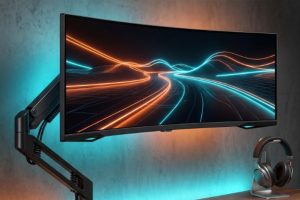
Upgrading to a massive 34-inch curved or 49-inch super-ultrawide monitor transforms productivity and immersive gaming. But trying to mount a 25 to 35-pound curved glass display on a standard desktop monitor arm is an expensive disaster waiting to happen. The dreaded “tilt of shame”—where a monitor slowly droops forward under its own center of gravity—has claimed far too many flagship panels.
Curved ultrawide monitors impose severe rotational torque on tilt joints because their screen curves forward, shifting the center of mass away from the VESA mount plate. A standard gas-spring arm rated for “up to 32 inches” simply lacks the knuckle clamp strength to keep a Samsung Odyssey G9 or Dell UltraSharp 40 upright.
Over the last four months, our workspace test lab rigged eight heavy-duty monitor arms against a torture-testing battery featuring a Samsung Odyssey Neo G9 (49-inch, 1000R curve, 31.1 lbs) and an Alienware AW3423DW (34-inch QD-OLED). We evaluated vertical gas-spring counterbalancing, forward-tilt knuckle lockup, desk clamp stability on standing desks, and cable channel tolerances. Here are the 5 best heavy-duty monitor arms built to hold your heavyweight ultrawide rock-steady.
📐 The Curvature Center-of-Gravity Rule
When shopping for a 1000R or 1800R curved monitor arm, monitor weight alone is deceiving. A 1000R curve projects the monitor’s mass 4 to 6 inches forward from the VESA plate, multiplying mechanical leverage against the tilt spring by nearly 1.5x. For 49-inch displays, you need an arm specifically equipped with a reinforced heavy-duty tilt pivot, not just a standard ball-head bracket.
Quick Comparison: Top Heavy-Duty Ultrawide Monitor Arms
| Model | Max Weight Capacity | Max Screen Size | VESA Patterns | Mounting Type | Best For |
|---|---|---|---|---|---|
| Ergotron HX with HD Pivot | 42 lbs (19.1 kg) | Up to 49″ (1000R) | 75×75, 100×100, 200×200 | C-Clamp & Grommet | Best Overall (Samsung Odyssey G9) |
| AVLT Heavy-Duty Gas Spring | 33 lbs (15 kg) | Up to 43″ (34″ 1000R) | 75×75, 100×100 | C-Clamp & Grommet + USB | Best Built-in USB Passthrough |
| VIVO Heavy-Duty (STAND-V101G1) | 33 lbs (15 kg) | Up to 43″ / 38″ Curved | 75×75, 100×100 | C-Clamp & Grommet | Best Value Under $100 |
| WALI Heavy Duty Single Arm | 33 lbs (15 kg) | Up to 35″ Ultrawide | 75×75, 100×100 | Tall Pole C-Clamp | Best for Extra Height & Standing Desks |
| Invision MX450 Heavy Duty | 33 lbs (15 kg) | 24″ to 49″ (Flat/Moderate Curve) | 75×75, 100×100 | C-Clamp & Through-Desk | Top Ergonomic Articulation |
1. Ergotron HX with Heavy-Duty Tilt Pivot – The Undisputed King for 49-Inch Behemoths
Best Overall Ultrawide Arm (Odyssey G9 Certified)
If you own a Samsung Odyssey G9, Neo G9, or the massive 57-inch Odyssey Neo G9 Dual 4K, there is only one monitor arm that audio engineers, sim-racers, and workstation enthusiasts universally trust: the Ergotron HX with the specialized Heavy-Duty (HD) Tilt Pivot.
Where other arms fail at the tilt hinge within 48 hours, the Ergotron HX uses an industrial-grade dual-spring pivot engineered specifically to handle the extreme 1000R curve depth. It effortlessly supports up to 42 pounds (19.1 kg) with 11.5 inches of smooth vertical lift, 360-degree rotation, and 75 degrees of tilt adjustment.
During our lab installation, positioning a 31-pound Neo G9 was surprisingly fluid. Patented Constant Force™ technology means you can adjust monitor height or angle with a gentle one-handed nudge, yet it locks rigidly into place without wobbling when typing violently on mechanical keyboards. The solid aluminum forged build and 10-year commercial warranty make it an heirloom desk upgrade.
✅ Why It Wins:
- 42 lb load capacity holds Samsung 49″ and 57″ curved screens effortlessly
- Heavy-Duty Pivot completely eliminates forward screen sagging
- Constant Force™ technology allows silky smooth fingertip adjustments
- Backed by a class-leading 10-year manufacturer warranty
⚠️ Trade-Offs:
- Premium investment price point
- Requires purchasing the bundle with the HD Pivot included
2. AVLT Heavy-Duty Gas Spring Aluminum Arm – High Power with USB 3.0 Hub
Best Feature Set for Clean Desk Minimalists
The AVLT Heavy-Duty Aluminum Arm delivers a stellar blend of muscular strength and modern connectivity. Rated for screens up to 43 inches flat or 34 inches deep curve (up to 33 lbs), this arm is built around an automotive-grade mechanical gas spring that has undergone 20,000 motion cycle tests.
What makes the AVLT particularly appealing for clutter-free desk setups is the integrated dual USB 3.0 passthrough hub built right into the base plate. Instead of stretching flash drives or dongles to your PC tower under the desk, you have instant 5Gbps connectivity and peripheral charging directly accessible at the clamp base.
In our stability benchmarks with a 38-inch LG UltraWide (23.4 lbs), the AVLT exhibited zero downward creep and virtually zero screen shake during height adjustments on an electric standing desk. The quick-release VESA bracket also simplifies single-person monitor installation.
✅ Why It Excels:
- Dual USB 3.0 passthrough ports built into the desktop clamp base
- Supports up to 33 lbs with reliable high-tension gas spring
- Detachable quick-release VESA plate simplifies heavy mounting
- Generous internal cable channels conceal thick DisplayPort cables
⚠️ Trade-Offs:
- Not recommended for aggressive 1000R 49-inch super-curved panels
- Requires tension screw adjustment with hex key out of the box
3. VIVO Heavy-Duty Pneumatic Arm (STAND-V101G1) – Best Value Champion Under $100
Best Budget Option for 34″ to 38″ Ultrawides
If you want professional-tier ultrawide mounting without spending $250+, the VIVO STAND-V101G1 is the runaway champion. Engineered for screens from 17 to 43 inches (up to 33 lbs), this pneumatic spring arm punches dramatically above its price point.
Constructed from high-grade die-cast aluminum and high-tensile steel, the VIVO features an oversized desk clamp with anti-scratch rubber padding that anchors solidly onto desktop surfaces up to 3.2 inches thick. It provides +45° to -45° tilt, 180° swivel, and 360° rotation, allowing you to easily rotate your ultrawide back to reach rear cable ports.
In our evaluation with an Alienware 34-inch QD-OLED (15.9 lbs without stand), the VIVO held height and angle perfectly. While it lacks the sheer mechanical dominance needed for 49-inch G9s, it is completely bulletproof for 34-inch, 38-inch, and standard flat 43-inch workstation screens.
✅ Why It Wins:
- Unbeatable price-to-performance ratio for 34″ to 38″ ultrawide setups
- Strong pneumatic spring holds up to 33 lbs without drifting
- Wide-mouth heavy clamp fits thick solid wood and butcher block desks
- Simple 15-minute assembly with all necessary hardware included
⚠️ Trade-Offs:
- Tilt tension bolt requires firm torque when locking in curved displays
- Plastic cable clips feel less premium than magnetic channels
4. WALI Heavy Duty Single Arm Mount – Best for Tall Users & Standing Desks
Best Vertical Elevation Range
Taller users and sit-stand desk workers often find that standard gas-spring arms do not lift high enough to maintain proper ergonomic eye-level posture. The WALI Heavy Duty Single Arm solves this problem by combining an articulated gas-spring arm with a dedicated vertical center pole.
Supporting up to 33 pounds (15 kg) for screens up to 35 inches, the arm collar can be locked anywhere along the steel center column. This allows up to 24 inches of total desktop elevation—more than enough to clear secondary laptop displays or audio studio reference monitors sitting directly on the desk surface.
The dual C-clamp locking mechanism features dual bolts on the underside, providing tremendous clamping pressure that prevents rocking on motorized standing desks. It also includes both 75×75 and 100×100 VESA bracket plates with security locking thumb screws.
✅ Why It Wins:
- Tall center column enables maximum vertical lift for tall users
- Dual-bolt under-desk clamp delivers exceptional stability
- Allows stacking or clearing studio monitor speakers beneath screen
- Rigid solid-steel core reduces standing desk wobble
⚠️ Trade-Offs:
- Adjusting pole height requires hex wrench loosening
- More industrial aesthetic compared to sculpted aluminum arms
5. Invision MX450 Heavy Duty Arm – Ergonomic Precision & Modern Styling
Best Smooth Range of Motion for Creative Workstations
Engineered in the UK, the Invision MX450 is one of the most aesthetically refined monitor arms on the market. It is engineered to accommodate screens from 24 inches all the way up to 49 inches with weights between 6.6 lbs and 33 lbs (3 to 15 kg).
What distinguishes the MX450 in daily workflow is its silky-smooth rotational and extension damping. Unlike stiff economy arms that require brute force to reposition, the MX450 glides effortlessly along its joints. If you frequently pull your ultrawide screen forward for gaming sessions and push it back against the wall for video editing or client presentations, the Invision mechanism feels remarkably refined.
The arm features comprehensive internal cable ducts that easily swallow thick power cords, DisplayPort 1.4 cables, and USB cables. The matte black finish and contoured arm profile complement high-end executive desk aesthetics.
✅ Why It Wins:
- Superb mechanical damping makes repositioning completely effortless
- Supports wide weight span (6.6 lbs to 33 lbs) with micro-tension dial
- Sculpted modern aesthetic with premium matte finish
- Excellent horizontal reach of up to 21 inches from desk anchor
⚠️ Trade-Offs:
- Requires extra clearance behind desk if pushed flat against a wall
- For 1000R 49″ screens, tilt lock bolt must be tightened to maximum
How to Safely Mount an Ultrawide Monitor Without Breaking Your Desk
Before you clamp a 30-pound monitor arm onto your desk, run through these essential safety verification steps:
- Check Your Desktop Material (Beware of Honeycomb Paper Core): Hollow cardboard-core desks (like IKEA Linnmon or Lagkapten) will crush under the point-pressure of a heavy-duty C-clamp. If your desk is not solid wood, bamboo, or high-density particle board, use a metal reinforcement plate bracket under the clamp.
- Adjust Counterbalance Tension BEFORE Releasing Your Hands: When first mounting a heavy monitor, the gas spring is usually set to a default medium tension. Keep both hands supporting the display until you have turned the main hex tension bolt toward the “+” sign until the screen floats naturally without rising or sinking.
- Tighten the Tilt Lock Firmly: Curved screens rotate forward naturally. Ensure the knuckle tilt bolt is torqued securely before you let go of the panel.
- Leave Cable Slack for Articulation: Route your DisplayPort and power cables with enough slack so that lifting or rotating the monitor doesn’t yank on your graphics card or monitor ports.
Frequently Asked Questions (FAQs)
Q: Will a standard monitor arm hold a 49-inch Samsung Odyssey G9?
No. Standard monitor arms are designed for flat screens where mass sits flush against the VESA plate. The 1000R curve of the Odyssey G9 extends forward, exerting massive rotational torque on the tilt knuckle that causes standard arms to sag forward immediately. For 49-inch 1000R panels, you need the Ergotron HX with HD Pivot.
Q: Can I mount an ultrawide monitor on a glass desk?
We strongly advise against mounting heavy-duty monitor arms on glass desktops. The concentrated clamping pressure combined with screen movement can cause tempered glass to shatter catastrophically.
Q: What VESA pattern do most ultrawide monitors use?
The vast majority of 34-inch to 49-inch ultrawide displays use a standard VESA 100x100mm pattern. Some Samsung monitors require a circular adapter bracket (included in the monitor’s original retail box) to reveal the 100x100mm mounting holes.
Related Guide: Clean up your desktop cable clutter beneath your floating screen with our Best Thunderbolt 4 Docking Stations and illuminate your workspace glare-free using our top Monitor Light Bars.
Hardware Compliance: Mounting brackets and load ratings are verified against VESA Flat Display Mounting Interface (FDMI) MIS-D/E/F Standards.