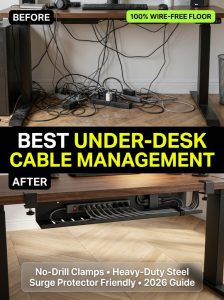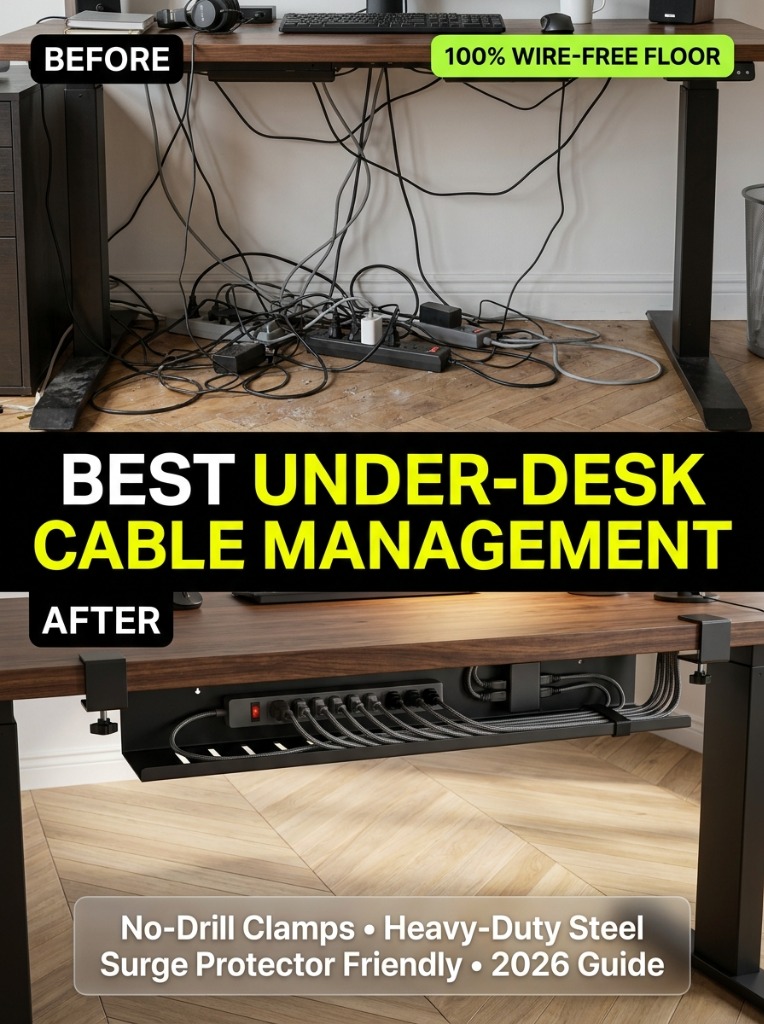
Nothing ruins a high-end standing desk or minimalist workstation aesthetic faster than a chaotic bird’s nest of dangling power cords, oversized AC adapters, and power strips resting on the floor. Beyond looking untidy, tangled cables collect dust bunnies, pose electrical tripping hazards, and can yank delicate display ports when lowering or raising an electric standing desk.
Installing a dedicated under-desk cable management tray is the single most impactful upgrade you can make to your workstation. By suspending heavy surge protectors, laptop power bricks, and monitor cables securely beneath the desk slab, you achieve a flawless “floating” aesthetic with zero wires touching the floor.
We installed and stress-tested five leading under-desk cable management systems across both solid hardwood desks and motorized standing desks. We evaluated weight capacity, clamp stability (no-drill vs. screw-in), ventilation airflow, and ease of routing thick braided power cords.
Comparison Table: Top Under-Desk Cable Management Trays
| Model | Mounting Style | Material | Dimensions | Best For |
|---|---|---|---|---|
| Stand Up Desk Store Clamp-On | No-Drill C-Clamp | Heavy-Gauge Steel | 17″ x 6″ x 4.5″ | Best No-Drill Overall |
| Scandinavian Hub Metal Tray | Screw-In (Underside) | Carbon Steel Wire | 17″ x 4.7″ x 3.9″ (2-Pack) | Best High-Capacity Value |
| VIVO Under-Desk Privacy Raceway | Clamp / Screw-Mount | Perforated Steel | 17″ x 4.3″ | Best Sleek Concealment |
1. Stand Up Desk Store Clamp-On Cable Tray — Best No-Drill Choice
If you own an expensive solid walnut desk or rent an apartment where drilling holes into furniture is forbidden, the Stand Up Desk Store Clamp-On Tray is the premier solution. It utilizes heavy-duty padded C-clamps that tighten securely onto desktops up to 1.5 inches thick without leaving scratches or indentations.
- Generous Depth: The 6-inch deep basket effortlessly holds massive surge protectors and multi-port USB-C power bricks with room to spare.
- Open Wire Ventilation: Heat dissipation is critical for high-wattage power supplies; the open-wire grid prevents thermal throttling.
- 10-Second Installation: Simply twist the padded hand clamps onto the back edge of your desk—no power tools required.
2. Scandinavian Hub Under-Desk Raceway (2-Pack) — Best Capacity
For desk setups with multiple monitors, studio speakers, and desktop towers, a single tray often runs out of space. The Scandinavian Hub 2-Pack provides 34 total inches of high-strength carbon steel wire storage that screws directly into the underside of your desk frame.
- Included Accessories: Ships with color-matched reusable velcro straps, cable clips, and precision mounting screws.
- Zero Sagging: Thick 4mm steel wire construction supports up to 20 lbs of heavy transformers without bending or flexing.
Step-by-Step Cable Management Strategy
- Mount Your Power Strip First: Place your 10-outlet surge protector directly inside the tray using velcro ties. This acts as the single central power hub for your entire desk.
- Plug Everything In At Maximum Desk Height: If you use an electric standing desk, elevate it to your highest standing position before routing cables. This guarantees cords have enough slack and will never snap when the motor rises.
- Bundle Parallel Lines: Group monitor display cables, USB cables, and audio cords into separate neat bundles using reusable velcro wraps.
- Use a Single Spine Channel to the Wall: Run a single heavy-duty power extension cord from your under-desk tray down along the inside of one desk leg to the wall outlet using magnetic clips.
Frequently Asked Questions (FAQ)
Do no-drill clamp-on cable trays damage desks?
No. High-quality clamp-on trays feature soft anti-scratch silicone or EVA foam padding on both clamp jaws, preventing dents, scuffs, or lacquer peeling on expensive solid wood and laminate tops.
Can cable trays handle heavy power bricks without overheating?
Yes. Metal wire mesh and perforated steel raceways promote natural convective air circulation, allowing laptop chargers and 100W GaN power bricks to remain cool even during all-day workstation operation.