Affiliate Disclosure: This post may contain affiliate links. If you purchase through links on our site, we may earn an affiliate commission at no extra cost to you.
Imagine trying to find a specific file on your computer, only to realize that you have no idea where it’s stored. Frustrating, right?
Memory and storage devices are the unsung heroes that keep your digital life organized and efficient. Without them, your devices would simply be lifeless shells, unable to save your favorite photos, important documents, or the latest binge-worthy series. You probably rely on these devices every day, whether you’re using a smartphone, laptop, or gaming console.
But have you ever stopped to think about how they work? Or how choosing the right one can enhance your daily life? We’re diving into the fascinating world of memory and storage devices, unraveling their mysteries to help you make smarter choices. Stay with us as we explore the essentials you need to know. From understanding different types of storage to discovering tips on optimizing performance, this guide promises to empower you with knowledge that will transform how you manage your digital life. Ready to unlock the secrets of memory and storage devices? Let’s get started!
Types Of Memory
Memory and storage devices hold data in various forms. RAM provides quick access for active tasks, while ROM stores essential instructions. Hard drives and SSDs save files for long-term use. Each type plays a crucial role in computer function and data management.
When you think about your computer or smartphone, you might wonder how they remember everything you do. This is where memory and storage devices come into play. Understanding the different types of memory can help you make informed decisions when choosing or upgrading your devices. Let’s dive into the world of memory and see how each type plays a crucial role in the performance of your gadgets.
Volatile Vs Non-volatile
Volatile memory needs power to keep data. When you switch off your device, this data disappears. It’s like writing notes on a whiteboard that vanish when you erase them. RAM (Random Access Memory) is a common example. In contrast, non-volatile memory retains data even when the power is off. Think of it like a notebook where your notes stay put until you decide to erase them. Your hard drive or SSD falls into this category. Which type of memory do you rely on more in your daily tech use?
Ram And Its Variants
RAM is the temporary storage your computer uses to run applications. It’s fast and efficient, allowing you to multitask smoothly. Imagine playing a game, listening to music, and browsing the web—all at once. More RAM means better performance. Within RAM, there are different types, like DDR3, DDR4, and DDR5, each offering improved speed and efficiency. Have you ever noticed your device slowing down with too many apps open? Adding more RAM can be a simple fix.
Cache Memory
Cache memory acts like a speedy assistant to your processor. It stores frequently accessed data to minimize retrieval time. This means quicker access to the information you need, boosting overall device performance. Picture it as keeping your most-used apps on your phone’s home screen for easy access. Cache sizes vary, but even small amounts make a noticeable difference. Have you ever wondered why some websites load faster than others? Efficient cache memory management could be the answer. Understanding these types of memory can transform the way you interact with technology. With this knowledge, you can make smarter choices about upgrades and purchases, ensuring your devices keep up with your demands. What changes might you consider for your own tech setup?
Types Of Storage Devices
Understanding storage devices is key to managing digital data efficiently. Various types cater to different needs. Each device has unique features. Knowing these helps in selecting the right one for your needs.
Hard Disk Drives
Hard Disk Drives, or HDDs, are traditional storage devices. They use spinning disks to read and write data. HDDs are known for their large storage capacity. They are cost-effective for storing massive amounts of data. However, they are slower and less durable than newer technologies.
Solid State Drives
Solid State Drives, or SSDs, are faster and more reliable. They use flash memory to store data. No moving parts make them less prone to physical damage. They offer quicker access times and improved performance. SSDs are ideal for speed-intensive tasks. They are more expensive than HDDs but offer better durability.
Optical Storage
Optical storage includes CDs, DVDs, and Blu-ray discs. These devices use lasers to read and write data. Optical storage is often used for media distribution. They are portable and easy to use. However, they have limited storage capacity compared to HDDs and SSDs.
Flash Storage
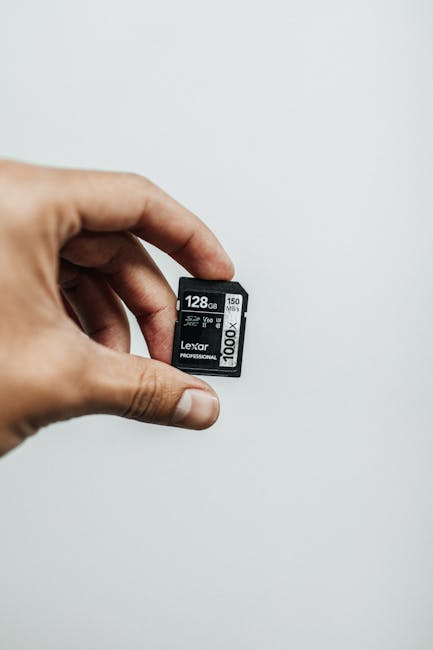
Flash storage is widely used in USB drives and SD cards. It is compact and portable. Flash storage is versatile, suitable for a range of devices. It offers fast data transfer rates. Ideal for transferring files between devices quickly. Flash storage is reliable for short-term data storage.
Memory In Computing
Memory in computing is more than just a place where data is stored temporarily. It’s the powerhouse that enables your computer to run smoothly and efficiently. Whether you’re a gamer, a designer, or simply someone who enjoys browsing, the memory in your device plays a crucial role in your experience. Let’s dive into the essential aspects of memory that impact your computing journey.
Role In System Performance
Ever wondered why your computer slows down when too many applications are open? This is where memory comes into play. Memory acts like a workspace for your computer. It allows you to run multiple programs smoothly. The more memory you have, the better your system can handle multitasking.
Think of memory as your computer’s short-term memory. It helps your CPU access data quickly, boosting performance. If you’re constantly dealing with sluggish performance, consider upgrading your RAM. It might just be the boost your system needs.
Memory Hierarchy
Memory hierarchy is a concept that organizes memory types based on speed and cost. At the top, you have cache memory, which is the fastest but most expensive. Then comes RAM, which balances speed and affordability. At the bottom, there’s hard drive storage, which is slower but offers more space.
This hierarchy ensures that the most frequently accessed data is stored in the fastest memory. For example, when playing a game, essential data is stored in RAM for quick access. Understanding this hierarchy helps you optimize your system’s performance.
Importance Of Memory Capacity
Memory capacity can make or break your computing experience. More memory means you can run complex applications and store more data. It’s like having a bigger backpack; you can carry more items without feeling weighed down.
Consider your needs. If you’re a video editor or a gamer, aim for higher capacity. This ensures smoother performance and less frustration. How much memory is enough for you? Assess your daily tasks to find the sweet spot.
Memory in computing is not just a technical aspect; it’s a vital part of your digital life. By understanding its role, hierarchy, and capacity, you can make informed decisions to enhance your computing experience. What changes will you make to optimize your memory usage today?
Storage Device Applications
Storage devices are crucial in today’s digital world. They store, retrieve, and manage data efficiently. Different devices serve various purposes, catering to personal, enterprise, and mobile needs. Understanding their applications helps in choosing the right device.
Personal Computers
Storage devices in personal computers help keep files safe. Hard drives and SSDs are common choices. They store everything from documents to games. SSDs are faster, making them ideal for quick access. Hard drives offer more space at lower costs. Both types ensure your data is available when needed.
Enterprise Solutions
In businesses, data storage is vital for operations. Enterprises use storage devices to handle large volumes of information. Servers with RAID configurations ensure data safety and redundancy. NAS devices offer network-based storage, enabling team collaboration. These solutions are designed for reliability and efficiency.
Mobile Devices
Mobile devices require compact storage solutions. Flash memory is popular in smartphones and tablets. It provides quick access and is energy-efficient. SD cards expand storage for photos, videos, and apps. Keeping data secure on mobile devices is essential. Proper storage solutions ensure data is both safe and accessible.
Choosing The Right Device
Selecting the best memory and storage device can be tricky. The market offers a variety of options. Each has its own benefits and drawbacks. Understanding your needs is crucial. You should consider performance, cost, and future needs. These factors help you make an informed decision. Let’s explore each of these aspects.
Performance Needs
Performance varies between devices. Some are faster than others. Speed matters for gamers and designers. They require quick data access. Consider devices like SSDs for speed. HDDs might be slower but can store more data. Match the device to your tasks for optimal performance.
Cost Considerations
Budget affects your choice. SSDs are pricier than HDDs. But, they offer speed and reliability. HDDs are more affordable. They suit users needing large storage. Balance cost with performance needs. Choose a device that fits your budget and requirements.
Future-proofing
Technology evolves rapidly. Devices can become outdated quickly. Opt for future-proof solutions. Consider storage capacity and upgrade options. Ensure compatibility with newer systems. Think about long-term needs. Choose a device that will serve you well over time.
Advancements In Technology
The rapid pace of technological advancements has revolutionized the landscape of memory and storage devices. Just think about how quickly your smartphone or laptop becomes outdated, urging you to upgrade for better speed and capacity. This evolution isn’t just about more gigabytes; it’s about smarter, faster, and more efficient solutions that change the way you manage data.
Emerging Memory Technologies
Imagine a world where your computer boots up instantly, or your phone never runs out of space. Emerging memory technologies are making this possible. Technologies like 3D NAND and MRAM are paving the way for devices that are quicker and more reliable. Have you ever wondered how your favorite apps seem to load faster than before? That’s the magic of these new memory solutions.
These advancements are not just about speed; they also focus on energy efficiency. Think about the impact on your device’s battery life. With these technologies, you might find your phone lasting longer without frequent charges. As these innovations become mainstream, they promise to enhance your digital experience significantly.
Trends In Storage Solutions
Storage solutions are evolving at an unprecedented rate. Cloud storage, for instance, offers you the flexibility to access your files anytime, anywhere. Have you transitioned to using cloud services for your photos and documents? This trend is more than convenience; it’s about scalability and security.
Solid-state drives (SSDs) are another trend gaining momentum. They are quieter, faster, and more durable than traditional hard drives. If you’ve recently upgraded to an SSD, you probably noticed the impressive speed and performance boost in your device. It’s a game-changer for data-heavy tasks like video editing or gaming.
Impact On Data Management
Advancements in memory and storage have a profound impact on data management. With larger storage capacities and faster access speeds, how do you decide what to keep and what to delete? This is where efficient data management becomes crucial.
Consider the importance of organizing and backing up your data. Are you using automated backup solutions? These advancements make it easier to protect your data from unexpected losses. They also enable seamless integration across devices, ensuring your documents are always within reach.
As you navigate these technological advancements, think about your data habits. Are you making the most of these new tools to enhance productivity? The changes in memory and storage devices challenge us to rethink our approach to managing information.
Security Considerations
Protecting memory and storage devices is crucial for data security. Regularly update software to guard against threats. Encrypt sensitive information to prevent unauthorized access.
When thinking about memory and storage devices, security considerations are paramount. Whether you’re storing personal photos or sensitive business data, the safety of your information should be a priority. In today’s digital age, data breaches and cyber threats are increasingly common, making it crucial to protect your data effectively. Are you confident that your data is secure? Let’s explore essential security measures you can implement.
Data Encryption
Data encryption is a vital tool for protecting your information. By converting your data into a code, it ensures that only those with the correct key can access it. Consider using encryption software for your devices to keep your information safe from unauthorized access. Have you ever lost a device and worried about the data stored on it? Encryption can give you peace of mind, knowing your data is unreadable to others.
Secure Data Erasure
Deleting files doesn’t mean they’re gone forever. Secure data erasure is necessary to prevent data recovery. When you dispose of an old device, make sure to use software that overwrites your data multiple times. Are you planning to sell or recycle your old computer? Secure erasure ensures that your personal information doesn’t fall into the wrong hands.
Physical Security Measures
Physical security is just as important as digital security. Keeping your devices in a secure location can prevent unauthorized access. Use locks and secure cabinets for storing external drives or computers, especially in shared environments. Have you ever left your laptop unattended in a public place? It’s a risk that can be mitigated with diligent physical security practices. Ensuring the security of your data on memory and storage devices requires a proactive approach. Implement these security measures to protect your information and maintain your peace of mind. Are you ready to make your data more secure today?
Environmental Impact
Memory and storage devices play a crucial role in daily technology use. Their production and disposal impact our environment significantly. Understanding this impact is key to adopting sustainable practices.
Sustainability In Manufacturing
Manufacturing memory and storage devices involves several environmental challenges. Factories often use toxic materials and excessive energy. Sustainable methods can minimize this impact. Companies can choose eco-friendly materials. Green energy sources reduce carbon footprints. These practices help lessen environmental harm.
Energy Efficiency
Energy efficiency is vital for reducing environmental impact. Memory devices often consume large amounts of energy. Designing energy-efficient devices can help save resources. Efficient devices reduce electricity use. This leads to lower carbon emissions. Users benefit from reduced energy bills.
Recycling And Disposal
Improper disposal of memory devices harms the environment. Many contain hazardous materials. Recycling is essential to reduce waste. Proper recycling recovers valuable materials. It prevents toxins from polluting the earth. Encouraging recycling helps protect our planet. Disposal processes should be safe and sustainable.
Frequently Asked Questions
What Are Memory And Storage Devices?
Memory devices store data temporarily for quick access. Storage devices hold data permanently for future retrieval. RAM is an example of a memory device, while hard drives are storage devices.
How Do Memory Devices Differ From Storage Devices?
Memory devices are fast, volatile, and temporary. Storage devices are slower, non-volatile, and permanent. They work together to ensure efficient computing performance.
Why Is Ram Considered A Memory Device?
RAM is volatile and temporarily stores data for active processes. It allows quick access and is essential for multitasking and fast operation.
How Do Ssds Differ From Hdds?
SSDs use flash memory for faster data access. HDDs use spinning disks and are generally slower but cost-effective for large storage needs.
Conclusion
Memory and storage devices shape our digital lives. They hold crucial data. From photos to documents, these devices keep everything safe. Choosing the right one is important. Consider capacity, speed, and durability. Each device serves different needs. Hard drives offer large storage.
SSDs provide faster access. Flash drives are portable and easy to use. Cloud storage offers flexibility. Each option has unique benefits. Understanding these helps make smart choices. Stay informed to manage your data effectively. Technology keeps evolving, so keep learning.
Your knowledge will ensure your data stays secure and accessible.