

Have you ever noticed your Android phone getting slower or running out of space? It might be time to clear your data storage.
You see, just like a cluttered room can make it hard to find things, a jam-packed phone can slow down your digital life. Imagine having a sleek, fast, and organized device that works as efficiently as you do. With a few simple steps, you can achieve this by managing your data storage effectively.
This article will guide you through easy ways to declutter your Android. You’ll discover practical tips to free up space, boost your phone’s performance, and keep your device in top shape. Don’t let sluggish speeds and storage issues hold you back. Dive in to learn how you can transform your phone into a well-oiled machine, ready to tackle your daily tasks with ease.
Benefits Of Clearing Data Storage
Clearing data storage on Android improves device performance by freeing up space and speeding up operations. It also enhances privacy by removing outdated files and cached data. This simple task can extend battery life and optimize app functioning, making your Android device run smoother and more efficiently.
Clearing data storage on your Android device can often feel like a chore, but the benefits it brings are undeniably worth the effort. Whether your device is running slower than a snail or you’re constantly running out of space, clearing data storage can be a game-changer. Let’s dive into the key benefits that you can enjoy by regularly managing your Android’s data storage.Improved Device Performance
A cluttered phone can slow down just about every function. By clearing data storage, you allow your device to breathe, freeing it from the unnecessary weight of unused apps and cache files. Just like how a tidy workspace boosts your productivity, a clean device can significantly enhance its speed and responsiveness. Have you ever noticed how your phone seems to lag less after a good clean-up? That’s the magic of improved performance at work.Increased Storage Space
Running out of storage is a common struggle, especially with the abundance of apps, photos, and videos we tend to hoard. Clearing data storage can free up a surprising amount of space, giving you room for those important files you actually need. Imagine not having to delete precious memories just to download a new app. It’s like finding extra room in your closet that you never knew existed.Enhanced Privacy And Security
Clearing data storage is not just about performance and space; it’s also about protecting your privacy. Over time, apps collect data that can pose a risk if your device falls into the wrong hands. By regularly clearing this data, you minimize the chances of sensitive information being accessed. It’s like shredding personal documents instead of leaving them lying around. Wouldn’t you feel safer knowing your private data is not at risk? Taking the time to clear your Android’s data storage can lead to a smoother, safer, and more spacious mobile experience. So, when was the last time you gave your device a good clean-up?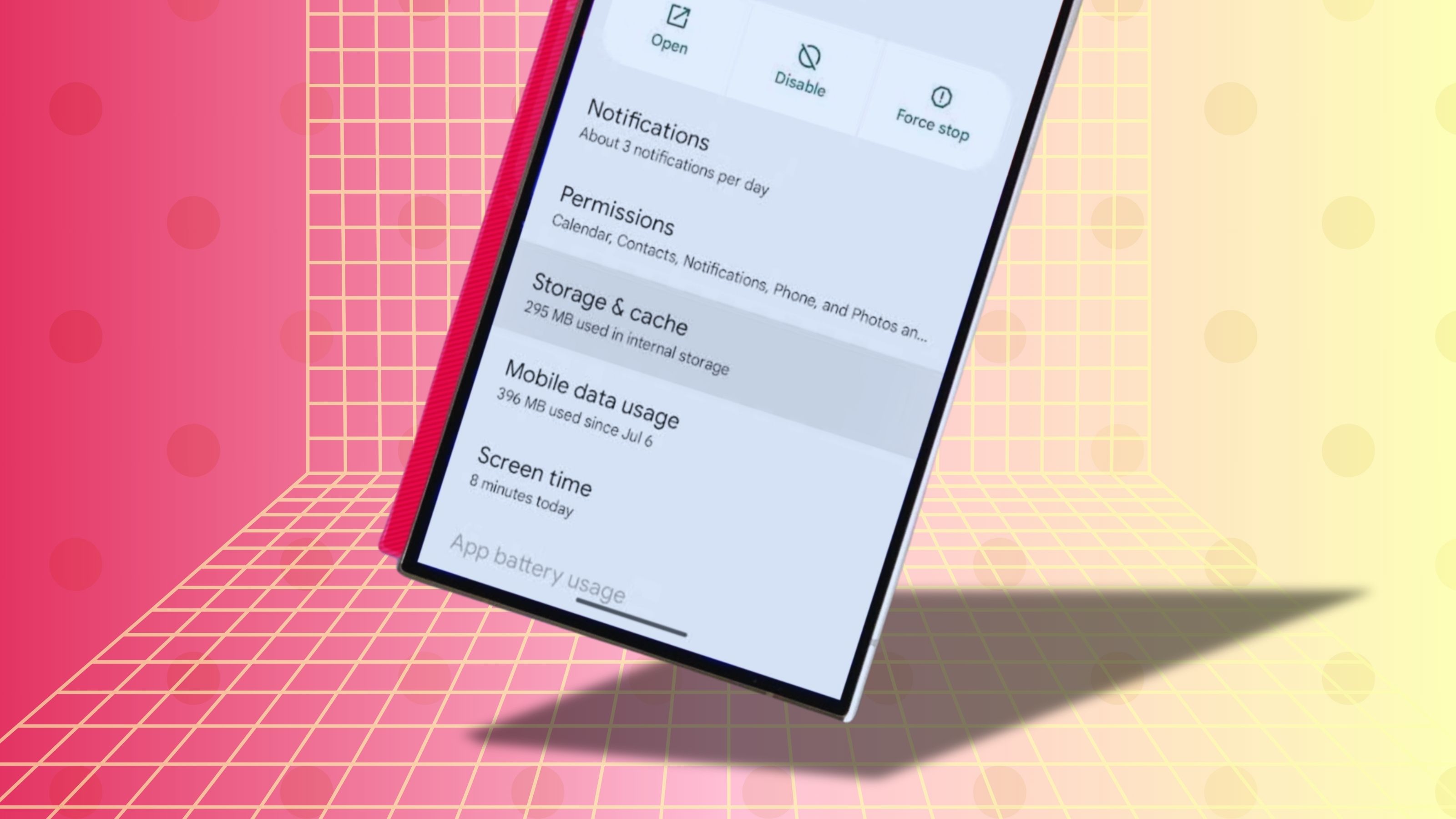
Credit: www.androidpolice.com
Common Data Storage Culprits
When you notice your Android device lagging or running low on storage, it’s often due to hidden data storage culprits. These sneaky space hogs can be hard to spot but easy to tackle once you know what to look for. Let’s dive into the common data storage culprits that might be cluttering your device and stealing precious space.
Cache Files
Cache files are temporary data stored by apps to make them run faster. While they speed up app performance, they can pile up quickly. Have you ever noticed your favorite app suddenly taking up more space than usual? That’s probably due to cache buildup. Regularly clearing cache files can free up significant space and improve your device’s speed. Do you remember the time when you cleared cache and your phone started running smoother? Try doing it more often!
Temporary Files
Temporary files are another sneaky storage gobbler. They are created by apps during updates or while performing tasks. These files are meant to be removed automatically but often linger, consuming valuable space. Think of them as digital clutter. Have you ever wondered why your storage seems full, even after deleting photos and apps? Temporary files might be the hidden culprit. Consider using a reliable cleaning app to routinely clear out these files.
Unused Apps
Unused apps are silent space thieves on your device. You might have downloaded an app for a one-time use, or perhaps you’ve forgotten about it altogether. These apps not only take up space but can also run background processes that slow down your device. Imagine opening your app drawer and finding apps you haven’t touched in months. Why not take a moment and declutter? Uninstalling unused apps is a quick way to reclaim storage and boost performance.
Identifying these common data storage culprits can transform your Android device experience. Regular maintenance can prevent frustration and prolong your device’s life. What steps will you take today to clear your device’s data clutter?
Tools For Data Management
Managing data on Android is crucial for efficient device performance. Various tools help users organize, store, and access data seamlessly. These tools make handling information straightforward and hassle-free.
Built-in Android Features
Android devices come with built-in data management features. The storage settings let users view and manage app data easily. Users can clear cache and free up space. This feature helps maintain device speed. File Manager is another useful tool. It organizes files and folders, making retrieval quick. Users can also delete unwanted files directly.
Third-party Apps
Third-party apps offer advanced data management options. Apps like DiskUsage provide detailed storage analysis. They visualize data usage with graphs and charts. Users can identify large files and manage them effectively. Clean Master is another popular app. It cleans junk files and optimizes device performance. These apps enhance storage management beyond basic Android features.
Cloud Storage Solutions
Cloud storage offers secure and accessible data management. Services like Google Drive provide ample space for data storage. Users can upload files and access them from any device. It ensures data safety and availability. Dropbox is another cloud option. It syncs files across devices and allows easy sharing. Cloud solutions free up device storage while securing important files.
Steps To Clear Data Storage
Managing storage on your Android device can be tricky. Over time, apps and files take up space. This can slow down your phone. Clearing data storage helps free up space. It also improves device performance. Follow these steps to clean your Android storage effectively.
Clearing App Cache
App cache stores temporary files. These files help apps run faster. Yet, too much cache can slow down your phone. To clear it, go to Settings. Tap “Apps” and select an app. Choose “Storage” and tap “Clear Cache”. This frees up storage space.
Deleting Unnecessary Files
Files like old photos or downloads clutter your storage. Open your file manager. Review your downloads folder. Delete files you no longer need. Check your photo gallery. Remove blurry or duplicate images. This simple step creates more storage room.
Uninstalling Unused Apps
Unused apps take up valuable space. They also use up resources in the background. Open Settings and select “Apps”. Scroll through the list. Tap on apps you don’t use. Choose “Uninstall” to remove them. This boosts your phone’s speed and storage.
Maintaining Optimal Storage
Managing storage on your Android device can feel like a never-ending battle. With apps, photos, and files constantly consuming space, keeping your device running smoothly is essential. Fortunately, there are straightforward strategies to help you maintain optimal storage, ensuring your device functions at its best.
Regular Clean-up Routine
Think of your device like a closet. Every so often, you need to sort out what’s essential and what can be discarded. Set a schedule to review your apps and files. Ask yourself: Do I really need this app? When was the last time I used it? Removing unused apps can free up valuable space.
Don’t forget about your photos and videos. Consider storing older ones in cloud services. This keeps your device tidy and ensures you have access to memories without cluttering your storage.
Utilizing Storage Alerts
Your Android device is smart. It can alert you when storage is running low. Pay attention to these warnings. They’re your device’s way of saying, “Help me breathe!” Use them as a prompt to check what’s eating up your space.
Enable storage alerts in your settings. It’s a simple step that keeps you informed and proactive about your device’s health. Wouldn’t it be better to know sooner rather than later?
Automatic Backup Options
Imagine losing all your data due to a mishap. Scary thought, right? Automatic backups are a lifesaver. They safeguard your data while freeing up device space. Set up regular backups to cloud services like Google Drive.
This allows you to access your files from anywhere, without burdening your device’s storage. Have you tried this yet? It’s like a safety net for your digital life.
Maintaining optimal storage isn’t a chore; it’s a smart way to enhance your device’s performance. Implement these strategies and experience a noticeable difference in speed and efficiency.

Credit: www.youtube.com
Troubleshooting Storage Issues
Free up space on Android by clearing data storage. Delete app caches and unnecessary files for more room. Improve device performance by managing storage efficiently.
Troubleshooting storage issues on Android can feel like a daunting task, especially when you’re unsure of where to start. Yet, gaining control over your device’s storage can dramatically improve performance and user experience. Through practical steps and a bit of detective work, you can tackle these issues head-on and reclaim your device’s functionality.Identifying Large Files
Large files are often the silent culprits of storage woes. Begin by navigating to your device’s settings and accessing the storage section. Here, you can view a breakdown of what’s consuming space. Look for unexpected large files, such as lengthy videos or high-resolution photos. Consider transferring these to cloud storage or an external device. If you find apps that store large amounts of cached data, clearing the cache can free up significant space without affecting app performance. Have you checked your downloads folder lately? It’s easy to forget about large files saved here, which can accumulate over time. Regularly reviewing and deleting unnecessary files can make a difference.Resolving App-related Storage Problems
Apps can be another major source of storage problems. Unused apps not only take up space but may also run background processes that slow down your device. Evaluate which apps you genuinely use and uninstall those that are redundant. For essential apps that still consume a lot of space, check if they allow data to be moved to an SD card. This can be a quick fix to free up internal storage. Also, don’t overlook the power of clearing app data for apps like social media or streaming services, which often store temporary files. Have you ever thought about resetting an app to see if it improves storage? This can sometimes resolve storage issues without losing important data.Addressing System Errors
System errors can sometimes mimic storage issues, leading to a frustrating user experience. If your device is sluggish even after clearing space, it might be time to investigate further. Start by ensuring your device’s software is up to date. Updates can fix bugs that affect storage management. If problems persist, consider rebooting your device in safe mode to check if a particular app is the source of the issue. Have you tried a factory reset as a last resort? It can be a drastic measure but sometimes necessary to resolve persistent system errors. Remember to back up your data before proceeding with this step. By taking these steps, you can effectively troubleshoot and resolve storage issues on your Android device, ensuring smoother and more efficient performance.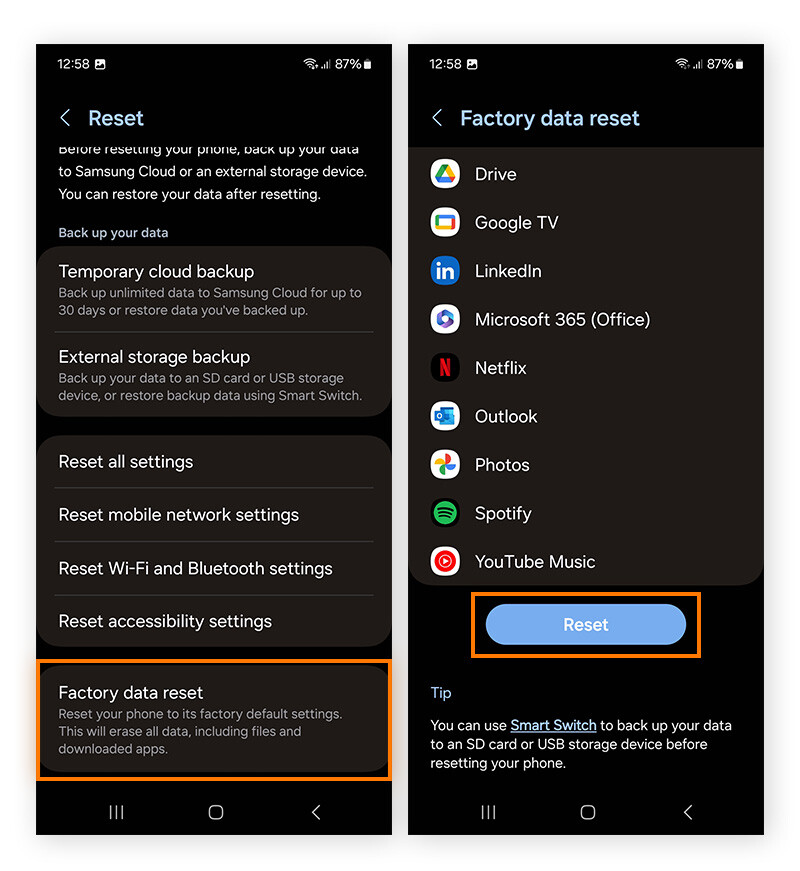
Credit: www.avast.com
Frequently Asked Questions
How To Clear Data Storage On Android?
Clearing data storage on Android can be done through Settings. Go to ‘Apps’, select the app, and tap ‘Clear Data’. This deletes app data, freeing up space. Be cautious, as it removes app settings, login details, and saved files.
What Happens When You Clear App Data?
Clearing app data removes all stored information within the app. This includes preferences, accounts, and saved files. The app returns to its original state, like a fresh install. It helps resolve issues but erases personalized settings and data.
Why Should You Clear Android Data Storage?
Clearing data storage helps manage space and improve performance. It resolves app glitches by removing unnecessary data. Regular clearing ensures apps run smoothly and your device has sufficient storage. It’s essential for maintaining optimal device functionality.
Does Clearing Data Delete App Updates?
No, clearing data does not remove app updates. It only deletes stored data within the app. Updates remain intact, ensuring you have the latest version. Clearing data resets app settings and removes saved files but keeps the app updated.
Conclusion
Clear data storage on Android keeps your device running smoothly. It frees up space and boosts app performance. Regular cleanup prevents slowdowns and glitches. Your phone stays fast and efficient. Managing data is easy with built-in tools. No need for extra apps.
Just a few taps and your device feels like new. Remember to back up important files before clearing storage. Keep your Android organized and clutter-free. Enjoy better speed and more space. Maintain your device regularly for the best experience. Happy decluttering!



