
Are you tired of fumbling through endless apps and complex settings every time you pick up your phone? Imagine a world where using your smartphone feels as natural as a friendly chat.
With the evolution of smartphone interfaces, this isn’t just a dream; it’s a reality. You’ll discover how the latest advancements are transforming your smartphone experience from a frustrating puzzle into a seamless extension of yourself. Dive in to uncover how these intuitive designs not only save you time but also enhance your productivity and enjoyment.
Unlock the secrets behind a more user-friendly digital world right at your fingertips.
Credit: www.alamy.com
Evolution Of Smartphone Interfaces
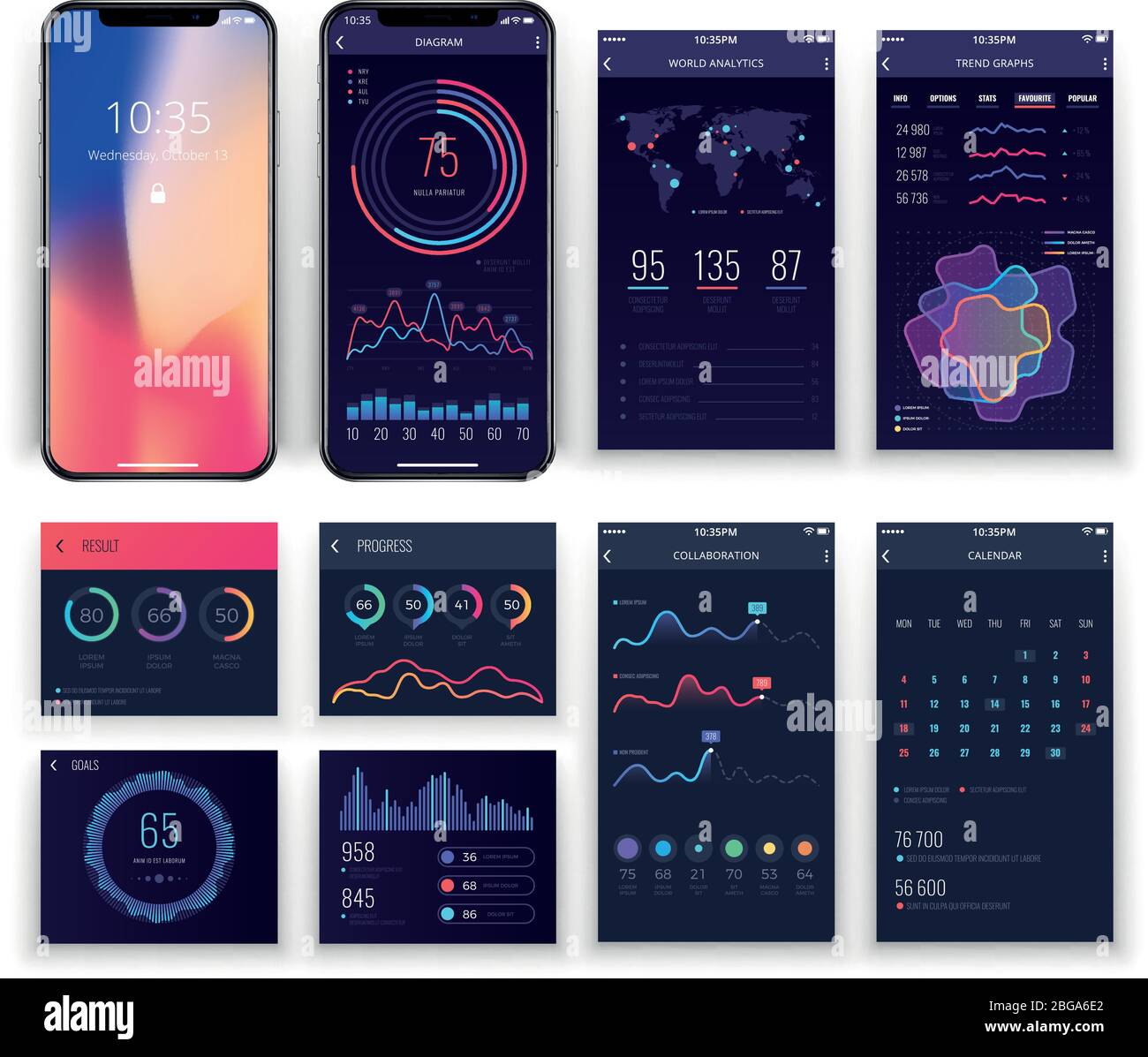
Smartphone interfaces have dramatically transformed, from basic buttons to intuitive touchscreens. Gesture controls and voice recognition now offer seamless interaction, enhancing user experience. Continual advancements prioritize accessibility, ensuring smartphones are increasingly user-friendly.
The evolution of smartphone interfaces has dramatically transformed the way we interact with our devices. From the early days of cumbersome keypads to the sleek touchscreens we swipe today, each advancement has brought us closer to a seamless digital experience. But have you ever wondered what’s next for smartphone interfaces? Let’s take a closer look at how these interfaces have changed over the years.From Keypads To Touchscreens
Remember the days when typing out a text message was a thumb workout? Early smartphones relied heavily on physical keypads. Each button had multiple functions, and texting was a time-consuming task. Then came the revolution of touchscreens. Suddenly, everything was at your fingertips—literally. This shift not only made typing faster but also opened up a world of new possibilities for app developers. Think about how much more intuitive your smartphone became with just the swipe of a finger.Introduction Of Gesture Controls
Gesture controls were a game-changer. No longer did you need to tap or press; a simple wave of your hand could command your phone. This innovation added a new layer of interaction, allowing you to perform tasks without even touching your device. Have you ever used your phone while cooking, with messy hands? Gesture controls make it possible to scroll through recipes or playlists without smudging your screen. It’s a small convenience that makes a big difference in daily life.Voice Assistants And Ai Integration
Voice assistants have made smartphones smarter. With a simple voice command, you can set alarms, send messages, or even control your home devices. This hands-free functionality has made smartphones an integral part of our daily routines. AI integration takes it a step further, learning your habits and preferences. Your phone can suggest apps or remind you of appointments based on your past behavior. It’s like having a personal assistant in your pocket, always ready to help out. These advancements beg the question: What will the next evolution in smartphone interfaces look like? As technology continues to advance, the possibilities are endless. How do you see these interfaces shaping your future interactions with technology?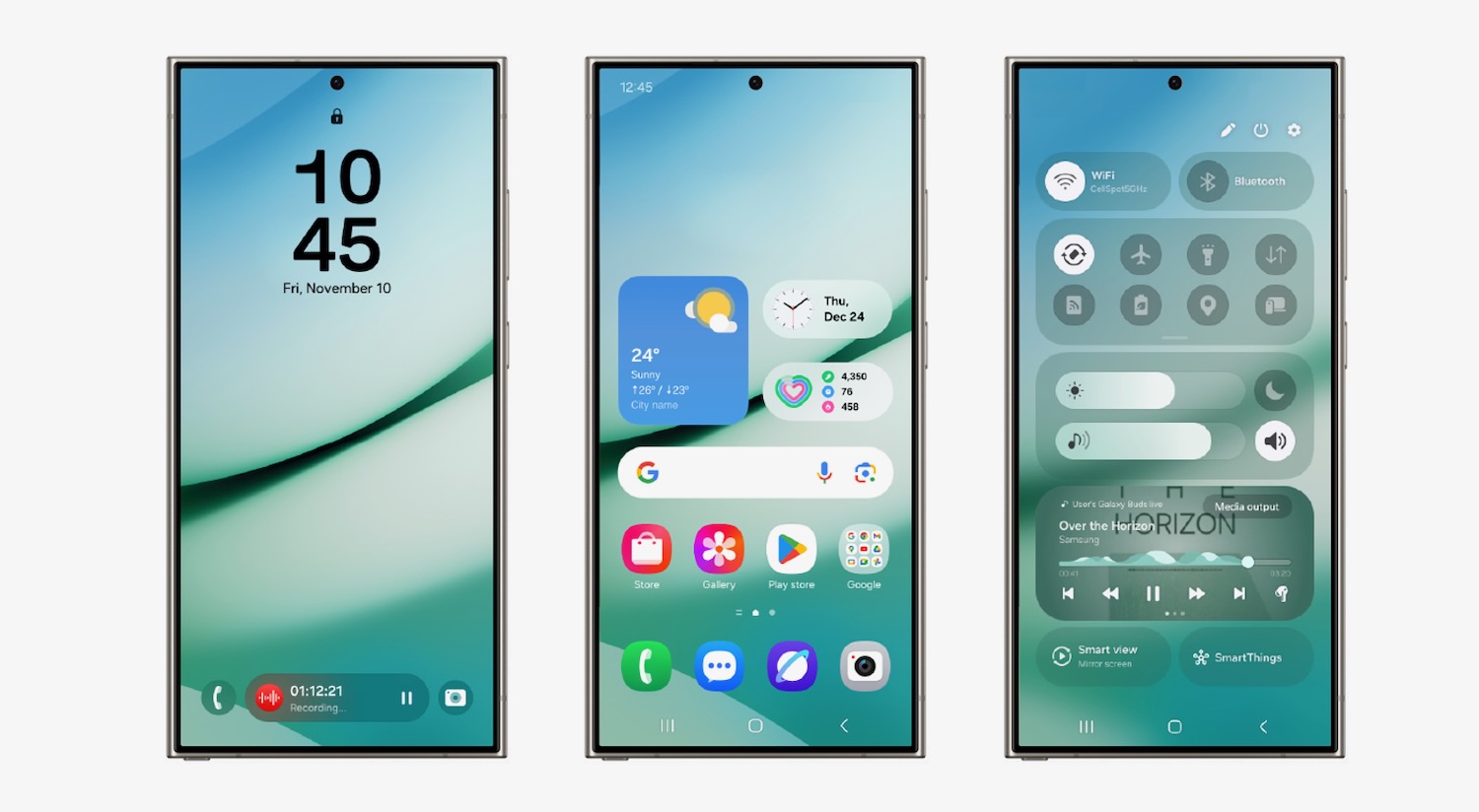
Credit: www.techguide.com.au
Key Features Enhancing User Experience
Smartphones have changed how we interact with technology. Their interfaces are designed to enhance the user experience. Key features make navigating these devices easier and more enjoyable. They contribute to a smoother, more personalized experience for users.
Intuitive Navigation
Smartphone interfaces focus on making navigation simple. Users can easily find what they need. Menus are clear and straightforward. Icons are easily recognizable. Gestures make moving between apps fast and seamless. This intuitive design saves time and frustration.
Personalization And Customization
Personalization lets users tailor their devices to fit their needs. Customizable themes and wallpapers add a personal touch. Users can arrange apps based on priority. Widgets display important information at a glance. This ability to customize enhances user satisfaction.
Seamless App Integration
Smartphones offer seamless integration with various apps. Apps work together smoothly to provide better functionality. Notifications are synced across platforms. Users can switch between apps without losing data. This integration improves the overall user experience.
Role Of Artificial Intelligence
Artificial Intelligence (AI) has become a cornerstone of smartphone interfaces, transforming how you interact with your device. From enhancing your communication to elevating your photography skills, AI is making smartphones smarter and more intuitive. Have you ever wondered how your phone seems to know what you need before you do? It’s all thanks to the magic of AI.
Predictive Text And Smart Suggestions
AI predicts words and phrases, making typing faster and more accurate. It’s like having a mind reader at your fingertips. Ever noticed how your phone suggests the next word as you type a message? That’s AI working hard to understand your patterns and habits.
Imagine texting a friend about a movie. As you type “I want to watch,” your phone might suggest “movie” or even “tonight.” This is AI analyzing your texting habits. It saves time and reduces errors, giving you a seamless typing experience. Do you find these suggestions helpful or distracting?
Ai In Camera And Photography
Your smartphone camera is smarter than you might think. AI enhances your photography, adjusting settings for the perfect shot. Remember taking a sunset photo that looked stunning? AI likely adjusted the exposure and colors for you.
AI identifies faces, scenes, and even lighting conditions. It automatically enhances photos, making them crisp and vibrant. Have you tried using the portrait mode? The blurred background effect is AI creating professional-quality images right from your phone. How often do you rely on your smartphone’s camera for capturing memories?
Virtual Assistants
Virtual assistants like Siri or Google Assistant are powered by AI, ready to help you at a moment’s notice. They can set reminders, answer questions, or even control smart home devices. Ever asked your assistant to play your favorite song or call someone hands-free?
These assistants learn from your interactions, becoming more personalized with each use. The more you engage, the better they understand your needs. Have you ever been surprised by your assistant’s ability to anticipate your next request?
AI is redefining smartphone interfaces, making them more intuitive and responsive. As AI continues to evolve, what do you hope your smartphone will be able to do for you next?
Impact Of Augmented Reality
Augmented Reality (AR) is reshaping smartphone interfaces. It blends digital visuals with the real world. This technology enhances user interactions, offering immersive experiences. Smartphones, with AR, create new ways to engage with digital content. This integration impacts various sectors, including gaming, retail, and fashion. Let’s explore how AR is changing these fields.
Enhanced Gaming Experiences
AR transforms gaming on smartphones. Players see digital elements in their real environment. This interaction makes games more engaging. It adds a layer of excitement. Traditional games become more interactive. AR games encourage physical movement. This active involvement keeps players entertained. It also promotes a healthier lifestyle. The blend of reality and digital creates unique gaming adventures.
Retail And Shopping Innovations
AR is changing how we shop. It allows virtual exploration of products. Shoppers can see items in their home before buying. This enhances decision-making and increases satisfaction. Retailers offer virtual tours of stores. Customers explore without leaving their homes. AR showcases product features in detail. This detailed view helps in choosing the right product. Shopping becomes more interactive and informative.
Virtual Try-ons And Simulations
Virtual try-ons are a boon for fashion lovers. AR lets users try clothes digitally. This saves time and effort. No need to visit fitting rooms. It also applies to accessories and makeup. Users experiment with different styles easily. Simulations help in understanding product fit and look. This reduces returns and increases sales. AR ensures a personalized shopping experience.
Design Trends In Modern Interfaces
Modern smartphone interfaces blend technology and art. Designers focus on usability and aesthetics. New trends emerge to enhance user experience. Let’s explore some of these trends shaping interfaces today.
Minimalist Aesthetics
Minimalism is a key trend in interface design. It simplifies navigation. Designers use clean lines and ample white space. This approach reduces clutter. Users find apps more intuitive. Minimalism helps focus on core features. It creates a smooth, stress-free experience.
Dark Mode Preference
Dark mode is gaining popularity. It reduces eye strain. Users prefer it for low-light conditions. Dark backgrounds save battery on OLED screens. Designers offer dark mode options. This trend enhances accessibility. It provides a sleek, modern look.
Adaptive And Responsive Layouts
Adaptive layouts adjust to different devices. This trend ensures consistency across screens. Responsive designs create seamless transitions. Users enjoy a uniform experience. Content adapts to various orientations. These layouts prioritize user comfort. They improve overall usability.
Challenges In User Interface Design
Designing a smartphone interface is a complex task. It involves juggling multiple elements that can make or break the user experience. Developers face several challenges in ensuring that interfaces are intuitive, functional, and secure, while also catering to diverse user needs.
Balancing Functionality And Simplicity
Striking the right balance between functionality and simplicity can be tough. You want to offer a rich feature set without overwhelming users with cluttered screens.
Think about a time when you opened an app and felt lost in a sea of options. That’s what designers aim to avoid. Simplifying navigation and reducing unnecessary elements can make your app more appealing.
Consider how a cleaner interface can enhance user satisfaction. Are there features in your app that could be streamlined?
Accessibility Considerations
Accessibility is crucial in UI design. It ensures everyone, including those with disabilities, can use the app effectively.
Have you ever tried using an app with tiny fonts or confusing gestures? Such barriers can exclude users with visual or motor impairments. Integrating voice commands or customizable font sizes can make your app more inclusive.
Ask yourself, is your interface accessible to all users? How can you improve it to remove barriers?
Privacy And Security Concerns
Privacy and security are top priorities in UI design. Users need to trust your app with their data.
Reflect on how you feel when an app asks for too many permissions. It can be unsettling, right? Ensuring transparent privacy settings and robust security measures can build user trust.
Is your app clear about what data it collects? What steps can you take to enhance security for your users?
Future Of Smartphone Interfaces
The future of smartphone interfaces holds exciting possibilities. As technology advances, smartphones become smarter and more user-friendly. Interfaces will adapt to new technologies, enhancing user experience. Let’s explore some key aspects shaping this future.
Emerging Technologies
Emerging technologies are transforming smartphone interfaces. Artificial intelligence personalizes user experiences. Voice recognition allows hands-free navigation. Augmented reality offers immersive interaction. These technologies are creating intuitive and seamless interfaces. Users will experience smarter and more efficient devices.
Innovations In Haptic Feedback
Haptic feedback is improving how we interact with phones. It uses vibrations to mimic real-world touch. This makes virtual interactions feel physical. New advancements provide precise and varied feedback. Users get a richer and more realistic experience. Imagine feeling the texture of a digital object. The possibilities are endless.
Potential Of Foldable Screens
Foldable screens are gaining attention in the smartphone world. They offer flexibility and portability. Users can enjoy larger displays without bulky devices. Foldable screens provide new ways to multitask. They enhance viewing experiences and improve productivity. Imagine a phone transforming into a tablet. This innovation could redefine smartphone design.

Credit: www.vecteezy.com
Frequently Asked Questions
What Is A Smartphone Interface?
A smartphone interface is the design that allows users to interact with their device. It includes visual elements like icons, menus, and gestures. A well-designed interface enhances usability and user experience, making navigation intuitive and efficient.
How Does Touchscreen Impact Smartphone Interface?
Touchscreen technology revolutionizes smartphone interfaces by enabling direct interaction. Users can tap, swipe, and pinch to navigate apps and settings. This intuitive method enhances user experience, making smartphones more accessible and engaging for everyone.
Why Is User Interface Important?
A user interface is crucial for effective device interaction. It determines how users navigate and utilize smartphone features. A well-designed interface enhances usability, reduces frustration, and increases user satisfaction, leading to better overall device performance.
How Can I Customize My Smartphone Interface?
Customizing your smartphone interface is simple. You can change themes, rearrange icons, and adjust settings. Explore app stores for launchers and widgets that offer personalization options to fit your style and preferences.
Conclusion
Smartphone interfaces continually evolve to enhance user experience. They’re more intuitive now. Users can navigate seamlessly with simple gestures. Accessibility features make devices friendly for everyone. Personalization options allow users to tailor their phones. This makes usage more comfortable. Developers strive to improve interface efficiency.
This helps users complete tasks faster. There’s a focus on security, too. Protecting personal data remains crucial. Future advancements promise even smarter interfaces. They’ll offer more convenience and better connectivity. Stay tuned for exciting developments. Your smartphone will keep getting smarter.



