
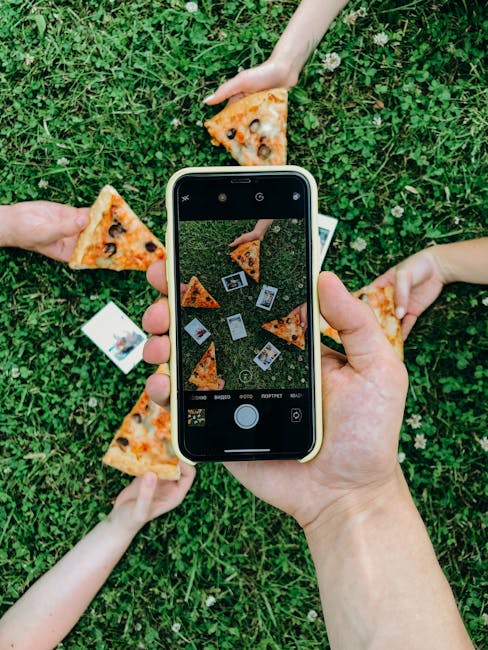
Imagine holding a tiny universe in the palm of your hand, where every snapshot tells a story and every picture captures a moment. That’s what your smartphone offers: a camera with the power to transform the ordinary into the extraordinary.
When you take a photo with your smartphone, you’re not just capturing an image; you’re creating a memory, a piece of art, a glimpse into your life. But how can you ensure your smartphone photos truly shine? How can you make each click count and each picture pop?
This is where the magic begins, and you’re about to uncover the secrets to mastering smartphone photography. Ready to dive in and discover how to elevate your snapshots from simple clicks to stunning masterpieces? Let’s explore together.

Credit: www.group-indigo.com
Choosing The Right Smartphone Camera
Picking the perfect smartphone camera involves considering key features like resolution and sensor size. Ensure it offers good low-light performance and optical zoom capabilities. A quality lens and image stabilization can greatly enhance photo quality.
Choosing the right smartphone camera can be a daunting task, especially with the multitude of options available today. Whether you’re capturing moments for social media, documenting a family vacation, or diving into mobile photography, the right camera can make all the difference. How do you navigate the sea of specs and features to find a phone that suits your needs?Key Features To Consider
When selecting a smartphone camera, focus on features that matter most to you. Megapixels are important, but they aren’t everything. A 12-megapixel camera with a larger sensor can outperform a 20-megapixel one with a smaller sensor. Low-light performance is crucial if you often take photos indoors or at night. Features like night mode and a wide aperture can help capture sharp images in dim conditions. Optical zoom is another feature to look for. Digital zoom can degrade image quality, so a phone with optical zoom will let you get closer to the action without losing detail. Stabilization helps prevent blurry images, especially in action shots. Optical image stabilization (OIS) is preferable to digital stabilization.Popular Models For Photography
Some smartphones stand out for their photography capabilities. The iPhone 14 Pro is renowned for its exceptional camera system, offering impressive low-light performance and a versatile array of lenses. The Google Pixel 7 is another favorite, praised for its computational photography prowess. It excels in capturing vibrant, true-to-life colors and details. If you’re leaning towards Android, the Samsung Galaxy S23 Ultra is a powerhouse with its high-resolution sensors and advanced zoom capabilities. Have you tried any of these models? Your personal needs and preferences should guide your choice, but these popular options have proven their worth among photography enthusiasts. What features are non-negotiable for you in a smartphone camera?Mastering Camera Settings
Mastering your smartphone camera settings can transform your photography skills. Whether you’re capturing a breathtaking sunset or a candid moment, understanding how to adjust your camera settings can make a world of difference. Imagine the satisfaction of snapping a photo that perfectly captures the essence of the moment. Let’s dive into some key settings to help you elevate your smartphone photography skills.
Understanding Resolution And Megapixels
Resolution and megapixels are your camera’s way of measuring detail. More megapixels generally mean better quality images. However, it’s not just about numbers. Consider what you’ll use the photo for. Do you need ultra-high resolution for large prints, or are you sharing on social media where lower resolution might suffice?
Experiment with different resolutions. Sometimes lower settings work better for quick uploads, saving space on your phone. Higher resolutions can capture finer details, perfect for landscapes or portraits. Try both, find what suits your style, and see how it impacts your images.
Adjusting Exposure And Focus
Exposure controls the light in your photos. Too bright or too dark, and you lose detail. Use exposure settings to find the perfect balance. Try adjusting exposure manually to see how it alters the mood of your shots.
Focus is equally crucial. Most smartphones offer tap-to-focus features. If you’re capturing a moving object, try continuous focus. It keeps the subject sharp while blurring the background, creating depth. Test these features during a walk in the park or a bustling street scene to see how they impact your photos.
Using Hdr For Balanced Shots
HDR, or High Dynamic Range, is a game-changer for capturing details in different lighting. It helps balance shadows and highlights, especially in tricky lighting conditions. Have you ever tried taking a picture of a brightly lit scene only to find parts of it washed out or too dark?
Enable HDR mode when facing high contrast scenes. It’s perfect for sunsets, cityscapes, or any scene with a mix of bright and dark areas. You might be surprised at how much detail you can capture. Test it out during your next outdoor adventure and see the difference it makes.
These settings are more than just technical tweaks; they’re tools to help you tell your story. Which setting will you master today? Dive into your smartphone camera settings and start experimenting. Your next great photo is just a few taps away.
Techniques For Capturing Stunning Photos
Smartphone photography has become a popular way to capture everyday moments. With advanced camera features, anyone can take stunning photos. Understanding basic techniques can elevate your photography skills. By focusing on composition, lines, and lighting, your photos will stand out.
Rule Of Thirds For Composition
The rule of thirds divides your image into nine parts. Imagine two horizontal and two vertical lines. Place key elements along these lines or at intersections. This creates balance and guides the viewer’s eye. It makes your photo more engaging.
Using Leading Lines
Leading lines draw the viewer’s attention to a focal point. They can be roads, rivers, or fences. These lines guide the eye through the image. They add depth and interest. Positioning lines strategically makes your photo dynamic.
Playing With Light And Shadows
Light and shadows can transform a photo. Shadows add drama and contrast. Soft light creates a gentle mood. Experiment with light sources and angles. Find patterns and textures in shadows. This enhances the photo’s atmosphere.
Credit: www.quechoisir.org
Enhancing Photos With Editing Apps
Smartphone photography has become an integral part of our daily lives. Whether capturing a scenic landscape or a candid moment, your smartphone is always ready to snap away. But how do you turn those ordinary photos into extraordinary ones? Enhancing photos with editing apps is the answer. These apps can transform your images from simple snapshots into stunning visuals. Let’s dive into the world of editing apps and uncover some practical techniques to elevate your photos.
Top Editing Apps To Try
Choosing the right app can make a significant difference in your photo editing journey. Several apps stand out for their user-friendly interfaces and powerful features.
- Snapseed:A favorite among users for its extensive editing tools and filters. Snapseed allows you to tweak details like brightness, contrast, and saturation with ease.
- Adobe Lightroom:Ideal for both beginners and professionals, Lightroom offers advanced features like tone curves and color grading.
- VSCO:Known for its artistic filters, VSCO lets you create a unique aesthetic for your photos.
Have you tried any of these apps? If not, now’s the time to experiment and find the one that suits your style.
Basic Editing Techniques
Starting with basic editing can enhance your photos significantly. Adjusting brightness, contrast, and saturation can make your images pop.
Cropping is another essential tool. It helps focus on the subject and removes unnecessary distractions. Use the crop tool to frame your photos perfectly.
Sharpening adds clarity and detail, making your images crisp. These simple tweaks can make your photos stand out. Try them and see the difference!
Advanced Features For Professionals
Once you’re comfortable with basic editing, exploring advanced features can elevate your skills. Professionals often use features like curves and selective adjustments.
Curves allow precise control over tones, giving you the ability to fine-tune shadows and highlights. It’s an excellent way to achieve the perfect balance.
Selective adjustments enable you to edit specific areas of your photo. This is useful for enhancing particular parts without affecting the whole image. Are you ready to take your editing to the next level?
Engaging with these apps and techniques can transform your smartphone photos into masterpieces. What are you waiting for? Start enhancing your photos today and unleash your creativity!
Exploring Special Modes And Features
Smartphone cameras have evolved beyond basic photo capture. They now offer special modes and features. These options enhance the photography experience. Users can take better photos in challenging conditions. Let’s explore some of these exciting features.
Night Mode For Low Light
Capturing photos in low light can be tough. Night Mode is a handy solution. It helps capture more detail in dark settings. The camera uses longer exposure times. This allows more light to hit the sensor. The result is clear and vibrant images. Users can now enjoy evening photography without worry.
Portrait Mode For Depth
Portrait Mode adds depth to photos. It blurs the background and focuses on the subject. This effect is called bokeh. It makes the subject stand out. The mode is perfect for taking professional-looking portraits. Users can capture memorable moments with ease. The depth effect is adjustable. This allows for creative control over each shot.
Panorama For Wide Shots
Panorama Mode is great for capturing wide landscapes. It stitches multiple photos into one long image. This mode is ideal for group shots or scenic views. Users just sweep the camera across the scene. The mode does the rest. It captures the whole view in a single frame. This is perfect for sharing expansive scenes with friends.

Credit: cours-informatique-gratuit.fr
Creative Photography Ideas
Smartphone cameras have transformed the world of photography. They make capturing moments easy and fun. Creative photography ideas can enhance your skills and spark your imagination. Explore new techniques to capture stunning images. Dive into these ideas to see photography in a new light.
Capturing Motion With Burst Mode
Burst mode is ideal for fast-moving subjects. It captures several frames in quick succession. Try photographing a running dog or a jumping friend. Burst mode ensures you don’t miss a single moment. Review the sequence to find the best shot. This technique adds life to your photos.
Using Reflections Creatively
Reflections offer unique perspectives. Use water surfaces for mirror effects. Capture buildings in puddles after rain. Play with reflections in windows and mirrors. They add depth and interest to photos. Experiment with different angles and lighting. Reflections can transform ordinary scenes.
Experimenting With Abstract Photography
Abstract photography frees you from rules. Focus on shapes, colors, and patterns. Capture textures and shadows for artistic effects. Zoom in on details for intriguing compositions. Abstract images stir emotions and provoke thought. They challenge viewers to see beyond the obvious.
Sharing And Storing Your Photos
Capturing memories with ‘Photo D’Un Smartphone’ makes sharing and storing photos simple and efficient. Easily save and organize images, ensuring quick access anytime. Enjoy seamless sharing with friends and family, keeping your cherished moments just a tap away.
Capturing moments with your smartphone is just the beginning of the journey. The real fun lies in sharing and storing these precious memories. Whether you’re snapping pictures of a family gathering or a stunning sunset, you want to ensure those photos are easily accessible and safely stored. In this section, we’ll explore how to share your photos smartly and keep them organized and backed up.Best Platforms For Sharing
Choosing the right platform can make sharing your photos a breeze. Social media giants like Instagram and Facebook allow you to instantly share images with friends and family. They offer features like tagging and geolocation to enhance the sharing experience. For a more private option, consider using Google Photos or Apple iCloud. These platforms not only let you share albums with specific people but also provide easy access across all your devices. You can even create collaborative albums, making it simple for everyone to contribute to a shared memory collection.Organizing Photos Efficiently
Keeping your photos organized ensures you can find the right shot when you need it. Start by creating folders or albums based on events, dates, or themes. This makes scrolling through thousands of images much more manageable. Use photo management apps like Adobe Lightroom or Google Photos to categorize and tag your images. These apps offer smart features like facial recognition and automated albums. Imagine searching for a picture of your pet and finding it instantly—sounds like a time saver, right?Backing Up Your Collection
Backing up your photos protects them from unexpected loss. Cloud storage services like Google Drive, Dropbox, and OneDrive offer automatic backup options. With a reliable internet connection, your photos can be safely stored without any manual effort. Consider setting up multiple backup solutions. An external hard drive can serve as a physical backup, while a cloud service ensures you have access anywhere. Ask yourself, how devastated would you be if you lost all your photos? A robust backup plan is your safeguard against such a nightmare. Remember, your smartphone photos are more than just digital files—they’re memories worth cherishing. Choose the best sharing platform, organize them neatly, and back them up safely to ensure those moments last a lifetime.Frequently Asked Questions
What Is The Best Smartphone Camera?
The best smartphone camera varies by preference and need. Brands like Apple, Samsung, and Google offer excellent cameras with advanced features. Consider image quality, low-light performance, and additional features like zoom or wide-angle lenses when choosing.
How Do I Take Better Smartphone Photos?
To take better smartphone photos, ensure proper lighting and focus. Use grid lines for composition, explore camera settings, and clean the lens regularly. Experiment with angles and perspectives to enhance your shots.
Can Smartphones Replace Professional Cameras?
Smartphones can produce impressive photos but may lack professional cameras’ full capabilities. They are great for everyday photography and social media. For professional work, dedicated cameras often offer better control and flexibility.
How Do Smartphone Cameras Work?
Smartphone cameras use small sensors and lenses to capture light and images. Advanced algorithms process images for improved quality. Features like HDR, night mode, and AI enhance photo results significantly.
Conclusion
Capturing the perfect smartphone photo is now within reach. With the right techniques, your images can truly shine. Experiment with angles, lighting, and focus. Every picture tells a story. Let yours speak clearly. Remember, practice improves your skills. Explore various settings and features on your device.
Each option offers a new perspective. Share your best photos with friends and family. Enjoy the process of learning and creating. Your smartphone is a powerful tool. Use it to capture life’s beautiful moments. Keep snapping and discovering new possibilities in photography.