

Imagine having all the tools you need for work at your fingertips, wherever you are. This is exactly what Office 365 Cloud Computing offers you.
It’s not just another tech buzzword; it’s a game-changer for anyone looking to boost productivity and streamline tasks. You might wonder how something as vast as the cloud can fit into your daily routine or improve your business operations. The answer is simpler than you think.
Office 365 brings your favorite apps, like Word, Excel, and Outlook, into one seamless experience on the cloud. This means you can access your files, collaborate with your team, and manage your projects effortlessly from any device. Are you ready to dive into how Office 365 can transform your work life? Keep reading to uncover the benefits and practical tips that will empower you to work smarter, not harder.
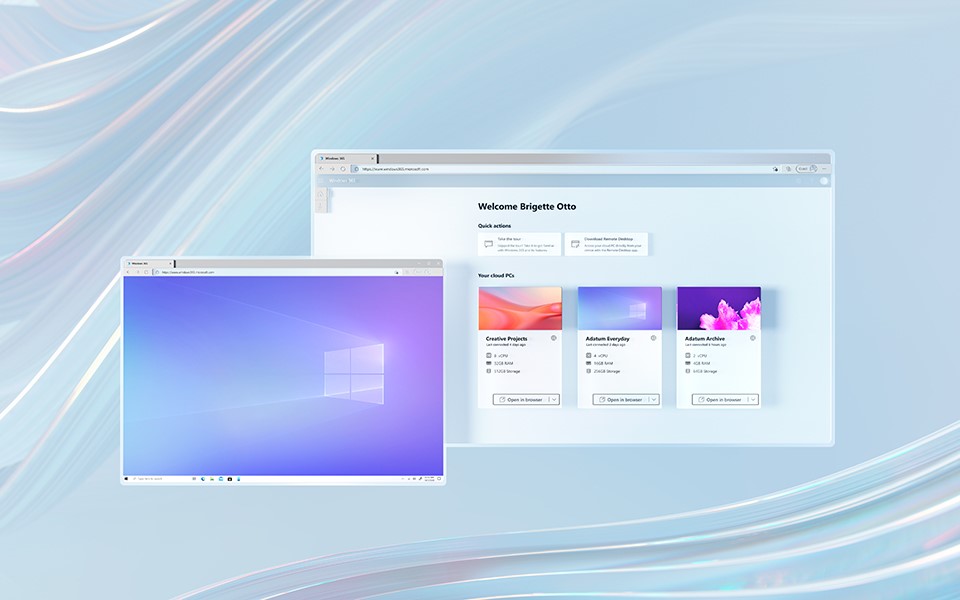
Credit: www.microsoft.com
What Is Office 365 Cloud Computing
Office 365 Cloud Computing lets users access Microsoft apps online. Work from anywhere with internet. It offers tools like Word, Excel, and PowerPoint on the cloud. Easy collaboration and file sharing help teams work together. Secure storage ensures data safety.
It’s a flexible solution for modern workplaces.
Office 365 Cloud Computing is a robust solution designed for modern businesses. It offers a suite of applications and services accessible from anywhere with an internet connection. This flexibility can transform the way you work, helping you stay productive and connected.Understanding Office 365 Cloud Computing
Office 365 Cloud Computing involves using Microsoft’s suite of productivity tools hosted online. Instead of installing software on each device, you access applications like Word, Excel, and Outlook through the internet. This shift to cloud computing means you don’t have to worry about updates or maintenance, as these are managed by Microsoft.Benefits Of Office 365 Cloud Computing
Office 365 ensures that your team can collaborate effectively, regardless of location. Imagine working on a document with a colleague who is miles away—Office 365 makes that seamless. Additionally, with automatic updates, you always have access to the latest features without lifting a finger.Security Features
Security is a top concern for many businesses. Office 365 addresses this with built-in security features. Your data is protected with encryption and advanced threat protection, giving you peace of mind. It’s like having a security guard for your digital files.Scalability
As your business grows, so do your needs. Office 365 can easily scale with your organization. Whether you’re hiring more staff or expanding services, Office 365 can accommodate these changes effortlessly. This scalability ensures you’re never paying for more than you need.Practical Use Cases
Consider a small business owner who needs to manage a team remotely. With Office 365, they can easily share files, conduct virtual meetings, and manage calendars. This real-world application shows how Office 365 can help streamline operations and boost efficiency.Why Choose Office 365?
Why should you consider Office 365 for your business? It’s not just about the tools; it’s about creating a more connected, efficient workplace. By choosing Office 365, you invest in a solution that grows with you, adapts to your needs, and ensures your team can focus on what truly matters. Office 365 Cloud Computing isn’t just a trend—it’s a strategic move to enhance productivity and collaboration in your business. So, are you ready to harness its potential for your organization?Benefits Of Office 365 For Businesses
Office 365 has transformed how businesses operate in the modern world. With its cloud computing capabilities, it offers numerous benefits that help organizations stay competitive and efficient. Whether you’re a small startup or a large enterprise, Office 365 can enhance your operations in several ways. Let’s explore how this powerful tool can benefit your business.
Scalability And Flexibility
Imagine you’re a small business poised for growth. Office 365 allows you to scale your operations seamlessly. As your team expands, you can easily add more users without a hitch. This flexibility means you can adapt to changing business needs without having to overhaul your entire IT infrastructure.
Have you ever faced the challenge of adjusting your resources quickly during peak times? Office 365 provides the flexibility to do just that. You can adjust your subscription based on your current requirements, ensuring that you pay only for what you need.
Enhanced Collaboration
Have you ever struggled with coordinating team efforts across different locations? Office 365 makes collaboration effortless. Tools like Microsoft Teams and SharePoint bring your team together, whether they’re working from home or across different continents.
Real-time editing and sharing of documents are possible with Office 365. This means you can work with colleagues on a project simultaneously, reducing the time spent on revisions and increasing productivity. Have you tried co-authoring a document? It’s a game-changer.
Cost Efficiency
Office 365 is a cost-effective solution for businesses. You only pay for what you use, eliminating the need for costly hardware and software upgrades. This can significantly reduce your IT expenses, allowing you to allocate resources to other important areas.
Think about how much you spend on maintaining servers and equipment. With Office 365, you can cut those costs and redirect the savings towards growth initiatives. This is a smart investment for any business looking to optimize their budget.
Advanced Security Features
Are you concerned about keeping your data safe? Office 365 offers advanced security features that protect your sensitive information. From encryption to multi-factor authentication, it provides robust security measures to safeguard your data.
Have you ever experienced a data breach? With Office 365, you can have peace of mind knowing your data is protected by the latest security protocols. These features help you focus on your business without worrying about vulnerabilities.
Office 365 is more than just a suite of applications; it’s a comprehensive platform that provides tangible benefits for your business. Whether it’s scaling your operations, enhancing collaboration, optimizing costs, or securing your data, Office 365 offers solutions that can streamline your operations and drive success. How will you leverage Office 365 to transform your business?
Key Features Of Office 365
Office 365 Cloud Computing offers seamless collaboration with tools like Word, Excel, and Teams. It ensures data security with advanced encryption. Users enjoy automatic updates and access from any device, boosting productivity.
Office 365 has transformed how we work, offering powerful cloud computing solutions that enhance productivity and collaboration. Whether you’re a small business owner or part of a large corporation, understanding its key features can help you get the most out of this dynamic suite. With tools designed to streamline tasks and foster teamwork, Office 365 ensures you stay connected and efficient.Integration With Microsoft Tools
One of the standout features of Office 365 is its seamless integration with other Microsoft tools. If you’re already using Word, Excel, or PowerPoint, you’ll appreciate how these applications work together within the cloud environment. This integration simplifies your workflow, allowing you to switch between tasks without missing a beat. Your email in Outlook can connect directly to your calendar, helping you manage appointments efficiently. Share insights easily from your Excel sheets during a PowerPoint presentation. This level of integration enhances productivity, ensuring that your team remains connected and informed.Real-time Co-authoring
Office 365’s real-time co-authoring feature is a game-changer for teams. Imagine working on a document with your colleagues simultaneously, without the confusion of multiple versions. This feature lets multiple users edit documents at the same time, with changes updated instantly. You can see who else is working on the document and where they’re making changes. This fosters collaboration, making remote teamwork as effective as being in the same room. Have you ever waited for feedback on a document? Real-time co-authoring eliminates that waiting game, keeping your projects moving forward.Cloud Storage Solutions
With Office 365, cloud storage solutions like OneDrive and SharePoint provide accessible and secure storage for your files. You no longer need to worry about losing important documents or running out of space on your device. Everything is stored in the cloud, accessible from anywhere. OneDrive allows you to store personal files, while SharePoint offers collaborative spaces for team projects. This flexibility means you can work from any location, on any device, without compromising on security or access. How often do you find yourself needing a file you left at the office? Cloud storage ensures you have everything at your fingertips.Ai And Machine Learning Capabilities
Office 365 harnesses the power of AI and machine learning to enhance your productivity. Tools like Microsoft Editor help you write with clarity and precision by suggesting improvements as you type. These features learn from your habits and preferences, offering personalized assistance. Excel’s AI capabilities can analyze data trends, providing insights that might otherwise go unnoticed. This allows you to make informed decisions quickly. Have you ever been overwhelmed by data analysis? AI tools in Office 365 can simplify this process, helping you focus on strategic actions rather than data crunching. Exploring these features can empower you and your team to work smarter, not harder. How will you leverage Office 365 to transform your work environment?Implementation Strategies
Implementing Office 365 Cloud Computing requires careful planning and execution. Businesses need to ensure a smooth transition to optimize its benefits. Below are key strategies to consider for effective implementation.
Assessing Business Needs
Start with a clear understanding of your business needs. Determine the specific tools and features your team requires. Evaluate current workflows and identify areas for improvement. This helps in choosing the right Office 365 plan. It also ensures that the solution aligns with your goals.
Migration Process
Plan the migration process meticulously. Create a step-by-step checklist. Begin with migrating non-essential data to minimize disruptions. Use migration tools provided by Microsoft. They help in transferring data smoothly and securely. Monitor the process to address issues promptly.
Training And Support
Training is crucial for a successful implementation. Conduct workshops to familiarize employees with new tools. Provide resources like tutorials and guides. Establish a support system for ongoing assistance. This boosts confidence and productivity among team members.
Overcoming Common Challenges
Office 365 has become essential for many businesses. It offers flexibility and scalability. Yet, cloud computing presents unique challenges. Solving these can enhance efficiency and security. Let’s explore some common hurdles.
Data Privacy Concerns
Data privacy often worries companies using cloud services. Sensitive information moves online. This makes it vulnerable to breaches. Office 365 includes strong encryption tools. They help keep data safe from unauthorized access. Regular updates improve security features. Businesses can trust that their data remains protected.
Technical Difficulties
Cloud computing can bring technical issues. Users may face connectivity problems. Slow internet affects productivity. Office 365 offers offline access to some applications. This ensures work continues smoothly. IT teams need proper training. They should be ready to tackle technical challenges. Regular maintenance helps avoid disruptions.
User Adoption Resistance
Not everyone embraces new technology quickly. Some employees resist change. They prefer familiar systems. Training sessions can ease this transition. Highlighting benefits encourages adoption. Office 365 simplifies tasks and boosts collaboration. Demonstrating these advantages fosters acceptance. Gradually, users become comfortable with the new system.

Credit: www.bdrsuite.com
Future Of Office 365 In Cloud Computing
The future of Office 365 in cloud computing is bright. As businesses evolve, so does their need for efficient tools. Office 365 stands at the forefront of this transformation. With its cloud-based features, it offers flexibility and scalability. Businesses can expect more enhancements in the coming years.
Emerging Trends
In cloud computing, trends are constantly shifting. Office 365 keeps pace with these changes. Enhanced security measures are one trend. Businesses want to protect their data. Office 365 offers robust security features. Another trend is integration. Tools that work together streamline operations. Office 365 integrates seamlessly with other apps. This improves productivity and reduces downtime.
Innovations In Productivity Tools
Office 365 continually updates its productivity tools. These innovations cater to diverse business needs. Collaboration is key. Tools like Microsoft Teams enhance team communication. Real-time document editing is another feature. It allows teams to work together efficiently. Artificial Intelligence is making strides too. AI tools in Office 365 offer smart suggestions. They help users work smarter, not harder.
Long-term Business Impact
The long-term impact of Office 365 on businesses is significant. It reduces operational costs. No need for expensive infrastructure. Everything runs on the cloud. It also boosts employee productivity. With easy access to tools, work happens faster. Businesses can scale easily with Office 365. As they grow, their needs change. Office 365 adapts to these changes seamlessly.
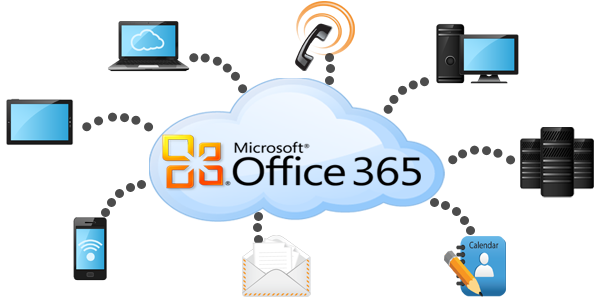
Credit: www.chaney.net
Frequently Asked Questions
What Is Office 365 Cloud Computing?
Office 365 Cloud Computing refers to Microsoft’s suite of cloud-based productivity tools. It includes applications like Word, Excel, and PowerPoint, accessible online. This allows seamless collaboration, document sharing, and real-time editing across devices, enhancing productivity and flexibility for businesses and individuals.
How Does Office 365 Enhance Productivity?
Office 365 enhances productivity through cloud-based access to tools like Word and Excel. Features like real-time collaboration and automatic updates ensure efficiency. Accessibility from various devices allows users to work from anywhere, streamlining workflows and improving overall productivity.
Is Office 365 Secure For Businesses?
Office 365 is designed with robust security features, including data encryption, advanced threat protection, and compliance tools. Microsoft continually updates security protocols to safeguard user data. These measures ensure that businesses can confidently use Office 365 for secure cloud computing.
Can Office 365 Be Accessed Offline?
Yes, Office 365 applications like Word and Excel can be accessed offline. Users can work without an internet connection by downloading the desktop versions. Changes made offline sync once the device is reconnected, ensuring data consistency and accessibility.
Conclusion
Office 365 cloud computing offers significant benefits. Easy access to files anytime. Collaboration tools enhance teamwork. Secure data storage ensures peace of mind. Regular updates keep features fresh. Cost-effective for businesses of all sizes. No need for physical servers. Work from anywhere, anytime.
Boosts productivity with seamless integration. Helps manage tasks efficiently. Supports various devices and platforms. Ideal for modern work environments. Choose Office 365 for flexible cloud solutions. Experience better workflow and communication. Embrace the future of computing today. Make informed decisions for your business growth.
Try Office 365 and see the difference.



