

Imagine sitting in front of your laptop, waiting for it to load a simple webpage. Frustrating, isn’t it?
You’re not alone. Many people wonder why their laptops seem sluggish compared to newer models. The truth is, several factors determine the speed of a laptop computer, and understanding them can empower you to make smarter choices. Whether you’re using your laptop for work, gaming, or just browsing, knowing what influences its speed can save you time and boost your productivity.
Dive into the secrets behind laptop speed and discover how you can optimize your device for peak performance. By the end of this article, you’ll have a clear grasp of what makes your laptop tick and how to make it work faster for you.
Processor Performance
Laptop speed hinges on processor performance. The number of cores and clock speed significantly impact computing efficiency. Efficient processors handle tasks faster, enhancing user experience and productivity.
When you think about your laptop’s speed, the processor’s performance is often the first thing that comes to mind. This tiny chip is the brain of your computer, dictating how quickly it can complete tasks. Understanding processor performance can help you make informed decisions when buying a new laptop or upgrading your existing one. So, what makes a processor fast? Let’s break it down into three key components.Clock Speed
Clock speed, measured in gigahertz (GHz), refers to how many cycles per second your processor can execute. A higher clock speed means your laptop can complete tasks faster. Think of it as how quickly your computer can think. If you’ve ever felt frustrated waiting for an application to load, a faster clock speed could alleviate that. However, it’s not the only factor to consider.Core Count
Core count represents the number of independent units within a processor that can read and execute instructions. More cores can handle more tasks simultaneously, which is beneficial for multitasking. Imagine trying to juggle multiple tasks at once. With more cores, your laptop can efficiently manage several programs without slowing down. It’s like having more hands to juggle tasks.Architecture
Processor architecture refers to the design and functionality of the processor. Newer architectures often offer better performance and energy efficiency. They can enhance how your laptop processes information. For instance, two processors with the same clock speed and core count might perform differently due to their architecture. So, how do you determine the best architecture for your needs? Consider what tasks you perform daily and the software you use most often. In your quest for a faster laptop, which do you prioritize? Is it the blazing clock speed for instant task completion, the multitasking ability of multiple cores, or the efficiency of a cutting-edge architecture? Understanding these factors can lead to a more satisfying computing experience.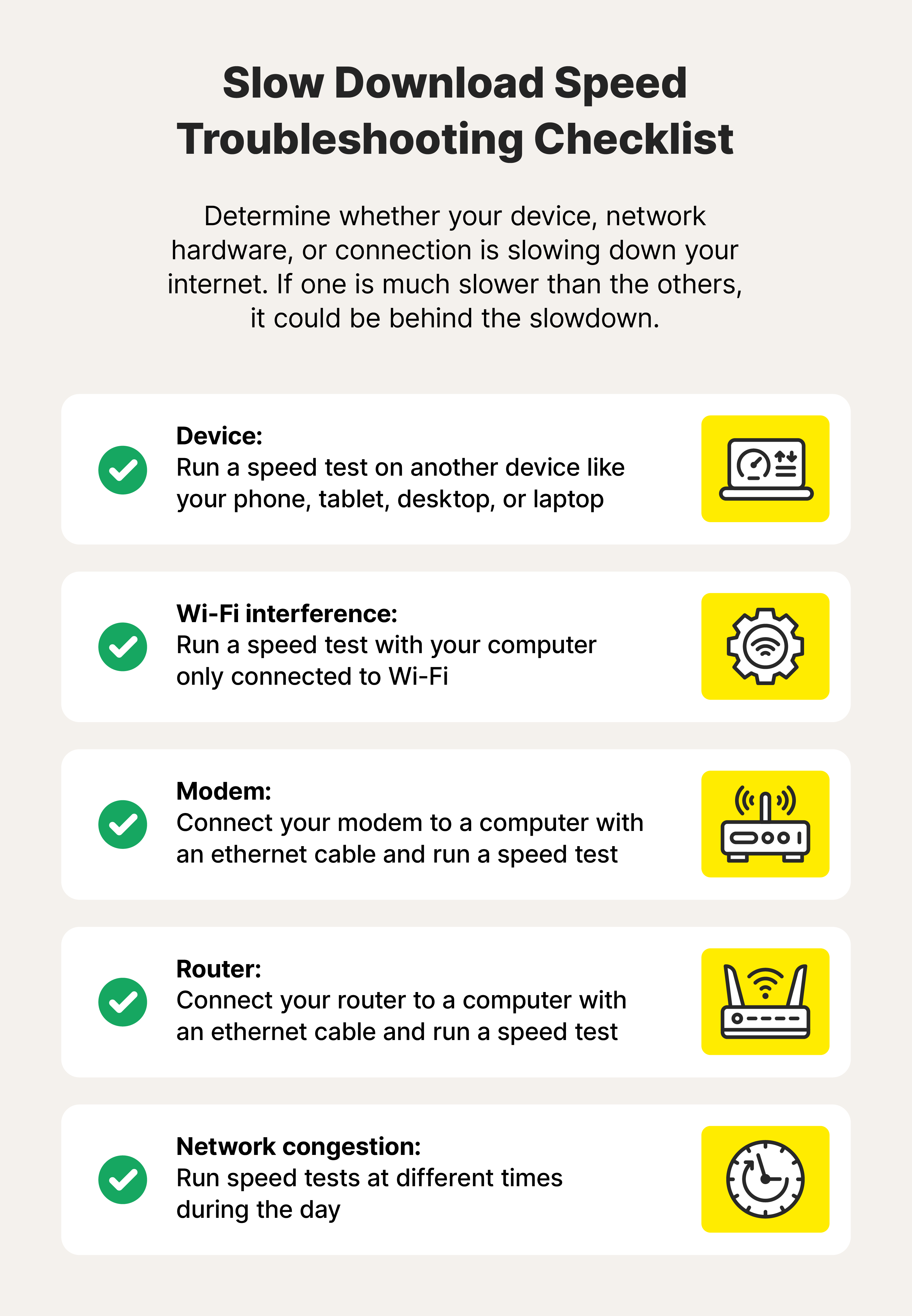
Credit: uk.norton.com
Ram And Memory
The speed of a laptop is not just about the processor. RAM and memory play a crucial role too. These components directly affect how efficiently a laptop runs programs. Understanding RAM and memory helps in choosing the right laptop for your needs.
Size And Capacity
RAM size determines how many tasks a laptop handles at once. More RAM means better performance. For basic tasks, 4GB to 8GB RAM is sufficient. High-end applications require at least 16GB. Investing in larger RAM enhances your laptop’s ability to run complex software.
Speed And Type
RAM speed impacts how fast data is processed. Measured in MHz, higher speeds mean better performance. DDR4 RAM is common in modern laptops. It offers faster data rates compared to DDR3. Choose the right type to ensure your laptop runs efficiently.
Impact On Multitasking
RAM directly affects multitasking capabilities. More RAM allows multiple programs to run smoothly. Insufficient RAM causes delays and crashes. For seamless multitasking, ensure adequate RAM. Efficient memory enhances user experience during simultaneous operations.
Storage Solutions
Storage solutions greatly impact a laptop’s speed and efficiency. The type of storage device in your laptop determines how quickly data is accessed and processed. Different storage options offer varying levels of performance, influencing overall speed.
Ssd Vs. Hdd
SSD stands for Solid State Drive. HDD stands for Hard Disk Drive. SSDs are faster because they use flash memory. HDDs use spinning disks to read and write data. SSDs start programs quickly. HDDs take longer to access files.
Read/write Speeds
Read and write speeds measure data transfer rates. SSDs have higher speeds than HDDs. Faster speeds mean quicker boot times. They also improve file transfers. SSDs can reach up to 500 MB/s or more. HDDs average around 100 MB/s.
Capacity Considerations
Capacity refers to storage space. SSDs usually offer less space than HDDs. Larger capacity SSDs can be expensive. HDDs provide more space at lower costs. Decide between speed and space. Choose based on your needs.

Credit: pomfort.com
Graphics Processing
Graphics processing is a key factor in determining your laptop’s speed, especially when running visually demanding applications. Whether you’re editing videos, playing games, or designing graphics, the type and capacity of your graphics processing unit (GPU) can make a noticeable difference. But what exactly should you look for in a GPU to ensure your laptop performs optimally?
Integrated Vs. Dedicated Gpu
First, let’s talk about the difference between integrated and dedicated GPUs. An integrated GPU is built into the processor and shares memory with the CPU. It’s great for everyday tasks like browsing the web and streaming videos.
On the other hand, a dedicated GPU has its own memory and processing power. This makes it ideal for graphics-intensive tasks. If you’ve ever experienced lag while gaming, upgrading to a dedicated GPU might be the solution.
Vram Capacity
The amount of video RAM (VRAM) in your GPU also plays a significant role in performance. VRAM is the memory used to store image data that your GPU needs. More VRAM allows your laptop to handle higher resolution textures and more complex graphics.
Consider your needs when looking at VRAM. If you’re a casual user, 2GB might suffice. For gaming or professional graphic work, aim for at least 4GB or more.
Influence On Graphics-intensive Tasks
Have you ever tried editing a high-definition video only to find your laptop struggling to keep up? That’s where your GPU steps in. A powerful GPU ensures smoother playback and faster rendering times.
Whether you’re creating digital art or diving into virtual reality, a dedicated GPU with ample VRAM can significantly enhance your experience. Ask yourself: Is your current setup holding you back from achieving your creative or gaming goals?
So next time you’re shopping for a laptop or contemplating an upgrade, consider how the GPU will impact your daily tasks and overall productivity. Is it time to prioritize graphics processing in your next purchase?
Cooling Systems
Cooling systems are vital for maintaining a laptop’s speed and performance. A computer’s components generate heat during use. Without proper cooling, they can overheat. This can slow down the laptop, and even damage parts.
Laptops have cooling systems to manage this heat. They ensure the device runs efficiently. The right cooling system can improve speed and longevity.
Heat Management
Heat management is crucial for a laptop’s performance. It involves controlling the heat produced by the processor and other parts. Proper heat management keeps the laptop from overheating. This helps maintain optimal speed. The design of the laptop impacts how well it manages heat. Vents and thermal paste play key roles. They help dissipate heat away from vital components.
Fan Efficiency
Fans are essential in cooling systems. They help keep the laptop cool. Fan efficiency directly affects a laptop’s speed. A high-efficiency fan moves more air. This helps cool the components faster. Efficient fans operate quietly. They also consume less power, which is good for battery life. Regular cleaning ensures fans run smoothly. Dust can block airflow and reduce efficiency.
Thermal Throttling
Thermal throttling protects the laptop from overheating. It reduces the processor’s speed to lower heat production. This process prevents damage but can slow down performance. Good cooling systems minimize the need for throttling. They keep temperatures stable. Users can avoid throttling by using cooling pads. These enhance airflow and maintain performance.
Software Optimization
Software optimization is a key factor in determining the speed of your laptop computer. It’s not just about the hardware components, but also how efficiently the software runs. A well-optimized system can make a noticeable difference in performance, allowing you to complete tasks faster and more efficiently.
Operating System Impact
Your operating system (OS) plays a crucial role in the overall speed of your laptop. Different OS versions have different resource requirements. For example, a newer version of Windows may require more RAM and processing power than an older one.
Regular updates can enhance performance by fixing bugs and improving compatibility. You might have noticed your device running smoother after a software update. This isn’t just a placebo effect; updates are designed to optimize system performance.
Background Applications
Background applications can be silent speed thieves. They run without you noticing, consuming resources like RAM and CPU power. This can slow down your laptop, especially when you’re multitasking.
Take a moment to check which apps start automatically when you boot up. Disable those you don’t use frequently. This simple step can free up resources and boost your laptop’s speed.
Driver Updates
Drivers are software components that allow your OS to communicate with hardware devices. Outdated drivers can cause sluggish performance. They might not take full advantage of your hardware capabilities.
Regularly updating drivers ensures your laptop operates at peak efficiency. Many manufacturers offer automatic tools to check for and install the latest drivers. Have you checked your driver updates lately?
Incorporating these software optimization tips can significantly enhance your laptop’s speed. Taking control of these elements not only improves performance but also extends the lifespan of your device. What steps will you take today to optimize your laptop?
Battery And Power Management
Laptop speed is influenced by battery and power management settings. Efficient power usage enhances performance and extends battery life. Adjusting these settings can optimize speed, ensuring smooth operation during tasks.
When it comes to the speed of a laptop computer, the role of battery and power management is often underestimated. These factors are crucial, especially if you rely on your laptop for work or entertainment on the go. A well-managed battery and power system can significantly influence how fast your laptop performs, even when it’s not plugged into a power source.Power Settings
Your laptop’s power settings can dictate how much juice it uses and how it performs. Switching to ‘High Performance’ mode can boost speed but might drain the battery faster. On the other hand, ‘Power Saver’ mode will extend battery life but may slow down processing speed. Adjusting these settings is straightforward. Head to your control panel or system preferences to find power options. Customize them to balance speed and battery life according to your needs.Battery Life Impact
Battery life isn’t just about how long your laptop can last between charges. It’s also about how its performance changes as the battery drains. A low battery often means reduced speed as the system tries to conserve energy. Consider this: have you ever noticed your laptop slowing down during a long flight or commute? This happens because the system throttles its performance to stretch the battery life. Keeping your battery charged can prevent this slowdown.Performance Modes
Many laptops come with performance modes that automatically adjust settings based on what you’re doing. For example, gaming or video editing might trigger a higher performance mode. Explore the performance modes available on your laptop. Use them smartly to enhance your computing experience. Are you editing a video, or just browsing the web? Select the mode that aligns with your activity for optimal speed and battery usage. Incorporating these insights into how you manage your laptop’s battery and power settings can make a noticeable difference. Have you optimized your settings recently? If not, it might be time to experiment and find the best configuration for your needs.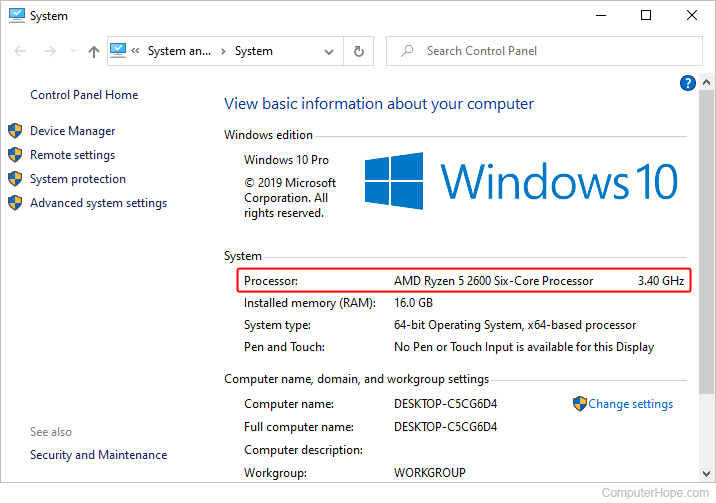
Credit: www.computerhope.com
Network Connectivity
Laptop speed often hinges on network connectivity. Faster internet allows quicker data transfer, enhancing performance. Quality of the wireless card and router also plays a crucial role.
When thinking about the speed of your laptop, network connectivity plays a significant role. Ever noticed how sluggish your computer feels when you’re browsing the web with a weak internet connection? It’s not just you; slow network speeds can bottleneck your laptop’s performance. Whether you’re streaming your favorite show or video conferencing, strong network connectivity can make all the difference in your experience.Wi-fi Standards
The Wi-Fi standard your laptop uses can dramatically influence its speed. Most modern laptops support at least Wi-Fi 5, but if your device supports Wi-Fi 6, you’re in for faster and more efficient internet. Wi-Fi 6 offers better performance in crowded areas, making it ideal if you live in an apartment complex. Have you checked the standards supported by your router? Upgrading your router to one that supports the latest Wi-Fi standards could be a game-changer.Ethernet Vs. Wireless
Should you plug in or stay wireless? Ethernet connections typically offer more stable and faster internet speeds than wireless. If you’re into online gaming or download heavy files frequently, consider using an Ethernet cable. But what about the freedom of moving around? Wireless connectivity is convenient and has come a long way in terms of speed. However, if you notice lag during critical tasks, an Ethernet connection might be worth considering.Network Latency Effects
Network latency can be a silent speed killer. It refers to the delay before a transfer of data begins following an instruction. High latency can make your laptop feel sluggish, especially during video calls or online gaming. Ever felt frustrated by a delayed response during a video call? Latency might be the culprit. Try testing your internet connection to identify any latency issues. Switching to a wired connection can sometimes help, as can choosing a plan with better upload and download speeds. Making these adjustments can transform your laptop’s performance. Are you ready to explore how network connectivity impacts your daily laptop use?Influence Of Peripherals
The speed of a laptop is often influenced by its peripherals. These external components can enhance or hinder performance. Understanding their impact helps maintain optimal speed. Let’s explore how different peripherals affect laptop efficiency.
External Drives
External drives can boost a laptop’s storage capacity. Fast drives, like SSDs, improve data access times. Slower drives may cause delays in file transfers. Choosing the right drive is key for optimal performance.
Connected Devices
Devices connected to a laptop can affect its speed. Printers, scanners, or webcams may use system resources. Overloading USB ports with multiple devices can slow down operations. Disconnect unused devices to maintain speed.
Peripheral Compatibility
Peripheral compatibility plays a crucial role in laptop speed. Incompatible devices can cause system errors. Ensure your peripherals match the laptop’s specifications. This prevents conflicts that may slow down performance.
Frequently Asked Questions
What Affects Laptop Processing Speed?
The processor speed is crucial for laptop performance. It determines how quickly tasks are executed. Faster processors enhance multitasking and reduce lag, improving overall efficiency. Additionally, the number of cores impacts speed, allowing for simultaneous processing. Choose a laptop with a modern, high-speed processor for optimal performance.
How Does Ram Influence Laptop Speed?
RAM significantly influences laptop speed by storing data temporarily for quick access. More RAM allows smoother multitasking and faster software operation. Insufficient RAM can lead to slow performance and system crashes. Ensure your laptop has adequate RAM to match your usage needs for optimal speed and efficiency.
Does Ssd Improve Laptop Speed?
Yes, SSDs enhance laptop speed by providing faster data access than traditional HDDs. They reduce boot times and improve application load speed. SSDs are more reliable and consume less power, offering efficient performance. Upgrading to an SSD can significantly boost your laptop’s speed and responsiveness.
How Does Software Affect Laptop Speed?
Software affects laptop speed by using system resources. Heavy applications can slow down a laptop, especially if they are resource-intensive. Regularly updating software ensures optimal performance. Unnecessary background processes and applications should be closed to maintain speed. Choose lightweight applications to enhance your laptop’s speed.
Conclusion
Understanding laptop speed is crucial for informed purchasing decisions. It involves various factors. Processor type, RAM size, and storage type play key roles. Ensure adequate RAM for smooth performance. Opt for SSDs over HDDs for faster data access. Regular software updates can enhance speed.
Choose a laptop that fits your needs. Whether for gaming, work, or browsing. Knowing these elements helps you select wisely. A speedy laptop can improve productivity and user experience. Prioritize components that matter most to you. This way, you get the best value and performance.