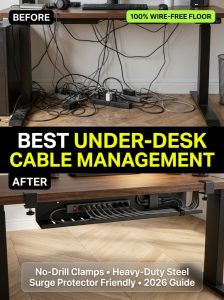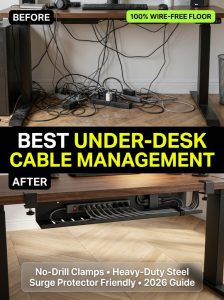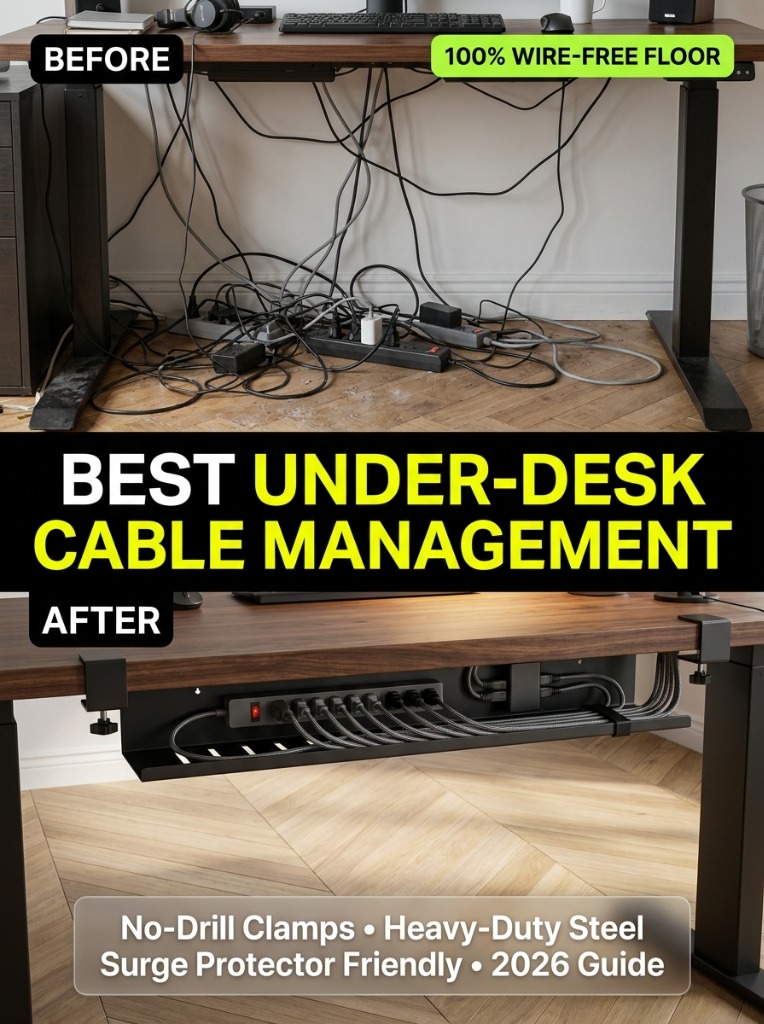
Looking down beneath your workstation and seeing a tangled rat’s nest of black power cables, blinking surge protectors, and dust bunnies on the floor instantly breaks your focus and degrades an otherwise high-end home office aesthetic.
Achieving a 100% wire-free floor is easier than you think. With the right cable tray, reusable velcro ties, and a methodical top-to-bottom routing strategy, you can completely conceal every single wire beneath your desk in under 45 minutes.
The 5-Step Blueprint for Flawless Cable Management
Step 1: Unplug and Clear Everything
Never attempt to organize cables while everything is plugged in. Start by unplugging all devices, untangling knots, and cleaning the floor underneath your desk. Categorize your cords into:
- AC Power Cords: Heavy cables going to monitors, laptops, and desktop towers.
- Display & Data Cables: HDMI, DisplayPort, and high-speed USB-C lines.
- Peripheral Wires: Keyboard, mouse, webcam, and microphone cords.
Step 2: Mount a High-Capacity Cable Tray
Install a sturdy steel under-desk tray (such as a clamp-on or underside screw mount) near the back center of your desk. Ensure there is enough vertical clearance to hold both your surge protector and bulky laptop power transformers.
Step 3: Fasten the Surge Protector Inside the Tray
Secure an 8-to-12 outlet surge protector firmly inside the tray using velcro straps or double-sided mounting tape. This turns your cable tray into the single central electrical hub for your entire workstation.
Step 4: Elevate Your Standing Desk to Max Height
CRITICAL PRO TIP:
If you use an electric sit-stand desk, raise the desk to its absolute maximum standing elevation before tying cables together. This ensures your cords have adequate slack and will never pull or snap when rising.
Step 5: Run a Single Leg Spine to the Wall Outlet
Once all devices plug into the under-desk surge protector, you will have exactly ONE power cord leaving the desk. Route that single cable down the inside of one desk leg using magnetic clips or an articulated cable spine.
Recommended Cable Management Accessories
- Heavy-Duty Clamp-on Tray: Stand Up Desk Store Clamp Tray
- Reusable Hook & Loop Ties: Pack of 50 multi-colored velcro straps for tight, scratch-free cord bundles.
- Magnetic Desk Leg Raceway: Keeps your main power cord flush and invisible against steel standing desk frames.