

Imagine holding a device that connects you to the world, entertains you with vibrant media, and helps you stay organized, all while communicating in your native language—Spanish. If you’re someone who values seamless interaction with technology in Spanish, you’re in the right place.
We know how important it is for you to navigate your smartphone effortlessly, and feel truly connected to it. We’ll explore how smartphones cater specifically to Spanish-speaking users, offering you the best in accessibility and convenience. Get ready to discover your perfect tech companion that understands your language and meets your everyday needs.
Dive in to unlock the potential of your smartphone experience in Spanish, and ensure every swipe and tap is as intuitive as it should be.
Basic Smartphone Terms
Understanding basic smartphone terms is essential for anyone navigating the digital world. Whether you’re buying a new phone or troubleshooting issues, knowing these terms can make your life easier. Let’s dive into some of the most common terms you’ll encounter.
Common Device Names
One of the first things you’ll notice about smartphones is the variety of names. Brands like Apple, Samsung, and Xiaomi are popular choices. Each brand often has different models, like the iPhone 13 or Samsung Galaxy S22.
Have you ever wondered why some phones have ‘Pro’ or ‘Lite’ in their names? These words indicate the phone’s capabilities. A ‘Pro’ model often has extra features, while ‘Lite’ models are more budget-friendly.
Key Features Vocabulary
Are you familiar with terms like RAM and storage? RAM (Random Access Memory) affects how fast your phone operates. More RAM means better performance when multitasking or playing games.
Storage is another critical feature. It determines how many apps, photos, and videos you can keep on your phone. Ever run out of space just when you wanted to download a new app? Knowing your storage needs can prevent this.
Screen size and resolution also play a role in your smartphone experience. A larger screen may be better for watching videos, but it can make the phone harder to handle. Does the resolution matter to you? Higher resolution means sharper images and text.
What other terms have you come across that seemed confusing? Understanding these basics can make you more confident in your smartphone choices.
Navigating The Interface
Navigating the interface on a smartphone in Spanish can be simple. Familiarize yourself with basic Spanish terms. This helps users easily manage settings and applications.
Navigating the interface of a smartphone can sometimes feel like unraveling a mystery. Whether you’re a tech enthusiast or someone who just wants to make calls and send texts, understanding the interface is crucial. It’s like learning the language of your phone. Have you ever wondered how your home screen got its layout or why settings are organized the way they are? Let’s dive into the specifics to make you more comfortable with your device.Home Screen Terminology
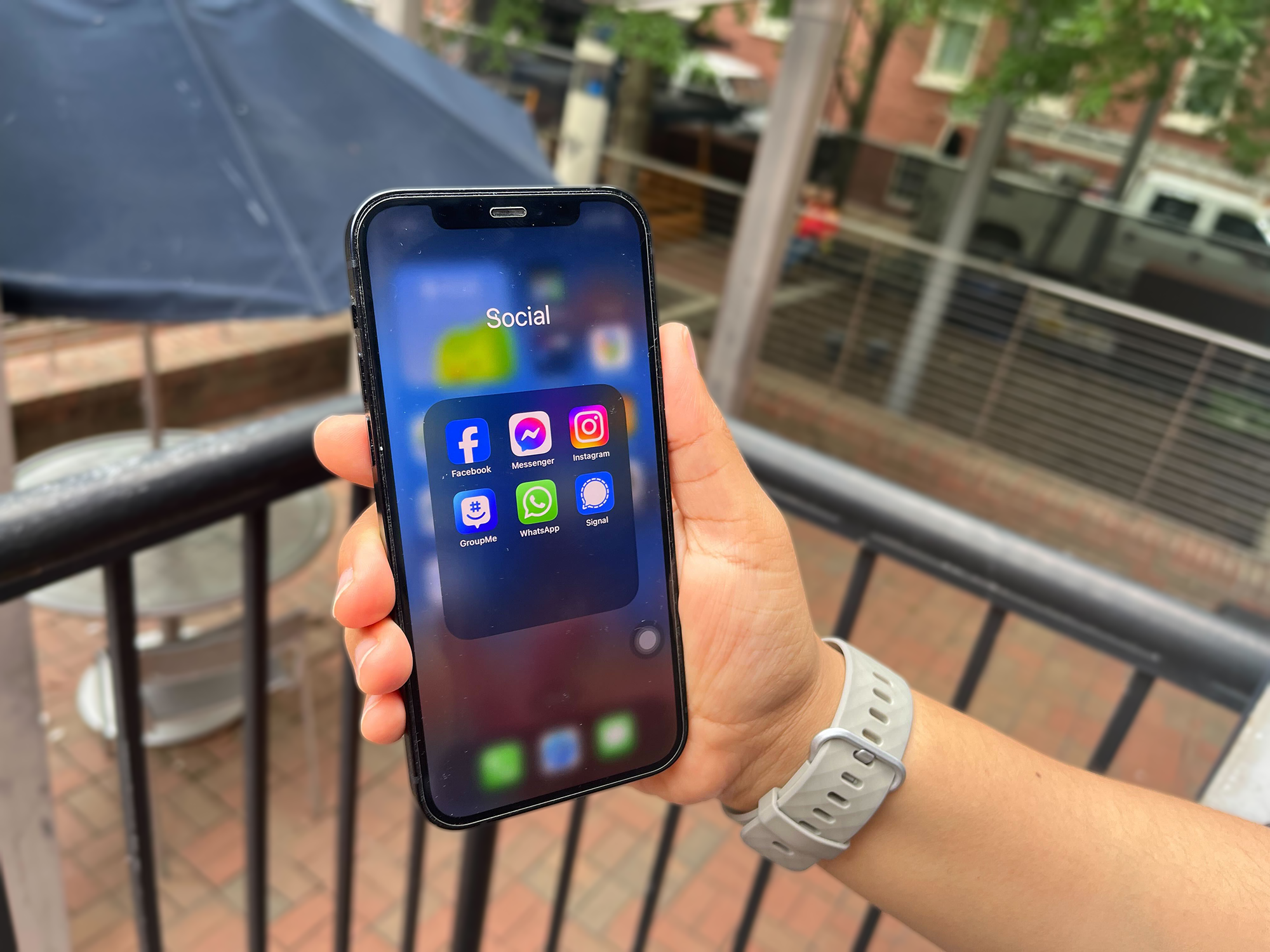
The home screen is where your smartphone journey begins. It’s your command center. Icons, widgets, and folders are key elements here. Icons represent your apps, each one a gateway to different functions. Widgets provide quick access to information or features without opening an app. Think of them as a snapshot of your apps. Folders help organize your apps for easier navigation. You can group apps by function, like social media or productivity. This keeps your home screen tidy and efficient.Settings And Preferences
Settings are the backbone of your smartphone experience. This is where you tailor the device to fit your needs. You can adjust display brightness, sound volume, and even customize notification preferences. Explore different settings to find what works best for you. Don’t be afraid to tweak things; it’s your phone, after all. Have you ever thought about what would happen if you explored a setting you hadn’t before? You might find a feature that makes your life easier. Remember, every smartphone is different, but understanding the basics will empower you to make the most out of your device.Communication Essentials
Smartphones have become essential tools for communication in our daily lives. Their features allow us to connect with others effortlessly. From making calls to sending messages, they keep us connected. They also offer access to social media, where we share moments and thoughts. Let’s explore the key aspects of communication through smartphones.
Calling And Messaging
Smartphones provide easy calling options. Just tap on a contact and start talking. Voice clarity is often high, making conversations smooth. Messaging is equally efficient. Texting apps offer instant communication. You can send photos, videos, or voice notes. Group chats help you stay in touch with multiple friends. Notifications ensure you never miss an important message.
Social Media Phrases
Social media is a big part of smartphone communication. Platforms like Facebook and Instagram are popular. They allow you to share updates with friends. Posting photos or videos is simple. You can comment on friends’ posts and engage in discussions. Quick phrases like “What’s up?” or “Check this out!” keep conversations lively. Sharing links and content is effortless. Smartphones make social media interaction fast and fun.
Apps And Tools
Discover essential apps and tools for smartphones in Spanish. These tools enhance productivity and communication. Perfect for simplifying daily tasks and staying connected.
Smartphones have transformed how we interact with the digital world. Their capability extends beyond calls and messages. With a plethora of apps and tools, they enhance productivity and offer entertainment. Understanding these features unlocks the full potential of your device.Popular Apps Vocabulary
Smartphones host countless apps with diverse functions. Social media apps connect people globally. Facebook and Instagram are favorites among users. Messaging apps like WhatsApp simplify communication. Streaming apps such as Netflix provide endless entertainment. Each app has unique terminology. Users should familiarize themselves with this vocabulary for better app experience.Utility Tools
Smartphones offer tools that make daily tasks easier. Calendar apps organize schedules efficiently. Notes apps capture thoughts quickly. Weather apps prepare users for changing conditions. These tools enhance productivity and simplify life. Regular updates improve their functionality. Users should explore their device’s settings to maximize utility.Multimedia And Entertainment
Smartphones are more than communication tools. They have become entertainment hubs. Users can enjoy music, watch videos, and capture moments in high quality. With advanced features, smartphones offer endless possibilities for multimedia enjoyment.
Music And Video
Streaming services make music accessible everywhere. Spotify and Apple Music are popular choices. They offer vast libraries of songs. Users can create playlists for any mood. Watching videos is easy too. Platforms like YouTube and Netflix provide endless content. Smartphones support high-definition video playback. This ensures a great viewing experience. Sound quality matters as well. Many phones have advanced audio systems. Users can enjoy immersive soundscapes.
Photography Terms
Smartphone cameras are impressive. They capture professional-quality photos. Megapixels determine photo clarity. More megapixels usually mean sharper images. Another term is aperture. It affects light intake and depth of field. A lower f-stop number means more light enters. ISO is crucial too. It influences photo brightness in low light. Higher ISO can brighten dark scenes. But it might add noise. Understanding these terms enhances photography skills.
Credit: www.civitfun.com
Troubleshooting And Support
Smartphones are essential in daily life. Problems can disrupt their functionality. Knowing how to troubleshoot common issues is vital. Support services offer guidance to solve these problems efficiently. Understanding the language of troubleshooting helps in resolving issues quicker.
Common Issues Vocabulary
Identifying the problem is the first step. Many users face battery issues. “Battery drain” is a frequent complaint. “Slow performance” refers to lagging apps or system. “Connectivity problems” include Wi-Fi and Bluetooth issues. “App crashes” occur when apps unexpectedly close. “Screen freeze” means the display becomes unresponsive. Recognizing these terms helps in effective communication.
Technical Support Phrases
Effective communication with support is crucial. “Restart your device” is a common suggestion. “Update your software” ensures smooth functioning. “Clear cache” helps improve app performance. “Check network settings” resolves connectivity issues. “Factory reset” restores original settings but erases data. Using these phrases aids in understanding technical advice.
Security And Privacy
Smartphones often face challenges in security and privacy. Many users worry about personal data protection. Understanding security features is essential for safeguarding information on devices.
Smartphones have become integral to our daily lives, offering convenience and connectivity at our fingertips. However, with this ease comes concerns about security and privacy. How safe are your accounts? Are your privacy settings robust enough? These are crucial questions, especially with the increasing number of cyber threats. Let’s delve into how you can enhance your smartphone’s security and privacy.Account Safety Terms
Understanding the safety terms related to your smartphone accounts is essential. You’ll often encounter phrases like two-factor authentication or encryption. These aren’t just tech jargon; they’re your first line of defense against unauthorized access. Two-factor authentication adds an extra layer by requiring a second form of identification beyond your password. Imagine losing your phone in a crowded café; with two-factor authentication, you can breathe easier knowing your data isn’t easily accessible. Encryption, on the other hand, scrambles your data, making it unreadable without a specific key. It’s like having a secret code that only you and trusted parties can decipher. Consider enabling encryption on your device for sensitive information. These terms might seem overwhelming, but they empower you to protect your digital life effectively.Privacy Settings
Privacy settings on your smartphone are your customizable shield against unwarranted data collection. You have the power to decide which apps access your location, contacts, or photos. When was the last time you reviewed your app permissions? It’s surprising how many apps might have access to your personal data without you realizing it. Regularly checking and adjusting these settings can significantly enhance your privacy. For instance, disabling location access for apps that don’t need it can prevent unwanted tracking. You control who sees your information, so take a moment to explore these settings. It’s a small step that makes a huge difference in safeguarding your privacy. In the age of smartphones, being proactive about security and privacy isn’t just advisable; it’s necessary. How can you ensure your digital life remains protected? By understanding account safety terms and making the most of privacy settings, you can enhance your smartphone security today. Don’t wait for a breach to occur; take action now and secure your device.
Credit: www.youtube.com
Credit: cisneros.columbian.gwu.edu
Frequently Asked Questions
How Do You Say Smartphone In Spanish?
In Spanish, a smartphone is commonly referred to as “teléfono inteligente. ” This term directly translates to “intelligent phone” in English. Spanish speakers might also use “smartphone” when referring to this device.
Are Smartphones Popular In Spanish-speaking Countries?
Yes, smartphones are widely popular in Spanish-speaking countries. They are used for communication, social media, and online shopping. The growth of internet access has increased smartphone usage among Spanish speakers.
What Features Do Spanish Smartphones Offer?
Spanish smartphones offer features like high-resolution cameras, fast processors, and user-friendly interfaces. They support popular apps like WhatsApp and Facebook. Local manufacturers provide budget-friendly options with competitive features.
How Do Spanish Apps Differ From Others?
Spanish apps often cater to local cultural and linguistic needs. They offer translations, regional content, and localized services. Many apps focus on Spanish language learning and Hispanic entertainment.
Conclusion
Exploring smartphone features in Spanish can be rewarding. You gain language skills while using technology. Everyday tasks become learning opportunities. Translate apps, navigate settings, and practice new words. This builds confidence and communication skills. Smartphones offer a chance to immerse in Spanish.
A mix of technology and language learning. Perfect for busy learners. Keep engaging with your device. It helps improve your Spanish daily. Embrace the challenge. Enjoy the journey of learning. A smartphone is not just a tool. It can be your language partner.
Discover the benefits today. Start your Spanish adventure with technology.











