

Imagine you’re on the hunt for the perfect desktop computer. You want something that matches your needs, whether it’s for gaming, work, or creative projects.
But with so many specs to consider, it’s easy to feel overwhelmed. What do terms like RAM, CPU, or GPU really mean for you? We’ll break down desktop computer specifications in a way that’s simple and clear, so you can make an informed decision without the headache.
Get ready to discover how to choose a computer that fits your lifestyle and keeps you ahead of the game. Are you ready to dive in and unlock the secrets to finding the right desktop for you? Let’s get started!
Credit: www.avg.com
Key Components
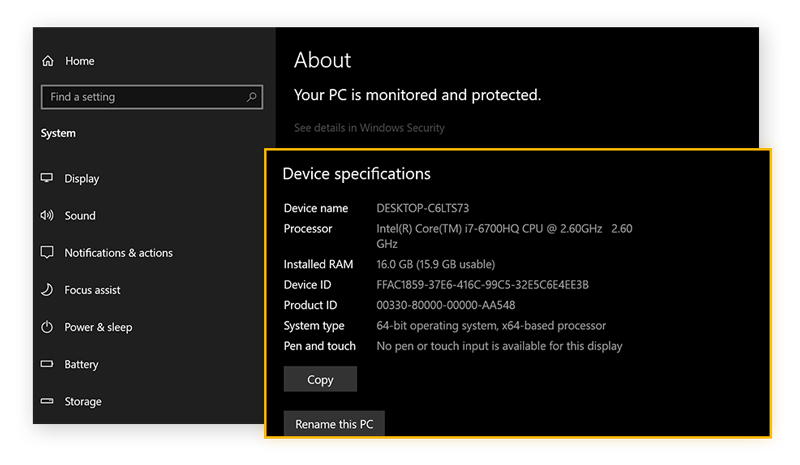
When you’re deciding on a new desktop computer, understanding its key components is crucial. These parts dictate how well your machine will perform tasks, whether for work, gaming, or creative projects. As you navigate through options, consider how each component aligns with your needs and budget.
Processor Selection
The processor, often referred to as the brain of your computer, is vital for speed and efficiency. You’ll see names like Intel Core and AMD Ryzen frequently. Each offers different levels of power.
Think about what you need: is it for browsing the web, or intense gaming? A higher number of cores can help with multitasking. I once upgraded to a quad-core processor and noticed immediate improvements in running multiple applications smoothly.
Memory Considerations
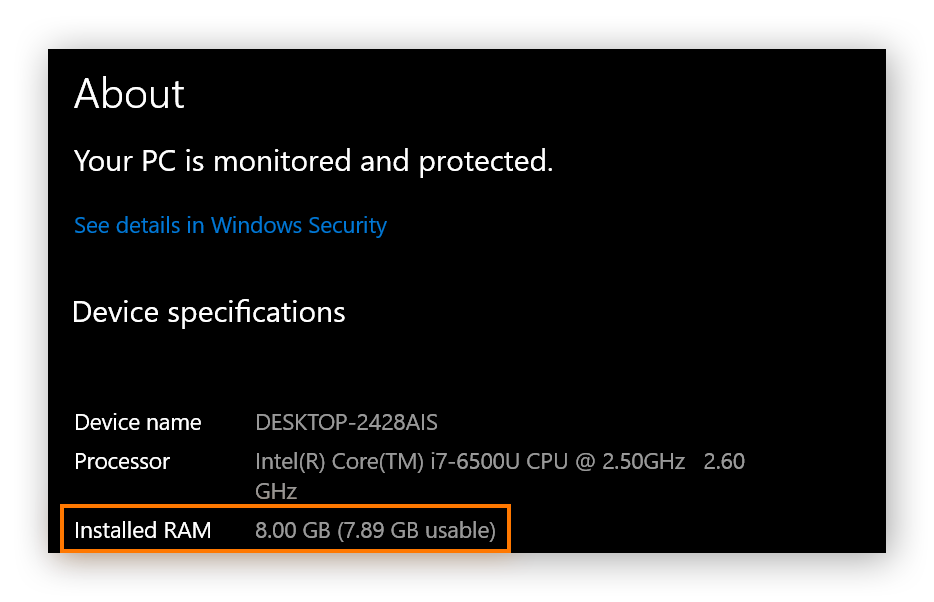
Memory, or RAM, affects how well your computer can handle tasks simultaneously. More RAM means better performance. Aim for at least 8GB, but 16GB is ideal for heavy use.
Picture this: you’re editing a video and your computer starts lagging. Adding more RAM could solve that issue. Have you ever wondered why your computer slows down when you have many tabs open?
Graphics Card Choices
The graphics card is key if you’re into gaming or graphic design. It determines how well your computer can render images and videos. Nvidia and AMD are popular choices here.
If you’re a gamer, consider a dedicated graphics card. I upgraded mine once and it transformed my gaming experience. Have you checked the graphics card requirements for your favorite game?
Storage Options
Storage is where your files live. You have two main options: HDD and SSD. SSDs are faster and more reliable, but usually more expensive.
Consider an SSD for your operating system and programs, and use an HDD for larger files. I made this switch and my computer boot time improved significantly. What’s more important to you, speed or storage space?
Each component plays a critical role in your desktop’s performance. Think about your priorities and choose wisely to create a machine that truly meets your needs.
Optimizing Performance
Enhancing desktop computer performance depends on the right specifications. Choose a powerful processor, ample RAM, and quality graphics card. These elements can significantly boost speed and efficiency.
Optimizing the performance of your desktop computer can be a game-changer. It can make the difference between a sluggish system and a lightning-fast powerhouse. Many users are unaware of the simple tweaks and upgrades that can dramatically enhance their PC’s capabilities. Whether you’re a gamer, a content creator, or just someone who wants their computer to run smoothly, there are several strategies to consider.Overclocking Techniques
Overclocking your CPU or GPU can offer significant performance boosts. This process involves increasing the clock rate of your processor to make it run faster than its base speed. However, it’s important to be cautious. Overclocking can lead to overheating if not managed properly. Start small and test your system’s stability. Tools like MSI Afterburner or AMD Ryzen Master can help you safely adjust settings. Always monitor your system’s temperature to avoid potential damage.Cooling Solutions
Effective cooling solutions are crucial when optimizing performance. High temperatures can throttle performance, reducing the benefits of any upgrades or tweaks you’ve made. Investing in quality cooling can prevent this. Consider options like air coolers or liquid cooling systems. Air coolers are affordable and easy to install, while liquid cooling can offer better performance for intensive tasks. Ensure your case has good airflow to keep components cool.Efficient Power Supplies
A reliable power supply is essential for a stable and efficient system. It’s often overlooked, but an inadequate power supply can lead to crashes or hardware damage. Make sure your power supply can handle the demands of your system’s components. Look for power supplies with high efficiency ratings, like 80 Plus Bronze, Silver, or Gold. These provide more reliable power and can reduce electricity costs. Consider your future upgrade plans to ensure your power supply can support additional components. Are you ready to take the plunge and optimize your desktop’s performance? With these strategies, you can unleash the true potential of your machine. What tweaks have you tried, and how have they worked for you? Share your experiences and join the conversation.Software Enhancements
When it comes to desktop computers, hardware specifications often take the spotlight. But software enhancements play an equally crucial role in ensuring your computer runs efficiently. Software can make or break your computing experience. Whether you’re a gamer, a creative professional, or just an everyday user, understanding software enhancements can help you optimize your desktop’s performance. Let’s dive into some key areas like operating system tweaks, driver updates, and performance monitoring tools.
Operating System Tweaks
Your operating system is the brain of your computer. Tweaking it can lead to noticeable improvements in speed and usability. Have you ever disabled unnecessary startup programs? This simple change can dramatically reduce boot times. Adjusting visual effects can also free up resources. Turning off animations can speed up system response. You don’t need to be tech-savvy to make these changes; just explore your system settings. Do you feel your desktop slowing down over time? OS tweaks might be your solution.
Driver Updates
Drivers are the unsung heroes that allow your hardware to communicate with your software. Keeping them updated ensures compatibility and stability. Imagine this: you purchase a new graphics card, but your games still lag. Often, outdated drivers are the culprit. Manufacturers frequently release updates to improve performance and fix bugs. Setting your system to update drivers automatically can save you headaches. Are you experiencing hardware issues? Consider checking your driver status.
Performance Monitoring Tools
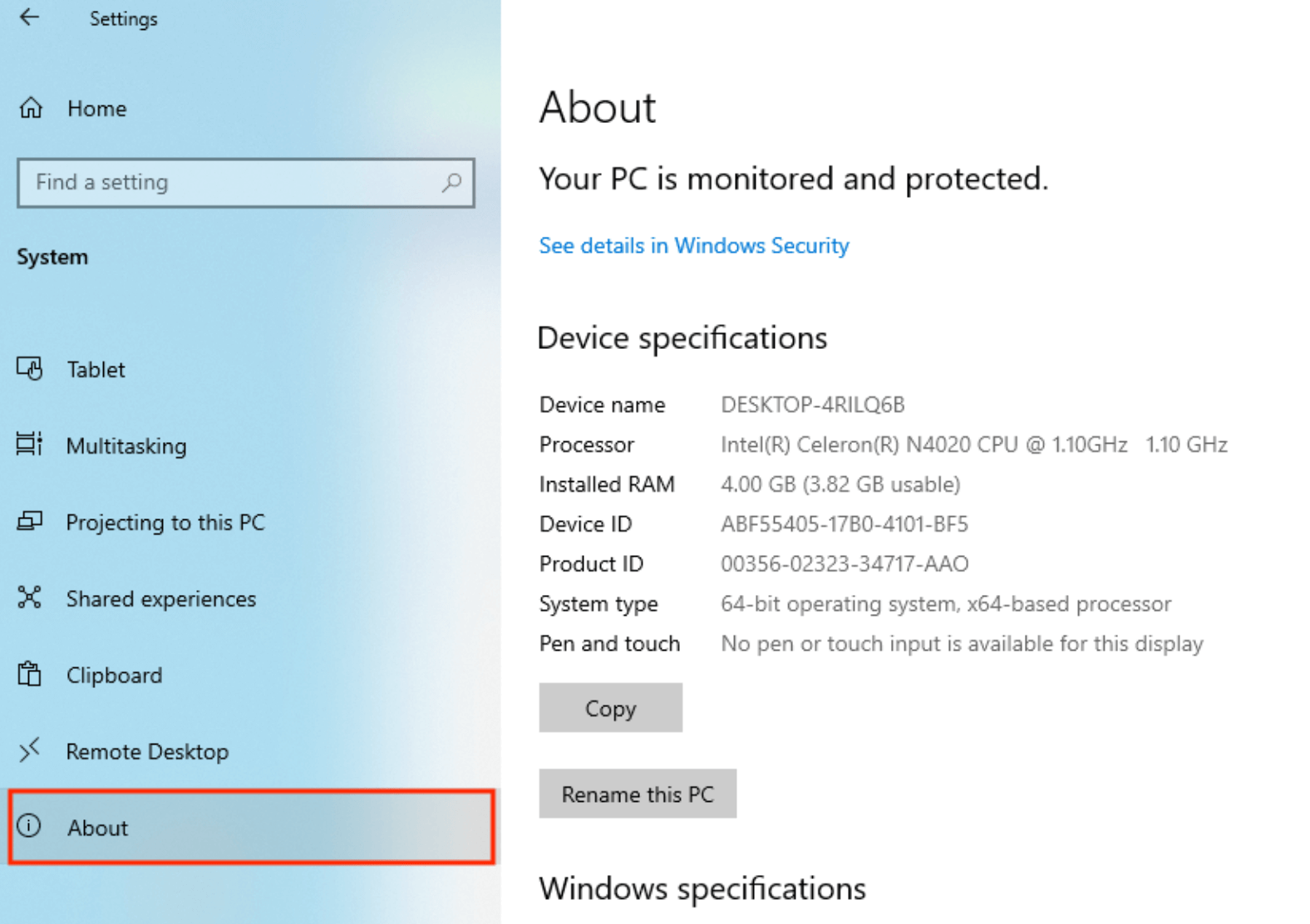
How do you know if your desktop is running at its best? Performance monitoring tools provide valuable insights. These tools track CPU usage, memory consumption, and network activity. Think of them as your computer’s health checkup. They help identify bottlenecks and optimize resource allocation. Tools like Task Manager or third-party apps can guide you to better performance. Have you ever wondered why your computer slows down during certain tasks? Monitoring tools can pinpoint the problem.
Software enhancements are vital in keeping your desktop computer running smoothly. From simple OS tweaks to ensuring drivers are up-to-date, each action makes a difference. Performance monitoring tools offer a clear view of your system’s health, helping you make informed decisions. Will you take the time to enhance your software setup?
Credit: www.ccleaner.com
Future-proofing Your Setup
Ensure your desktop computer stands the test of time by prioritizing essential specifications. Opt for a powerful processor, ample RAM, and ample storage capacity. Select a reliable graphics card to keep up with evolving technology needs.
Imagine setting up a desktop computer today that still feels cutting-edge three or even five years from now. That’s the magic of future-proofing. By thinking ahead, you can avoid the constant need to upgrade and ensure your system remains robust and relevant. This approach saves you money and time in the long run. Let’s dive into how you can future-proof your setup.Upgrade Potential
The ability to upgrade is crucial in future-proofing your desktop. Choose a motherboard that supports more RAM than you currently need. This way, as software demands increase, you can add more memory without replacing the entire system. Consider the graphics card slot. Opt for a motherboard with PCIe 4.0 or newer, ensuring it can handle advanced graphics cards that might hit the market. This keeps your gaming or design software running smoothly. Storage is another area to focus on. Select a setup with extra SATA ports or an M.2 slot for SSDs. This lets you increase storage space as digital content grows, without the hassle of external drives.Compatibility Considerations
Compatibility is the backbone of a harmonious setup. Before purchasing, double-check that your components can work together. A fast CPU is useless if your motherboard can’t support it. Look into power supply capacity. Ensure it can handle future upgrades like additional graphics cards or more powerful processors. Having extra wattage capacity prevents future headaches. Consider your case size. A larger case provides more room for additional components and better airflow, keeping everything running efficiently even as you add new parts.Emerging Technologies
Keeping an eye on emerging technologies can give you a significant edge. For instance, USB-C ports are becoming standard, offering faster data transfer and charging capabilities. Ensure your setup includes these for future connectivity. Think about AI and machine learning advancements. Newer processors are beginning to integrate AI capabilities, enhancing performance in unexpected ways. Selecting a CPU that supports these features can prepare you for software innovations. Stay informed about display technology. Monitors are advancing with higher resolutions and refresh rates. Ensure your graphics card can support these developments to maximize your viewing experience. By considering these factors, you’re not just building a computer; you’re crafting a setup that grows with you. What steps are you taking today to ensure your desktop remains relevant tomorrow?Budget Vs. Performance
Finding the sweet spot between budget and performance in desktop computer specifications is a common challenge. You want a machine that meets your needs without breaking the bank. But how do you strike that balance? Let’s dive into strategies that can help you make an informed decision.
Cost-effective Strategies
Start by identifying components that offer the best value for money. Processors from Intel and AMD often provide great performance without a hefty price tag. Look for deals on RAM and storage during sales events. If you’re not into high-end gaming, a mid-range graphics card can deliver good performance at a reasonable cost.
Consider buying refurbished or open-box items. Many retailers offer these at a discount with warranties intact. You might be surprised how much you can save while still getting reliable hardware.
Another strategy is to prioritize components that are easy to upgrade. Spend a little more on a motherboard with multiple RAM slots or an SSD with room for expansion. This way, you can boost performance down the line without needing a full overhaul.
Balancing Needs And Wants
Think about what you truly need from your desktop. Are you editing videos, playing games, or just browsing the web? List your requirements and match them with specs that can handle those tasks efficiently.
It’s easy to get swayed by flashy features you might not use. Do you really need RGB lighting or the latest ultra-fast processor for your tasks? Focus on what’s essential for your daily use.
Ask yourself: Are you willing to sacrifice some luxury features to stay within budget? Sometimes, choosing practical specs over the latest trends can be more rewarding in the long run.
Long-term Investment
Think of your desktop as an investment. Spending a bit more on quality components can save you money in the future. High-quality parts tend to last longer and require fewer repairs.
Consider warranties and customer support. Brands known for reliability can provide peace of mind, knowing you’re covered in case something goes wrong. It’s not just about the initial cost but the value you get over time.
Remember that technology evolves. Opting for slightly higher specs now might prevent the need for early upgrades as software demands increase. Wouldn’t it be nice if your desktop could easily adapt to future needs?
Balancing budget and performance is all about making smart choices. With these strategies, you can build a desktop that’s both affordable and efficient, tailored to your unique needs.
Credit: www.avast.com
Frequently Asked Questions
What Are Key Desktop Computer Specifications?
Key desktop computer specifications include CPU speed, RAM size, storage capacity, and graphics card quality. These specifications determine the computer’s performance, multitasking ability, and suitability for gaming or professional tasks. Choosing the right specs ensures optimal performance for your specific needs.
How Does Ram Affect Computer Speed?
RAM affects computer speed by allowing quick access to data needed for programs. More RAM improves multitasking and system responsiveness. Insufficient RAM can slow down processes and hinder performance, especially in high-demand applications like gaming or video editing.
Why Is Cpu Speed Important?
CPU speed is crucial because it determines how quickly a computer can process instructions. Faster CPUs handle complex tasks more efficiently. This affects the overall performance, especially in demanding applications like gaming, video editing, or software development.
What Storage Options Are Available?
Storage options for desktop computers include HDD and SSD. HDDs offer higher capacity at lower prices, but are slower. SSDs provide faster data access, improving system performance and boot times, though they are more expensive with lower capacities.
Conclusion
Choosing the right desktop computer can seem daunting. But it’s easier when you know the key specifications. Focus on processor speed, RAM, and storage. These factors affect performance the most. Graphics cards matter for gaming and design work. Ports and connectivity options are important too.
They determine how many devices you can connect. Budget is a crucial consideration as well. It helps narrow down options. Remember, the best computer fits your needs. So, make informed decisions. Explore various options patiently. This way, you find a computer that suits you perfectly.
Happy computing!



