

Have you ever wanted to see your music come to life? With audio visualizers, you can transform sound waves into mesmerizing visuals.
Imagine watching your favorite song explode into a colorful display right on your screen. Whether you’re a music lover, a DJ, or just someone who loves cool graphics, downloading an audio visualizer can take your listening experience to the next level.
But finding the perfect visualizer can be tricky. You need something that matches your style and works seamlessly with your audio setup. You’ll discover how to choose the ideal audio visualizer download to suit your needs, making your music not just heard, but seen. Get ready to dive into a world where sound and sight collide, creating an unforgettable experience that resonates with your senses.

Credit: mixkit.co
What Is An Audio Visualizer?
Have you ever wondered how you could make your music more visually appealing? An audio visualizer might be just what you need. It’s a tool that transforms sound into vibrant, dynamic visuals. Whether you’re a musician, a DJ, or simply an enthusiast, understanding audio visualizers can enhance your audio experience. They bring your music to life, creating a visual feast for the eyes that matches the beat and mood of the sound. But what exactly is an audio visualizer?
An audio visualizer is a software tool that converts sound waves into visual graphics. These graphics move and change based on the rhythm, pitch, and frequency of the audio. Imagine watching a mesmerizing light show that dances in perfect harmony with your favorite song. That’s the magic of an audio visualizer.
Visualizers are not just for professionals. Even if you’re a hobbyist, you can use them to create stunning visuals for your home music sessions. They are designed to be user-friendly, allowing anyone to create professional-looking visuals without a steep learning curve. It’s like having a personal visual artist at your fingertips.
How Does An Audio Visualizer Work?
An audio visualizer works by analyzing the audio input and translating it into visual patterns. It uses algorithms to detect different elements of the sound, such as beats, tempo, and volume. These elements are then represented as shapes, colors, and movements on the screen.
You can often customize the visuals to suit your style. Many visualizers allow you to choose from a range of effects and themes. You can adjust colors, speeds, and patterns to match the mood of your music. It’s a creative process that lets you express your musical taste visually.
Why Should You Use An Audio Visualizer?
Using an audio visualizer can enhance your music experience in several ways. It adds a new layer of engagement, making your listening sessions more immersive and enjoyable. If you’re performing live, it can captivate your audience and set the mood for your show.
Visualizers can also be a great tool for creators. They can be used to produce music videos or live stream content with captivating visuals. You can easily share these visuals on social media, attracting more viewers and followers. It’s a simple way to elevate your content without needing advanced skills.
Have you ever tried using an audio visualizer? What was your experience? Share your thoughts and let your creativity flow with the beat of your music!
Benefits Of Using Audio Visualizers
Audio visualizers bring a unique dimension to your music experience. They transform sound into captivating visuals, offering more than just a musical treat. Whether you’re a music enthusiast or a creator, using audio visualizers can elevate how you interact with sound. Let’s dive into the benefits that make audio visualizers a must-have tool.
Enhancing Music Listening
Picture this: you’re listening to your favorite track, and the beats create an explosion of colors on your screen. Audio visualizers add a whole new layer to your music experience. They allow you to see the rhythm, enhancing how you perceive sound. This visual connection can lead to a deeper appreciation and understanding of the music. Have you ever felt that moment when the visuals perfectly sync with the music? It’s magical!
Creating Visual Art
Audio visualizers are not just for listening; they’re a canvas for visual art. Artists use them to create stunning visual pieces that complement their audio works. You can experiment with different patterns and colors to express your creativity. Imagine turning your home studio into a dynamic art space with dancing visuals! Whether you’re a professional artist or a hobbyist, visualizers offer endless possibilities for artistic expression.
Engaging With Audiences
How do you make your audience stay hooked during a live performance or a video? Audio visualizers can be your secret weapon. They captivate viewers with engaging visuals that sync with your sound. This interaction can enhance audience retention and make your content memorable. Think about your last concert experience—did the visuals play a role in keeping you engaged? You can harness this power too. Adding visualizers to your content can turn a simple tune into an immersive experience.
Audio visualizers are not just tools; they’re gateways to new experiences. Whether you’re enhancing listening, creating art, or engaging audiences, they offer practical benefits that can transform your musical journey. Have you tried using a visualizer yet?
Popular Audio Visualizer Software
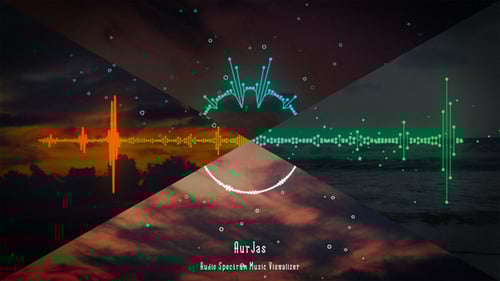
Audio visualizers are not just tools; they are gateways to a dynamic visual experience that complements your favorite tunes. Whether you’re a music producer wanting to impress your audience or simply a music lover looking to enhance your listening experience, choosing the right audio visualizer software is crucial. As someone who’s spent countless hours tweaking visualizers to match the vibe of a song, I can say the right software can make all the difference in the world.
Top Free Options
There’s something truly magical about finding a great tool that doesn’t cost you a dime. Free audio visualizer software can offer powerful features without breaking the bank.
- Plane9:This free software offers over 250 scenes and can sync with your favorite media players. It’s a great starting point for anyone new to visualizers.
- MilkDrop:A classic in the world of visualizers, MilkDrop is a plug-in for Winamp that provides stunning visuals. It’s simple yet effective, proving that sometimes less is more.
- VSXu:Perfect for both beginners and advanced users, VSXu allows customization and even coding for your own visual effects.
Have you ever been blown away by a free tool that outperformed your expectations? These options might just surprise you.
Premium Software Choices
Investing in premium software can be worthwhile if you’re seeking advanced features and professional-grade visuals. These tools often come with more customization options and technical support.
- Resolume:Known for its versatility, Resolume lets you create complex visual effects and is ideal for live performances.
- Trapcode Suite:Used by professionals in the industry, Trapcode Suite offers powerful 3D visual effects, perfect for music videos and high-end projects.
- After Effects with Audio React:Adobe’s After Effects, combined with Audio React plug-ins, provides unmatched customization and quality for serious creators.
Would you consider paying for software if it meant elevating your audio-visual projects to new heights? Sometimes the investment can lead to extraordinary outcomes.
Finding the right audio visualizer software is a personal journey. Whether you opt for free tools or invest in premium options, the key is to find something that resonates with your style and needs. What’s your go-to audio visualizer? Share your experiences in the comments below!
Credit: elements.envato.com
How To Download And Install
Discover the ease of downloading and installing an audio visualizer. Begin by visiting a trusted website. Follow the simple prompts to download the file, then open it to start the installation process. Enjoy the visual effects as your music comes to life.
Downloading and installing an audio visualizer can enhance your music experience. Visualizers transform sound into dynamic visuals on your screen. This guide will help you download and install an audio visualizer easily. Follow these steps to enjoy your favorite tunes with captivating visuals.Step-by-step Guide
First, search for a reliable audio visualizer online. Choose one that suits your needs. Visit the official website of the visualizer. Find the download button and click it. Wait for the download to complete. Locate the downloaded file on your computer. Double-click the file to start the installation. Follow the on-screen instructions carefully. Choose the installation folder and click “Next.” Once the installation finishes, open the visualizer. Test it with your favorite song.Troubleshooting Common Issues
Sometimes, installation might face issues. Check your internet connection first. Ensure your computer meets the software requirements. Re-download the file if it’s corrupted. Disable your antivirus temporarily during installation. Restart your computer if the visualizer doesn’t work. Update your audio drivers for better performance. Consult the visualizer’s help section for specific issues.Customization And Features
Discover endless possibilities with audio visualizer downloads. Personalize your experience with diverse customization options and unique features. Transform sound into captivating visuals effortlessly.
When downloading an audio visualizer, the real magic happens in the customization and features. This is where you can transform a simple audio experience into a visual spectacle. Whether you’re a music enthusiast or a professional DJ, the ability to tailor your visualizer can make all the difference.Adjusting Visual Settings
Imagine having the power to change the way your music looks. With most audio visualizers, you can adjust various visual settings to suit your mood or theme. You can tweak colors, shapes, and patterns to match the vibe of your playlist. Do you prefer a calm, flowing visual for your acoustic set or a dynamic, pulsing display for your EDM tracks? The choice is yours. Customizable settings allow you to create a personalized experience every time you hit play. Experiment with different options and see what resonates with your style.Integrating With Music Platforms
Seamless integration with popular music platforms is a game-changer for any audio visualizer. Many visualizers allow you to sync directly with platforms like Spotify, Apple Music, or YouTube. This means you can enjoy real-time visualizations of any song you’re streaming. No need to switch between apps or download tracks manually. Have you ever wondered how it feels to see your favorite playlist come alive visually? This feature is the key. It brings your music to life and enhances your listening experience without any extra effort on your part. These features aren’t just bells and whistles—they’re tools that enhance your music journey. How will you customize your audio visualizer to make it truly yours?Tips For Best Experience
Downloading an audio visualizer can transform your listening journey. To enjoy the best experience, follow these simple tips. They ensure smooth performance and help you choose the right settings.
Optimizing Performance
Keep your device updated. Regular updates fix bugs and improve performance. Check your system’s compatibility with the visualizer. Ensure it has enough RAM and storage space. A fast internet connection helps in streaming and downloading. Close unnecessary applications running in the background. They slow down your device.
Adjust display settings for clarity. High resolution gives a better viewing experience. Lower resolution might speed up performance. Test both options to see what works best for your device.
Choosing The Right Settings
Select a visualizer that matches your music taste. Some visualizers suit electronic music, others suit classical. Try different styles to find your favorite.
Adjust color settings to match your mood. Bright colors can energize; softer tones can relax. Many visualizers offer customizable themes. Experiment to create a personalized experience.
Set the visualizer’s sensitivity. High sensitivity reacts to every beat; low sensitivity offers a smoother display. Test different sensitivity levels with various songs.
Future Trends In Audio Visualization
The world of audio visualization is changing quickly. New trends are emerging. These trends are making audio experiences more exciting. They are also making them more interactive. Let’s explore some key trends shaping the future of audio visualization.
Innovations In Technology
Technology is advancing rapidly. This is driving changes in audio visualization. One trend is the use of Artificial Intelligence. AI is making visualizations more dynamic. It adapts to different sounds instantly. Another innovation is virtual reality integration. VR creates immersive visual experiences. It enhances how users feel the music. Also, 5G technology is playing a role. It allows seamless streaming of audio visuals. This means more people can enjoy them without delay.
Emerging Visual Styles
New visual styles are becoming popular. Minimalist designs are one trend. They focus on simplicity and elegance. This makes them easy to understand. Another style is 3D visualizations. They add depth and dimension to audio experiences. This makes them more engaging. Interactive designs are also emerging. They allow users to interact with visuals. This adds a personal touch to their experience. These styles make audio visualization more exciting for everyone.
Credit: www.sonicvisualiser.org
Frequently Asked Questions
How To Download Audio Visualizer Software?
To download audio visualizer software, visit reputable sites offering free or paid options. Choose software that suits your needs. Follow the provided instructions for installation. Ensure your system meets the software requirements for optimal performance. Some popular choices include Magic Music Visuals and Plane9.
Are Audio Visualizers Free To Use?
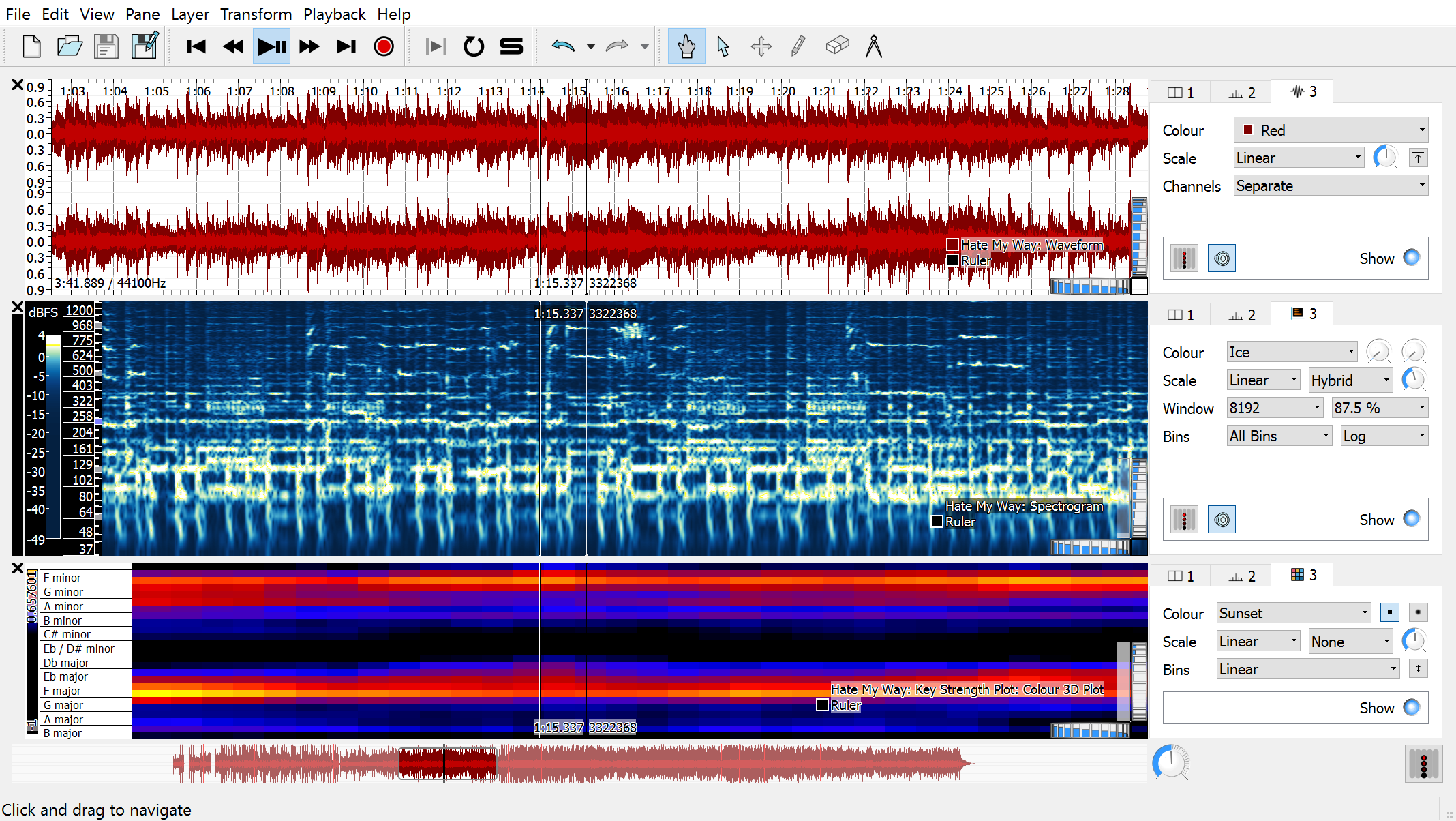
Many audio visualizers offer free versions with limited features. Advanced versions may require payment. Free versions are great for basic needs. Check the features list before downloading. Popular free options include VSXu and Sonic Visualiser.
What Are The Best Audio Visualizer Tools?
The best audio visualizer tools depend on user requirements. Popular options include Magic Music Visuals, Plane9, and VSXu. Consider ease of use, compatibility, and features when choosing. Read user reviews for insights into performance and reliability.
Can I Use Audio Visualizers On Mobile?
Yes, many audio visualizers offer mobile versions for both Android and iOS. Check the app store for available options. Mobile versions may have fewer features compared to desktop versions. Popular mobile apps include Muviz and Audio Glow.
Conclusion
Exploring audio visualizers can enhance your music experience. They make sounds visible. Easy downloads mean you can start quickly. Choose one that fits your needs best. Whether for fun or professional projects, visualizers add value. They bring creativity to life.
Experiment with different styles and effects. You’ll discover new ways to enjoy music. Stay updated with the latest tools and features. This keeps your experience fresh and exciting. Remember, the right visualizer can transform how you experience sound. So, dive in and explore! Enjoy the beautiful world of music visualization today.












