
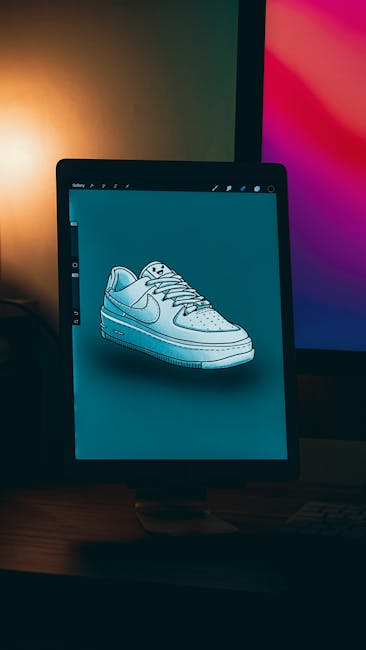
Finding the right drawing tablet can enhance your digital art experience. Whether you’re a beginner or a pro, the perfect tablet awaits.
Choosing the best brand of drawing tablet can be overwhelming with so many options available. Each brand offers unique features tailored to different needs. From standalone tablets like the PicassoTab X and X11, which don’t require a computer, to full-laminated screens like the XPPen Artist13.
3 Pro, there’s something for everyone. Wacom’s Intuos Small is ideal for portability, while the UGEE M708 provides a large workspace. HUION offers the Kamvas 13 with impressive pen pressure sensitivity and vibrant color display. Understanding your needs helps in selecting the perfect tablet. This guide explores top brands and their standout features, helping you make an informed decision.
Picassotab X Drawing Tablet

The PicassoTab X Drawing Tablet is perfect for beginner digital graphic artists looking to explore their creativity without the need for a computer. This portable and standalone device offers a 10-inch screen and comes with drawing apps and tutorials, making it an ideal gift for aspiring artists eager to learn digital illustration.
Pros:
- Standalone functionality means no computer is needed
- Comes with drawing apps and tutorials to kickstart your creativity
- Includes 4 bonus items and a stylus pen for enhanced drawing experience
- Portable design allows for creativity on-the-go
Cons:
- Limited screen size of 10 inches may not suit professional projects
- Battery life might be shorter for extended use
The PicassoTab X Drawing Tablet features a 10-inch screen that provides a compact yet immersive canvas for digital artists. This size is perfect for beginners who need a manageable workspace to practice their skills without feeling overwhelmed. The tablet’s standalone nature is a significant benefit, allowing users to draw and create without a computer, offering convenience and flexibility to create anywhere.
Additionally, the tablet includes drawing apps and tutorials, which are invaluable for those starting their digital art journey. These resources offer structured guidance, helping users to improve their techniques and explore various styles. The inclusion of 4 bonus items and a stylus pen enhances the overall drawing experience, providing users with all the necessary tools to develop their skills. With its portable design, the PicassoTab X is an excellent choice for artists who value creativity without boundaries.
To buy this product, click here.
Xppen Drawing Tablet With Screen Artist13.3 Pro Graphics Tablet

The XPPen Drawing Tablet with Screen Full-Laminated Graphics Drawing Monitor Artist13.3 Pro is ideal for digital artists, graphic designers, and illustrators who are looking for a high-quality drawing tablet to enhance their creativity and productivity. This device is perfect for professionals who need precision and versatility in their work, as well as for hobbyists eager to explore digital art with advanced features.
Pros:
- 8192 levels of pen pressure sensitivity for precise drawing
- Full-laminated screen for reduced parallax
- Adjustable stand for ergonomic use
- 8 shortcut keys for customizable workflow
- 123% sRGB color accuracy for vivid imagery
Cons:
- Limited screen size compared to larger tablets
- Requires external power supply for operation
The XPPen Drawing Tablet boasts an impressive 8192 levels of pen pressure sensitivity, allowing artists to execute intricate details and subtle shading with ease. This feature is pivotal for professionals who demand accuracy and fluidity in their digital drawings. Furthermore, the full-laminated screen minimizes parallax, ensuring that the cursor aligns perfectly with the pen tip, offering a natural drawing experience akin to traditional mediums.
This tablet comes equipped with an adjustable stand, which is crucial for maintaining a comfortable posture during long hours of work. The 8 shortcut keys enhance productivity by allowing users to customize shortcuts for frequently used commands, thereby streamlining their workflow. The 123% sRGB color accuracy ensures vibrant and true-to-life colors, making it an excellent choice for artists who prioritize color precision in their work.
To buy this product, click here.
Wacom Intuos Small Bluetooth Graphics Drawing Tablet

The Wacom Intuos Small Bluetooth Graphics Drawing Tablet is the perfect choice for teachers, students, and creators looking for a portable and versatile tool to enhance their digital creativity. Whether you’re sketching, drawing, or editing photos, this tablet offers a seamless experience compatible with Chromebook, Mac OS, Android, and Windows devices. Its compact size and customizable features make it ideal for individuals who require flexibility and precision in their digital artwork or educational tasks.
Pros:
- Portable design with lightweight and compact dimensions.
- Bluetooth connectivity for wireless convenience.
- Customizable ExpressKeys for personalized shortcuts.
- Compatibility with multiple operating systems including Chromebook, Mac OS, Android, and Windows.
Cons:
- Small size may not suit users who prefer larger drawing surfaces.
- Limited pressure sensitivity compared to high-end models.
- Bluetooth connectivity may occasionally experience lag.
The Wacom Intuos Small Bluetooth Graphics Drawing Tablet stands out with its compact and lightweight design, weighing only 0.55 pounds. This makes it exceptionally portable, allowing users to carry it easily between classes or creative sessions. The tablet features 4 customizable ExpressKeys, which can be tailored to suit individual workflow preferences, enhancing productivity and providing quick access to frequently used functions.
In addition to its portability, the tablet’s Bluetooth connectivity provides the convenience of a wireless setup, reducing clutter and enhancing mobility. Its compatibility with major operating systems ensures that users can seamlessly integrate the tablet with their existing devices, whether they are using a Chromebook, Mac OS, Android, or Windows. This cross-platform functionality makes it a versatile tool for both educational purposes and creative projects, catering to a wide range of user needs.
To buy this product, click here.
Graphics Drawing Tablet, Ugee M708

The UGEE M708 Graphics Drawing Tablet is perfect for artists, designers, and creative professionals looking for an affordable yet high-quality tool. This tablet is ideal for those who need a reliable device for digital painting, sketching, and design work. With its large drawing area and high-pressure sensitivity, it caters to both beginners and seasoned artists, providing a seamless and natural drawing experience.
Pros:
- Large 10 x 6 inch drawing area offers ample space for creativity.
- 8192 levels of pressure sensitivity ensure precise and varied strokes.
- 8 customizable hotkeys enhance workflow efficiency.
- Passive stylus requires no charging, providing uninterrupted use.
- Lightweight and slim design for easy portability.
Cons:
- Lacks a display, requiring a separate screen for viewing work.
- Initial setup and driver installation can be complex for some users.
- Limited color options, available only in black.
The UGEE M708 Graphics Tablet boasts a large active area that allows artists to express their creativity without feeling constrained. This feature is particularly beneficial for those working on detailed projects or larger designs. Additionally, the 8192 levels of pressure sensitivity provide a highly responsive experience, enabling users to create varied line weights and detailed artwork with ease. The tablet’s precision makes it an excellent choice for digital illustrators and graphic designers who require accuracy in their work.
Featuring 8 customizable hotkeys, the UGEE M708 allows users to tailor the device to their workflow, significantly increasing productivity. These keys can be set for frequently used functions, providing easy access to tools and shortcuts. Moreover, the passive stylus eliminates the need for charging, allowing artists to focus solely on their projects without worrying about battery life. This aspect, coupled with the tablet’s slim and lightweight design, makes it a convenient and portable choice for artists on the go.
To buy this product, click here.
Huion Inspiroy H1060p Graphics Drawing Tablet

The HUION Inspiroy H1060P Graphics Drawing Tablet is ideal for digital artists, graphic designers, and illustrators who seek a reliable and versatile tool to enhance their creative process. This tablet is perfect for both beginners and professionals looking for a seamless drawing experience with advanced features at an affordable price.
Pros:
- 8192 Pressure Sensitivity for precise and natural drawing.
- Battery-Free Stylus eliminates the need for charging and ensures uninterrupted workflow.
- 12 Customized Hot Keys enhance productivity by allowing quick access to frequently used functions.
- Compatible with Mac, Windows PC, and Android devices, offering flexibility.
- Large Active Area of 10 x 6.25 inches provides ample space for creativity.
Cons:
- No Wireless Connectivity might limit mobility for some users.
- Learning Curve for beginners to get accustomed to all features.
The HUION Inspiroy H1060P offers an impressive 8192 pressure sensitivity level, which is a significant feature for artists who require precision in their work. This level of sensitivity allows for the creation of detailed and nuanced art, capturing the subtle differences in pressure applied by the stylus. This feature is beneficial for artists who wish to have the same control over their digital work as they do with traditional media.
Another standout feature is the battery-free stylus, which ensures that users do not have to worry about charging their pen, thus offering a more convenient and hassle-free experience. Coupled with 12 customized hot keys, artists can streamline their workflow by assigning shortcuts to their most-used functions, significantly enhancing productivity. The tablet’s compatibility with Mac, Windows PC, and Android systems makes it a versatile choice for artists using different platforms. This adaptability ensures that users can continue their creative work seamlessly across various devices.
To buy this product, click here.
Huion Kamvas 13 (gen 3) Drawing Tablet

The HUION Kamvas 13 (Gen 3) Drawing Tablet is perfect for artists, designers, and illustrators who seek a seamless digital drawing experience. It’s ideal for those who value precision and vibrant displays in their creative process, whether they are beginners or professionals looking to upgrade their equipment.
Pros:
- Full-Laminated Screen minimizes parallax and provides a natural drawing experience.
- 99% sRGB Color Gamut offers vibrant and accurate colors.
- PenTech 4.0 with 16384 pen pressure levels ensures precise control and sensitivity.
- Dual Dial functionality enhances productivity by allowing quick access to shortcuts.
Cons:
- May require drivers installation for optimal performance on some devices.
- Not wireless, which might limit workspace flexibility.
The 13.3-inch Full-Laminated Screen on the HUION Kamvas 13 is a standout feature, drastically reducing parallax and creating a pen-on-paper feel. This makes it easier for artists to achieve precision in their work, as what you see is exactly where the pen is. Combined with the Anti-Sparkle Canvas Glass, this screen is gentle on the eyes, allowing for longer creative sessions without discomfort.
With a 99% sRGB color gamut, the tablet ensures that colors are vibrant and true to life. This is particularly beneficial for artists who require accurate color representation in their digital artwork. The PenTech 4.0 technology, offering a whopping 16384 pen pressure levels, provides unmatched sensitivity and control, making it possible to create the finest lines and the boldest strokes with ease. The inclusion of the Dual Dial feature allows users to streamline their workflow by customizing shortcuts, significantly enhancing productivity for complex projects.
To buy this product, click here.
Picassotab

The X11 Drawing Tablet is perfect for beginner digital graphic artists looking to explore their creativity without the need for a separate computer. It’s an ideal choice for those who want a portable and standalone device that offers comprehensive drawing apps and tutorials, making it a great gift for aspiring artists.
Pros:
- No computer needed, allowing for ease of use anywhere.
- 11″ screen provides ample space for detailed designs.
- Comes with a stylus pen for precise drawing.
- Portable design makes it easy to carry and use on the go.
- Includes drawing apps and tutorials to assist beginners.
Cons:
- The screen size might be too small for professional artists.
- Limited to basic graphic design functionalities compared to high-end tablets.
The X11 Drawing Tablet by PicassoTab features a compact and sleek black design, making it visually appealing and easy to handle. Its dimensions are perfectly tailored for portability, allowing users to effortlessly carry it wherever inspiration strikes. The built-in drawing apps offer a wide range of options for beginners to experiment with different styles and techniques, providing a solid foundation for their artistic journey.
Additionally, the stylus pen included with the X11 Drawing Tablet enhances precision and control, enabling artists to create intricate details with ease. The tutorials available on the device guide users through the fundamentals of digital drawing, making it straightforward for novices to develop their skills. With its standalone capability, users can enjoy the freedom to draw without being tethered to a computer, making creativity accessible anytime and anywhere.
To buy this product, click here.
Xppen Updated Deco 01 V3 Drawing Tablet

The XPPen Updated Deco 01 V3 Drawing Tablet is an ideal choice for digital artists, educators, and gamers who are seeking a versatile and reliable graphic tablet. This tablet is perfect for those who value precision and responsiveness in their digital creations, whether for art, teaching, or gaming. With its 10×6 inch active area, it offers a spacious workspace that caters to both beginners and professionals alike.
Pros:
- 16384 levels of pressure sensitivity provide exceptional precision and control.
- Battery-free stylus ensures uninterrupted use without the need for charging.
- 8 customizable hotkeys enhance workflow efficiency.
- Compatible with Chrome, PC, Mac, and Android devices.
Cons:
- May require a learning curve for those new to digital drawing tablets.
- 8 hotkeys might be insufficient for users requiring extensive shortcut options.
The XPPen Updated Deco 01 V3 Drawing Tablet stands out with its 16384 levels of pressure sensitivity, which allows users to create detailed and nuanced artwork. This feature is particularly beneficial for professional artists who demand high levels of precision. The battery-free stylus is another significant advantage, eliminating the need for frequent charging and allowing for continuous creativity without interruption.
Furthermore, the 8 customizable hotkeys on the tablet are designed to streamline the creative process by allowing users to program shortcuts for their most-used tools and functions. This can significantly speed up workflow, making it easier for artists to focus on their projects. The tablet’s compatibility with various operating systems, including Chrome, PC, Mac, and Android, ensures that it can be seamlessly integrated into any digital setup, providing a versatile solution for artists, educators, and gamers alike.
To buy this product, click here.
Picassotab

The X14 Largest Standalone Drawing Tablet by PicassoTab is perfect for digital artists, illustrators, and graphic designers who desire a portable and powerful drawing tool without the need for a computer. This device is ideal for creatives who value flexibility and the ability to work on-the-go.
Pros:
- Standalone functionality eliminates the need for a computer.
- Comes with pro drawing apps and tutorials for all skill levels.
- Large 14-inch screen for a better drawing experience.
- Includes a stylus pen for precise input.
- Highly portable, making it convenient for travel.
Cons:
- Limited upgradeability compared to traditional tablets.
- May not support all desktop software applications.
- Battery life might be shorter with extensive use.
The X14 Largest Standalone Drawing Tablet offers a unique blend of convenience and capability, making it an excellent choice for those who want to create digital art without the hassle of connecting to a computer. Its large screen provides ample space for detailed artwork, and the stylus pen ensures accuracy and ease of use. The pre-installed pro drawing apps and tutorials cater to both beginners and professionals, providing a comprehensive toolkit for creativity.
Notably, the PicassoTab is designed with portability in mind. Its slim profile and lightweight design make it easy to carry, allowing artists to work from virtually anywhere. The device’s black color adds a sleek, professional look, while its sturdy build ensures durability. However, users should consider the potential limitations in terms of software compatibility and battery longevity, which might require adjustments in workflow for some artists.
To buy this product, click here.
Picassotab A10 Drawing Tablet

The PicassoTab A10 Drawing Tablet is an ideal choice for beginner digital graphic artists who are looking for a portable and standalone device that does not require a computer to unleash their creativity. This tablet is perfect for anyone who is new to digital art and wants a convenient tool to explore and enhance their skills.
Pros:
- Standalone functionality – No computer needed
- Comes with drawing apps and tutorials
- Portable design with a 10 inch screen
- Includes a stylus pen for precise drawing
- Excellent gift option for aspiring artists
Cons:
- May have limited software compared to more professional tablets
- Battery life might be shorter with intensive use
The PicassoTab A10 Drawing Tablet boasts a 10 inch screen, providing ample space for users to create stunning digital artworks. Its portable nature allows artists to draw and paint wherever inspiration strikes, making it convenient for travel and on-the-go creativity. The inclusion of various drawing apps and tutorials makes it easier for beginners to learn and master their craft, providing a supportive environment to grow their skills.
Additionally, the tablet comes equipped with a stylus pen, enabling precise and accurate strokes that mimic traditional drawing techniques. As a standalone device, users can enjoy the freedom of creating without the need for a computer, simplifying the setup and enhancing the overall drawing experience. For those starting their journey in digital art, the PicassoTab A10 is a fantastic investment that combines functionality with ease of use.
To buy this product, click here.
Frequently Asked Questions
What Is A Standalone Drawing Tablet?
Standalone drawing tablets operate independently without needing a computer. They are portable and convenient, ideal for artists on-the-go. Models like PicassoTab X come with built-in drawing apps and tutorials. These tablets make it easy for beginners to start creating digital art without extra equipment.
How Does Pen Pressure Affect Drawing Tablets?
Pen pressure sensitivity enhances drawing precision and control. Higher levels, like 8192 or 16384, offer more nuanced strokes. This feature is crucial for creating detailed digital artwork. Tablets such as the XPPen Artist13. 3 Pro and HUION Kamvas 13 provide high pen pressure levels for professional-grade results.
Are Picassotab Tablets Good For Beginners?
Yes, PicassoTab tablets are excellent for beginners. They require no computer and include drawing apps and tutorials. The portable design makes them user-friendly for newcomers. With screens ranging from 10 to 14 inches, they offer ample space for learning and creating digital art.
Can Drawing Tablets Connect To Multiple Devices?
Many drawing tablets are compatible with various devices. Models like Wacom Intuos and HUION Inspiroy can connect to PCs, Macs, and Androids. This flexibility allows artists to work across platforms. Ensure your tablet supports your preferred device for a seamless creative experience.
What Are Express Keys On Drawing Tablets?
Express keys are customizable buttons that enhance workflow efficiency. Tablets like the UGEE M708 and Wacom Intuos feature these keys. They allow quick access to frequently used functions. This feature speeds up tasks and improves productivity, especially in digital art creation.
Why Choose A Full-laminated Screen Tablet?
Full-laminated screens reduce parallax and enhance visual clarity. Tablets like the XPPen Artist13. 3 Pro and HUION Kamvas 13 offer this feature. It ensures precise pen-to-screen interaction for accurate drawing. This technology is beneficial for artists seeking high-quality, detailed artwork.
Conclusion
Choosing the right drawing tablet can greatly enhance your digital art experience. Each tablet offers unique features and benefits. The picassotab x and x11 are excellent for beginners, offering portability and standalone functionality. Xppen’s artist13. 3 pro offers a full-laminated screen and high pen pressure sensitivity, ideal for more detailed work.
Wacom intuos and ugee m708 are great choices for students and creators, providing customizable keys and compatibility with various systems. Huion’s inspiroy h1060p and kamvas 13 offer high pressure sensitivity and advanced screen technology, perfect for intricate designs. Consider your specific needs, whether it’s portability, screen size, or pressure sensitivity.
This will help you find the best match for your artistic journey. Remember, investing in a good drawing tablet can make your creative process smoother and more enjoyable. Happy creating!











