
Affiliate Disclosure: This post may contain affiliate links. If you purchase through links on our site, we may earn an affiliate commission at no extra cost to you.
Are tangled cords and mismatched cables turning your audio-visual setup into a frustrating puzzle? You’re not alone.
Navigating the world of audio-visual cables can feel like decoding a secret language, but understanding the different types can make all the difference in your viewing and listening experience. Whether you’re setting up a home theater, connecting your gaming console, or enhancing your office presentations, choosing the right cables is crucial.
Imagine having crystal-clear sound and vivid picture quality, all because you picked the right cable. You will discover the various types of audio-visual cables and learn how to make informed choices that elevate your tech experience. Ready to untangle the mystery and improve your setup? Let’s dive in!
Hdmi Cables
When setting up your home entertainment system, the right cable can make all the difference. HDMI cables are essential for transmitting high-quality audio and video signals between devices. They’re widely used because of their ability to carry both audio and video in a single cable, simplifying your setup. But did you know there are different types of HDMI cables? Understanding which one you need can significantly enhance your viewing experience.
Standard Hdmi
Standard HDMI cables are designed for basic, everyday use. They support resolutions up to 720p or 1080i, which are common in older devices or non-HD content. If you’re connecting a DVD player or an older gaming console, a standard HDMI cable will likely suffice. However, as technology evolves, these cables may not meet the demands of newer, higher-resolution devices.
High-speed Hdmi
High-Speed HDMI cables are your go-to for most modern devices. They support resolutions up to 4K and provide better data transfer rates. This means you get to enjoy clearer, sharper images and more detailed audio. Ever watched a 4K movie and wondered why it looked so stunning? A high-speed HDMI cable is probably doing the heavy lifting.
Ultra High-speed Hdmi
Ultra High-Speed HDMI cables are the newest kids on the block. They’re designed to support 8K resolution and higher, making them future-proof for upcoming technology. These cables also support faster refresh rates, which can be a game-changer for gaming enthusiasts. If you’re planning to invest in an 8K TV or the latest gaming console, this is the cable you want.
Choosing the right HDMI cable can be confusing, but it doesn’t have to be. Think about what devices you have and what you plan to use them for. Are you upgrading your TV soon? Considering these factors can help you make an informed choice. Have you ever underestimated the power of the right cable? Share your experiences in the comments!
Vga Cables
VGA cables are a common type of audio-visual cable. They transmit video signals from devices to monitors. Known for their reliability, VGA cables have been around for decades. They connect computers to screens, projectors, and televisions. These cables are vital for displaying high-quality images. VGA cables have three rows of pins. They ensure secure connection and stable signal transmission.
Analog Signal Transmission
VGA cables transmit analog signals. This means they send continuous electrical currents to convey images. Analog signals differ from digital signals. They can produce a wide range of colors and shades. VGA cables do not compress data. This helps maintain image quality during transmission. The cable transfers signals through its pins. Each pin represents a specific color or synchronization process. VGA cables are ideal for older devices that use analog technology.
Common Uses
VGA cables are used in schools and offices. They connect computers to projectors for presentations. They are also popular in homes. VGA cables link computers to televisions for larger displays. Many older video game consoles use VGA cables. These cables enhance visual experiences on bigger screens. VGA cables are easy to install. Their straightforward design makes them user-friendly. They remain popular despite newer technologies. VGA cables offer reliable connections for various devices.
Dvi Cables
Digital Visual Interface, commonly known as DVI, is a versatile type of audio-visual cable used to connect display devices. It is particularly popular for its ability to transmit both analog and digital signals, making it adaptable for various setups. Whether you’re setting up a home theater or configuring your computer monitors, understanding the different types of DVI cables can help you optimize your display quality.
Dvi-d
DVI-D cables are designed solely for digital signals. If your monitor and graphics card both support digital inputs, DVI-D is the way to go. These cables ensure a pure digital connection, which translates to crisp and clear image quality. Have you ever noticed a loss of detail in your movie nights? Switching to DVI-D might just be the fix you need.
Dvi-a
DVI-A cables are somewhat of a rarity today, primarily supporting analog signals. These are useful if you have older equipment that lacks digital capabilities. While DVI-A won’t give you the sharpest image, they’re a practical solution for connecting legacy devices. If you’ve inherited an older projector, a DVI-A cable can bring it back to life without the need for an upgrade.
Dvi-i
DVI-I cables offer the best of both worlds, supporting both digital and analog signals. They are a versatile choice if you’re dealing with a mix of old and new equipment. You might find these cables invaluable if you’re frequently switching between devices with different input requirements. Do you often share your workspace with others? Having DVI-I cables on hand ensures compatibility across various setups.
Choosing the right DVI cable can make a significant difference in your viewing experience. Whether you prioritize image quality or compatibility, understanding these types helps you make informed decisions. Have you explored all the possibilities DVI cables offer? The right cable might just be the missing piece in your perfect setup.
Displayport Cables
DisplayPort cables are essential for transferring video and audio signals. They are widely used in connecting computers to monitors. These cables support high-definition video and audio. DisplayPort cables ensure clear and crisp visuals. With various types available, they cater to different needs.
Standard Displayport
The Standard DisplayPort is the original version. It is known for its high data transfer rate. This cable supports 4K and even 8K resolutions. It has a unique locking mechanism. This prevents accidental disconnections. Its robust design makes it reliable for long-term use.
Mini Displayport
The Mini DisplayPort is a smaller version. It is often found in laptops and tablets. Despite its size, it offers excellent performance. The Mini DisplayPort supports high resolutions. It is compatible with many devices. This makes it a versatile choice for many users.
Rca Cables
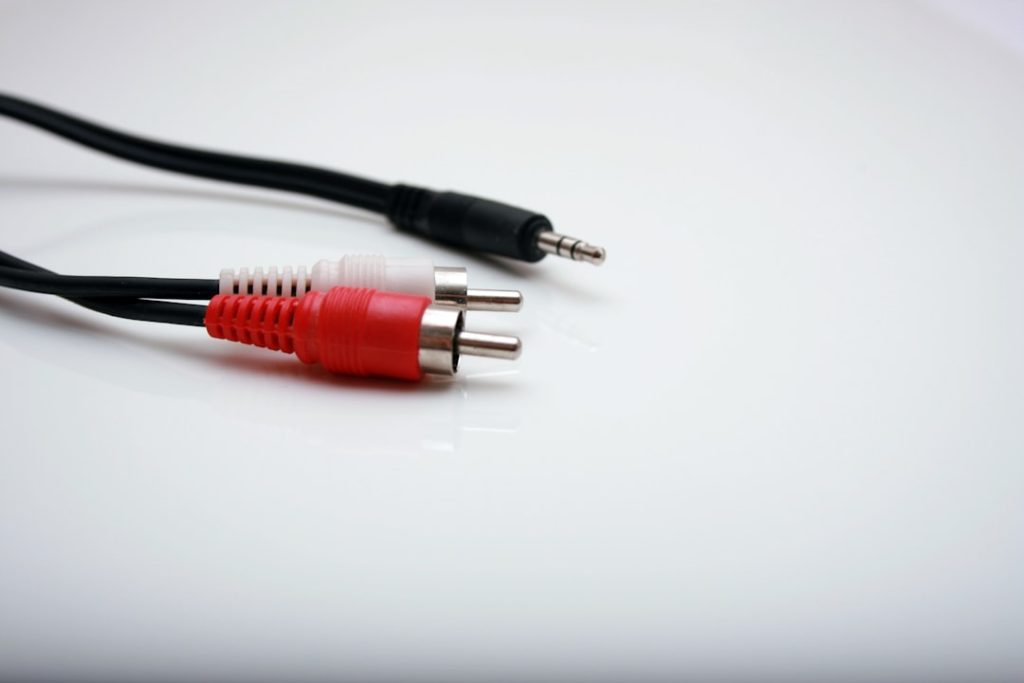
RCA cables have been a staple in audio-visual setups for decades. They are known for their simplicity and reliability. These cables are often used to connect TVs, DVD players, and other devices. RCA cables are color-coded, making them easy to set up. Each color corresponds to a specific type of signal. This helps in maintaining the quality of sound and video.
Composite Video
The composite video uses a single RCA cable for video signals. It combines all video information into one cable. This makes it simple to connect. The cable is usually yellow. Composite video is not the best for high-definition content. It works well for standard-definition signals. It is common in older devices.
Component Video
Component video offers better quality than composite video. It uses three separate cables for video signals. These cables are colored red, green, and blue. Each cable carries a different part of the video signal. This separation improves video quality. Component video supports high-definition signals. It is suitable for modern devices. Many home theater systems use component video.
Optical Audio Cables
Optical audio cables are essential for high-quality sound transmission. They use light to carry audio signals. This method reduces interference and ensures clear sound. Optical audio cables are perfect for home theaters and sound systems. They connect devices like TVs, soundbars, and gaming consoles. There are two main types: Toslink and Mini-Toslink.
Toslink
Toslink cables are the most common type of optical audio cable. They use fiber optics to transmit audio data. Toslink cables offer excellent sound quality. They are popular for connecting home audio systems. These cables are durable and reliable. They have a square connector that fits most audio devices. Toslink cables support various audio formats, including Dolby Digital and DTS. This makes them ideal for home theaters.
Mini-toslink
Mini-Toslink cables are a smaller version of Toslink. They are used with devices with limited space. These cables have a 3.5mm connector, similar to a headphone jack. Mini-Toslink is often used with laptops, portable audio players, and smaller devices. Despite their size, they offer the same high-quality audio as standard Toslink. Mini-Toslink is versatile and easy to use, making it a great choice for compact devices.
Coaxial Digital Cables
Coaxial digital cables are common in audio-visual setups. They transmit digital audio signals between devices. These cables are essential for clear sound. Coaxial cables offer better sound quality than analog cables. They use electrical signals to carry audio data. This makes them reliable for home theaters and sound systems.
Structure Of Coaxial Digital Cables
Coaxial cables have two main parts. The core wire carries the signal. This wire is often copper. Surrounding the core is an insulating layer. It keeps the signal clear. Outside the insulation is a metal shield. This shield blocks interference. Finally, a plastic cover protects the cable.
Uses Of Coaxial Digital Cables
Coaxial cables connect DVD players and TVs. They also link audio receivers and speakers. You often see them in home theaters. They provide clear and crisp sound. Coaxial cables are great for surround sound systems. They ensure every note is heard.
Advantages Of Coaxial Digital Cables
Coaxial cables are durable. They resist wear and tear. These cables are affordable. Many people choose them for quality sound. They are easy to install. They don’t need special connectors. Coaxial cables work with many devices. Their versatility is a major plus.
Considerations For Coaxial Digital Cables
Coaxial cables vary in length. Choose the right size for your setup. Longer cables may affect sound quality. Ensure the cable fits your device ports. Check for a snug connection. Loose connections can cause static. Keep the cables away from power lines. This avoids interference.
Usb-c Cables
USB-C cables are versatile and widely used in modern devices. Their design allows for fast data transfer and efficient charging. Many new smartphones, laptops, and tablets come equipped with USB-C ports. This makes USB-C cables an essential part of everyday tech accessories. They offer improved functionality compared to older cable types.
Video And Audio Capabilities
USB-C cables support high-quality video and audio transmission. They can connect to monitors and televisions, providing clear visuals. The sound quality is also enhanced, making media experiences better. Many devices use USB-C for streaming and video playback. This makes them a preferred choice for tech users.
Compatibility
USB-C cables are compatible with many devices. They work with laptops, tablets, smartphones, and more. This universal compatibility reduces the need for multiple cables. Users enjoy seamless connectivity with different gadgets. USB-C simplifies technology connections, making it user-friendly.
Thunderbolt Cables
Thunderbolt cables provide fast data transfer and high-definition audio-visual connections. They connect devices like computers, displays, and storage units efficiently. Ideal for multimedia professionals needing robust performance.
When it comes to connecting devices, Thunderbolt cables have become an essential tool for tech enthusiasts and professionals alike. They’re known for their incredible speed and versatility, making them a popular choice for transferring data and connecting displays. Whether you’re setting up a home office or enhancing your gaming setup, understanding the different types of Thunderbolt cables can help you make the most out of your devices.
Thunderbolt 3
Thunderbolt 3 cables are a game-changer for those seeking speed and efficiency. They can transfer data at a rate of up to 40Gbps, allowing you to move large files quickly and easily. This is particularly useful for video editors who often work with large video files. Not only do Thunderbolt 3 cables support fast data transfer, but they also allow you to connect multiple devices using a single cable. Imagine having your laptop, external hard drive, and 4K monitor all linked through one port. This streamlined setup can save you time and reduce clutter. If you’re thinking about upgrading your setup, ask yourself: how much time could you save with faster data transfers? The answer might just surprise you.
Thunderbolt 4
Thunderbolt 4 cables build upon the foundation set by their predecessors. They maintain the same 40Gbps data transfer speed but come with added features that enhance security and compatibility. One of the standout features of Thunderbolt 4 is its ability to support up to two 4K displays or one 8K display. This makes it ideal for graphic designers and gamers who demand high-resolution graphics. Additionally, Thunderbolt 4 cables ensure compatibility with USB4, providing flexibility for connecting various devices. Have you ever struggled with incompatible cables? With Thunderbolt 4, those days are over. Its universal compatibility means you’re less likely to encounter issues connecting different devices. By understanding the differences between Thunderbolt 3 and Thunderbolt 4, you can make informed decisions that best suit your needs. Whether you prioritize speed, compatibility, or display capabilities, these cables offer solutions that cater to various tech demands. Which Thunderbolt cable will you choose to enhance your tech experience?
S-video Cables
S-Video cables, though not as common today, hold a special place in the history of audio visual technology. They were a staple for connecting devices during the analog era, offering a significant improvement over composite video cables. If you’ve ever connected a DVD player to a TV in the early 2000s, you’ve likely handled an S-Video cable. They carry video signals and help deliver better picture quality by separating color and brightness information. But what makes them unique, especially in comparison to their modern counterparts?
Analog Video Signal
S-Video cables transmit analog video signals, which means they carry information in a continuous wave form. This is unlike digital signals, which use binary codes. Analog signals can degrade over distance, affecting image quality. However, within short distances, S-Video cables can deliver a clearer picture than composite cables. That’s why they were favored for devices like TVs and projectors. Imagine watching your favorite movie with slightly better detail and color. That’s the experience S-Video aimed to provide.
Uses In Older Devices
S-Video cables were predominantly used in older devices like VCRs, DVD players, and early gaming consoles. You might remember connecting your PlayStation 2 or original Xbox using these cables to get slightly enhanced graphics. Their connectors are round with multiple pins, making them distinctive. Why does this matter? If you have vintage devices, S-Video cables are essential for connecting them to modern TVs that support them. They bridge the gap between past technology and current viewing experiences.
Have you ever considered using S-Video cables for your retro tech? It’s a simple way to rejuvenate old devices and enjoy nostalgia. You might even discover a newfound appreciation for the analog warmth they can bring to your viewing experience. So, before you toss out that old DVD player, think about the potential of S-Video cables.
Frequently Asked Questions
What Are Common Audio Visual Cables?
Common audio visual cables include HDMI, VGA, DVI, RCA, and DisplayPort. HDMI is popular for high-definition video and audio. VGA is used for analog signals. DVI supports digital video. RCA is often used for standard video and audio connections. DisplayPort is used for high-resolution displays.
How Does Hdmi Cable Work?
HDMI cables transmit high-definition video and audio signals. They connect devices like TVs, monitors, and projectors to source devices. HDMI supports both video and audio signals. It provides high-quality and seamless transmission. HDMI is compatible with various resolutions, including 4K and 1080p.
What Is The Purpose Of Vga Cables?
VGA cables transmit analog video signals. They connect computers to monitors or projectors. VGA is used for lower-resolution displays. It has a 15-pin connector. VGA is older but still widely used in certain applications. It is less common in modern high-definition setups.
Are Rca Cables Still Used Today?
Yes, RCA cables are still used today. They are common for audio connections. RCA is used in home theater systems and older devices. They transmit analog signals and are often color-coded. RCA cables are reliable for standard audio and video connections.
Conclusion
Understanding audio visual cables helps improve your media experience. Each type serves a unique purpose. HDMI delivers high-quality video and audio. RCA cables connect older devices. Optical cables transmit digital sound efficiently. USB cables are versatile and common. Knowing these helps in choosing the right one.
Proper selection ensures optimal performance. Always match the cable to your device’s needs. This prevents unnecessary issues. Keep these insights in mind for better audio-visual setups. Enjoy clearer sound and sharper pictures. Your media devices deserve the best connection.











