
Affiliate Disclosure: This post may contain affiliate links. If you purchase through links on our site, we may earn an affiliate commission at no extra cost to you.
Imagine running out of space on your computer just when you’re about to save an important file or a cherished photo. Frustrating, right?
That’s where external storage devices come to the rescue. These handy gadgets are like the extra closet you need when your home is overflowing with stuff. But what exactly is an external storage device, and why should you consider having one in your tech arsenal?
We’ll break down everything you need to know about these lifesavers, showing you how they can make your digital life more organized and stress-free. Whether you’re a tech newbie or a seasoned pro, understanding external storage devices can open up new possibilities for how you manage your files and data. Get ready to discover how you can effortlessly keep your digital world clutter-free and secure.
Types Of External Storage Devices
External storage devices are essential tools for expanding your digital storage capacity. Whether you’re a student storing assignments, a photographer safeguarding images, or a business backing up data, these devices come in handy. They offer flexibility, portability, and often a cost-effective solution to your storage woes.
But did you know there are different types of external storage devices, each with unique features? Let’s break them down for you.
Usb Flash Drives
USB flash drives are small, portable, and easy to use. They plug directly into your computer’s USB port, making data transfer quick and straightforward. They’re perfect for storing documents, photos, and even some videos. Ever lost a presentation right before a big meeting? A trusty USB flash drive could save the day, keeping your files secure and accessible.
External Hard Drives
External hard drives offer larger storage capacities, often ranging from 500GB to several terabytes. They’re ideal for backing up significant amounts of data, such as entire system backups or extensive media collections. Imagine having all your family photos stored safely in one place, ready to share or reminisce over at any moment.
Solid State Drives
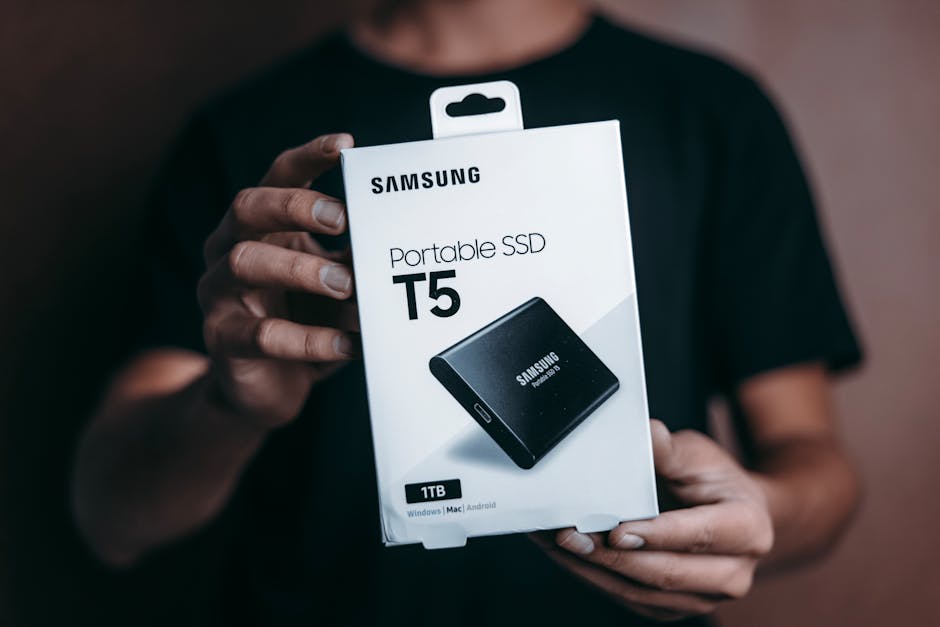
Solid state drives (SSDs) are known for their speed and durability. Unlike traditional hard drives, they have no moving parts, which makes them more resistant to physical damage. They’re an excellent choice if you need fast access to data or if you’re on the go. Have you ever been frustrated by slow load times? An SSD could be the solution.
Network Attached Storage
Network Attached Storage (NAS) devices are like having your own personal cloud. They connect to your home or office network, allowing multiple users to access shared files. They’re perfect for collaborative environments or families who want centralized access to media. Picture a home where everyone can watch a movie from the same device, at the same time—convenient, right?
Cloud Storage
Cloud storage offers the ability to access your data from anywhere with an internet connection. Services like Google Drive and Dropbox provide a virtual space for your files, with the added benefit of automatic backups and sharing capabilities. Consider how reassuring it is to know your important documents are safe even if your device is lost or damaged. Have you embraced the cloud yet?
Each type of external storage device has its strengths, but which one suits you best? Your needs and lifestyle will guide your choice. Understanding these options can help you make informed decisions and keep your digital life organized and secure.
Choosing The Right Device
Choosing the right external storage device can feel overwhelming. With various options, it’s crucial to understand your needs. This guide will help you select the ideal device for your requirements.
Capacity Considerations
Think about how much data you need to store. Devices come with different storage sizes. If you have a lot of files, pick one with more capacity. For fewer files, a smaller device will work fine.
Speed And Performance
Speed matters when transferring files. Fast devices save time. Check the device’s read and write speeds. Faster speeds mean quicker file transfers. Choose one that suits your speed needs.
Compatibility With Systems
Ensure the device works with your computer. Some devices only work with certain systems. Verify compatibility with your operating system. This avoids issues and ensures smooth operation.
Portability Needs
Consider how often you’ll carry the device. If you travel often, pick a lightweight and compact option. For home use, size might not matter. Portability affects convenience.
Budget Constraints
Set a budget before shopping. Prices vary greatly. More features usually mean higher cost. Decide what features are essential. Stick to your budget to avoid overspending.
Setup And Installation
Setting up an external storage device can be straightforward. It involves connecting to different devices, formatting requirements, software and drivers, and initial configuration. Follow these steps to ensure your device works smoothly.
Connecting To Different Devices
External storage devices connect through USB, Thunderbolt, or eSATA ports. Make sure your device has the right cable. Plug the cable into your computer or tablet. The device should appear on your screen. Check for any connection issues by testing with another device.
Formatting Requirements
Formatting prepares your storage device for use. Choose the right file system for your needs. Windows users might prefer NTFS. Mac users may select HFS+. For cross-platform use, FAT32 is a good choice. Use your computer’s disk management tools to format.
Software And Drivers
Some external storage devices need specific software or drivers. Check the manufacturer’s website for downloads. Install these on your computer. This ensures full compatibility and functionality. Keep drivers updated for best performance.
Initial Configuration
After connecting and installing necessary software, configure your device settings. Set your preferred backup schedule. Organize folders and files for easy access. Enable password protection if needed. This secures your data and optimizes usage.
Data Transfer Methods
External storage devices are essential for data management. Understanding data transfer methods is crucial. It ensures efficient use of these devices. Methods vary, each with unique benefits. Let’s explore four main ways to transfer data.
Wired Connections
Wired connections are common for data transfer. They use cables for direct links. USB cables are most used today. They offer fast and reliable data transfer. Other options include Thunderbolt and HDMI. Wired connections provide stable and secure transfers.
Wireless Options
Wireless options remove the need for cables. Bluetooth is a popular choice. It’s good for short-distance transfers. Wi-Fi offers faster speeds. It works well for larger files. Wireless transfers are convenient and easy to set up.
Using File Transfer Protocols
File Transfer Protocols (FTP) manage data transfers over networks. FTP is used for transferring large files. Secure FTP (SFTP) adds a security layer. It encrypts the data for safe transfers. FTP is a solid choice for internet-based transfers.
Cloud Synchronization
Cloud synchronization involves storing data online. Services like Google Drive and Dropbox are popular. They allow access from any device. Data updates automatically across platforms. Cloud sync offers flexibility and ease of access. It’s ideal for collaborative work.
Security And Backup
An external storage device is a portable gadget used to store data outside a computer. It offers a safe place for backups and extra space for files. Popular types include USB drives, external hard drives, and SSDs.
Security and backup are crucial aspects of using external storage devices. Protecting data from unauthorized access is vital. Regular backups ensure data safety and availability. They help in case of unexpected data loss. Understanding security features can aid in effective data management.
Encryption Options
Encryption transforms data into a coded format. It prevents unauthorized access. Many external storage devices offer built-in encryption. AES encryption is common. It provides strong security. Encrypting files is essential for sensitive data.
Password Protection
Password protection adds another security layer. Users set a password to access their storage device. Strong passwords improve security. Use a mix of letters, numbers, and symbols. Change passwords regularly. This reduces the risk of unauthorized access.
Regular Backup Practices
Regular backups are crucial for data safety. Schedule backups to keep data updated. Use backup software for automation. Store backups in multiple locations. This ensures data availability during device failure. Regular backups help recover lost files.
Data Recovery Solutions
Data recovery solutions restore lost data. Many devices come with recovery software. They help retrieve accidentally deleted files. Recovery tools can scan and restore corrupted data. Keep data recovery tools updated. They improve chances of successful recovery.
Maintenance And Troubleshooting
Maintenance and troubleshooting of external storage devices are crucial. It ensures their longevity and reliability. These devices store valuable data. Keeping them in good shape is vital. Regular care prevents issues and enhances performance. Let’s explore how to maintain and troubleshoot these devices.
Regular Cleaning Tips
Dust affects device performance. Use a soft cloth to clean surfaces. Avoid liquids that may cause damage. Compressed air can help remove dust from ports. Ensure proper ventilation. Overheating risks data loss.
Updating Firmware
Firmware updates improve device functionality. Check the manufacturer’s website for updates. Follow instructions for safe installation. Regular updates protect against security threats. They also fix bugs.
Common Issues And Fixes
Devices not recognized? Check connections first. Loose cables are a common issue. Restart the computer if problems persist. Slow transfer speeds? Clear space on the device. Fragmentation can slow performance.
When To Seek Professional Help
Data loss may require expert assistance. Strange noises indicate hardware problems. If troubleshooting fails, consult a technician. Professional help ensures data recovery. Avoid DIY fixes for complex issues.
Future Trends
As technology continues to evolve, external storage devices are becoming more advanced and versatile. These devices are crucial for backing up data and expanding storage capacity. But what does the future hold for these essential gadgets? Let’s dive into emerging trends shaping the future of external storage devices.
Advancements In Storage Technology
Technology is racing forward at an astonishing pace. With each leap, external storage devices are getting faster and more efficient. Imagine transferring gigabytes of data in mere seconds. Solid State Drives (SSDs) are leading this charge, offering speed and reliability unmatched by traditional hard drives.
Consider the rise of NVMe technology. It’s revolutionizing how data is accessed and stored. If you’ve ever felt frustrated waiting for files to open, NVMe could be your solution, making slow data access a thing of the past.
Emerging Storage Formats
New storage formats are cropping up, challenging the dominance of traditional USB and hard drives. Thunderbolt and USB-C are gaining traction, providing faster transfer rates and enhanced versatility. These formats are not just about speed; they’re about simplifying connectivity across devices.
Even cloud storage is evolving, offering hybrid solutions that combine physical devices with online storage. You might find yourself using a device that seamlessly syncs with the cloud, offering both physical and virtual storage capacities.
Environmental Considerations
As you explore future trends, consider the environmental impact of storage devices. Manufacturers are making strides toward eco-friendly solutions. You’ll see more devices made from recycled materials and energy-efficient designs.
Imagine how your choice of storage device could influence energy consumption. Opting for greener options might not only save the planet but also reduce your energy bills.
Looking ahead, how will these advancements shape your storage choices? Will you prioritize speed, versatility, or sustainability? Your decisions will define the future landscape of external storage devices.
Frequently Asked Questions
What Are External Storage Devices?
External storage devices are hardware used to store data outside the computer. They connect via USB, Thunderbolt, or wireless. Common types include external hard drives, SSDs, and flash drives. These devices are portable, making them ideal for backups and transferring data between systems.
How Do External Storage Devices Work?
External storage devices work by connecting to a computer and expanding its storage capacity. They use interfaces like USB or Thunderbolt for data transfer. The computer recognizes them as additional storage, allowing users to save, access, and manage files efficiently.
Why Use External Storage Devices?
External storage devices offer expanded capacity and portability. They are perfect for backing up data and transferring files between computers. They also improve data security by keeping files separate from the main system. This flexibility enhances data management and protection.
Can External Storage Devices Be Used With Any Computer?
Most external storage devices can be used with any computer, regardless of the operating system. They are typically plug-and-play, requiring no special software. However, compatibility depends on the connection type, such as USB or Thunderbolt, and the computer’s available ports.
Conclusion
External storage devices offer flexibility and convenience for everyone. They help in saving space on your computer. Easy to use, they plug right into your device. Whether it’s for work or personal use, they are handy tools. Many people find them essential for storing photos, videos, and files.
Their portability makes them great for travel or simple at-home use. Choosing the right one depends on your needs and budget. Always consider storage capacity, speed, and compatibility. With these devices, managing data becomes easier. They are practical solutions for everyday digital needs.











